Top
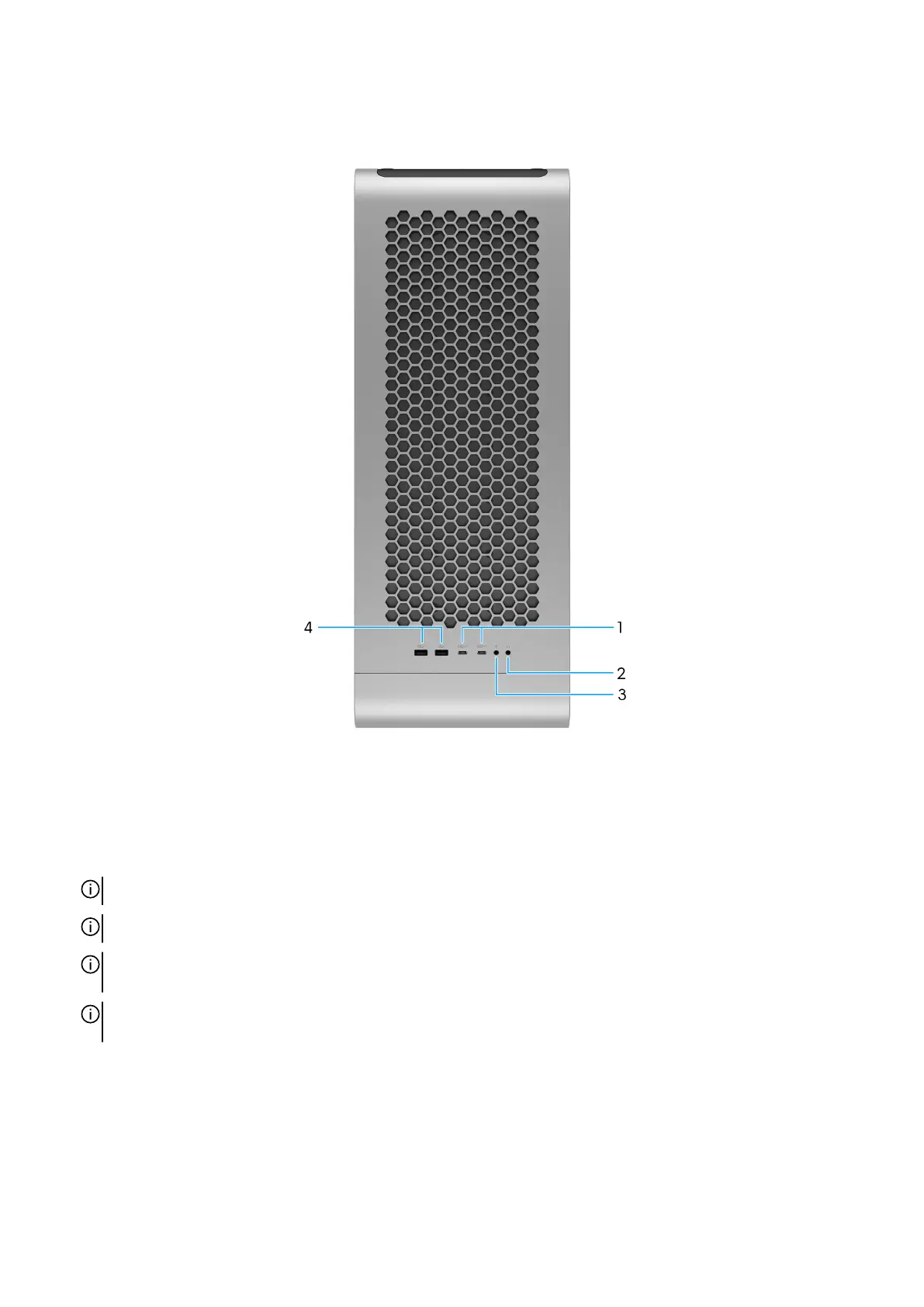
Figure 4. Top view
1. USB 3.2 Gen 2 (10 Gbps) Type-C ports with PowerShare (2)
Connect devices such as external storage devices, printers, and external displays.
The port provides data transfer speeds up to 10 Gbps. Supports Power Delivery that enables two-way power supply between
devices. Supports up to 15 W power output that enables faster charging.
NOTE: A USB Type-C to DisplayPort adapter (sold separately) is required to connect a DisplayPort device.
NOTE: PowerShare enables you to charge your USB devices even when your computer is turned off.
NOTE: If the charge on your computer's battery is less than 10 percent, you must connect the power adapter to charge your
computer, and USB devices connected to the PowerShare port.
NOTE: If a USB device is connected to the PowerShare port before the computer is turned off or in hibernate state, you
must disconnect and connect it again to enable charging.
2. Audio output/headphone
Connect headphones or speakers.
3. Audio input/microphone
Connect an external microphone to provide sound input.
4. USB 3.2 Gen 1 (5 Gbps) ports (2)
12 Views of Alienware Area-51 AAT2250















 To Next Page