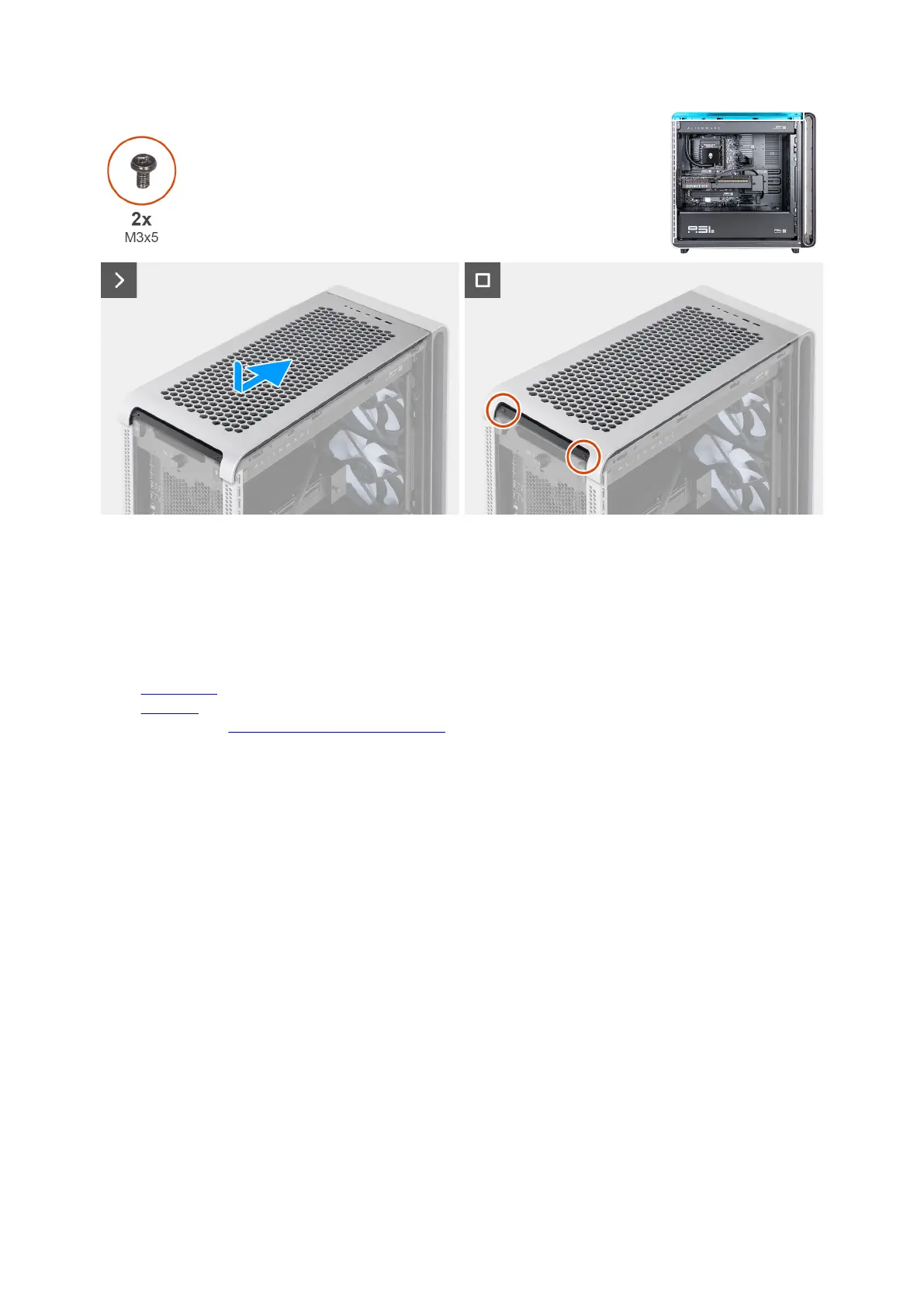
Figure 48. Installing the top cover
Steps
1. Align the tabs on the top cover with the slots on the chassis and slide the top cover until it clicks into place.
2. Replace the two screws (M3x5) that secure the top cover to the chassis.
Next steps
1. Install the top fan filter.
2. Install the left cover.
3. Follow the procedure in After working inside your computer.
Memory module
QR code for memory module video
The following image indicates the location of the QR code for memory module video. Scan the QR code on the chassis to view the
memory removal and installation video.
64 Removing and installing Customer Replaceable Units (CRUs)















 To Next Page