NOTE: Note the orientation of the hard drive carrier to replace it correctly.
3. Pry the hard drive carrier to release the tabs on the carrier from the slots on the hard drive.
4. Lift the hard drive out of the hard drive carrier.
Installing the 3.5-inch hard drive
Prerequisites
If you are replacing a component, remove the existing component before performing the installation procedure.
About this task
NOTE: The 3.5-inch hard drive is sold separately.
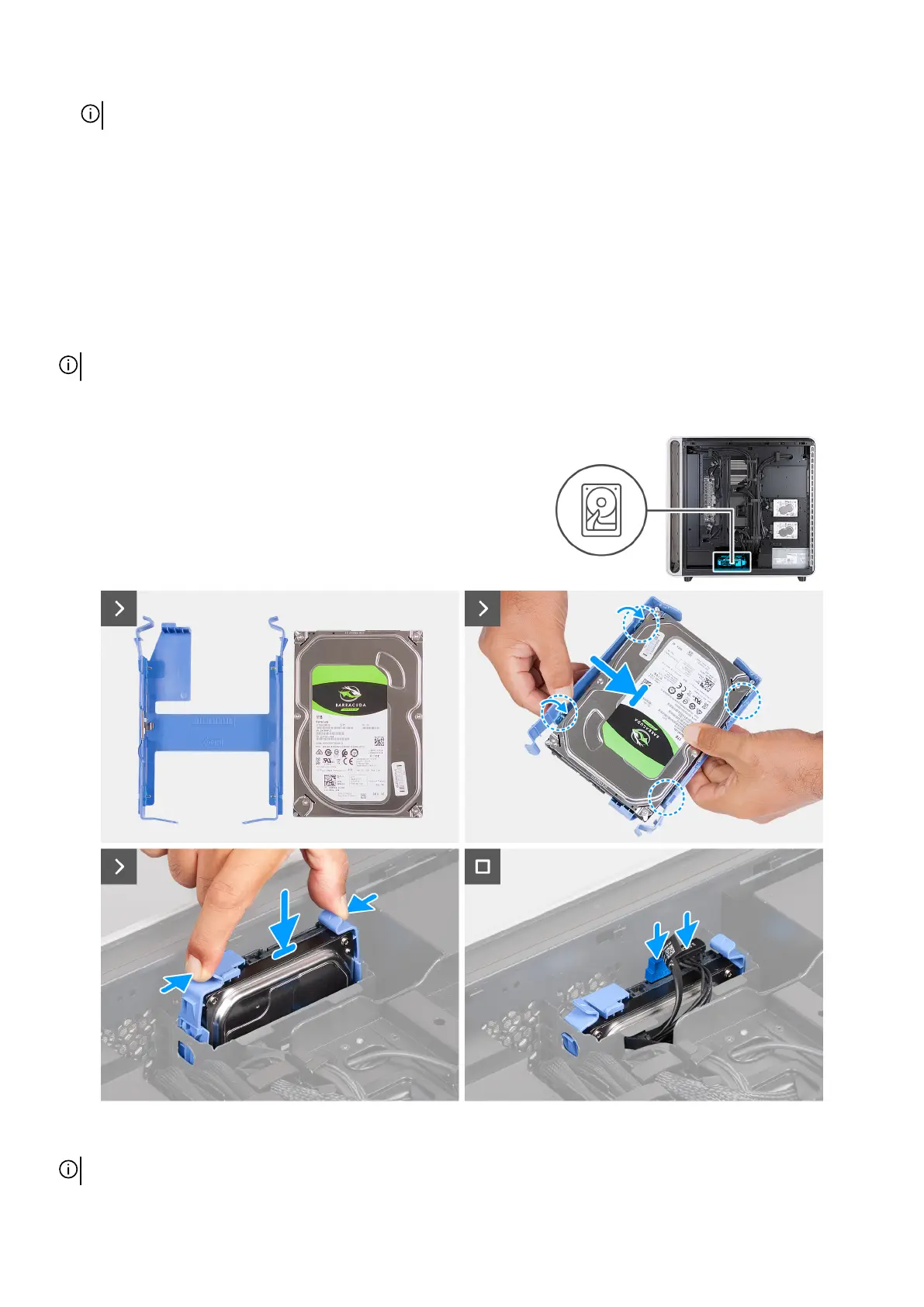
The following images indicate the location of the 3.5-inch hard drive and provide a visual representation of the installation
procedure.
Figure 85. Installing the 3.5-inch hard drive
NOTE: Ensure that the hard drive orientation is correct when installing the hard drive.
98 Removing and installing Customer Replaceable Units (CRUs)















 To Next Page