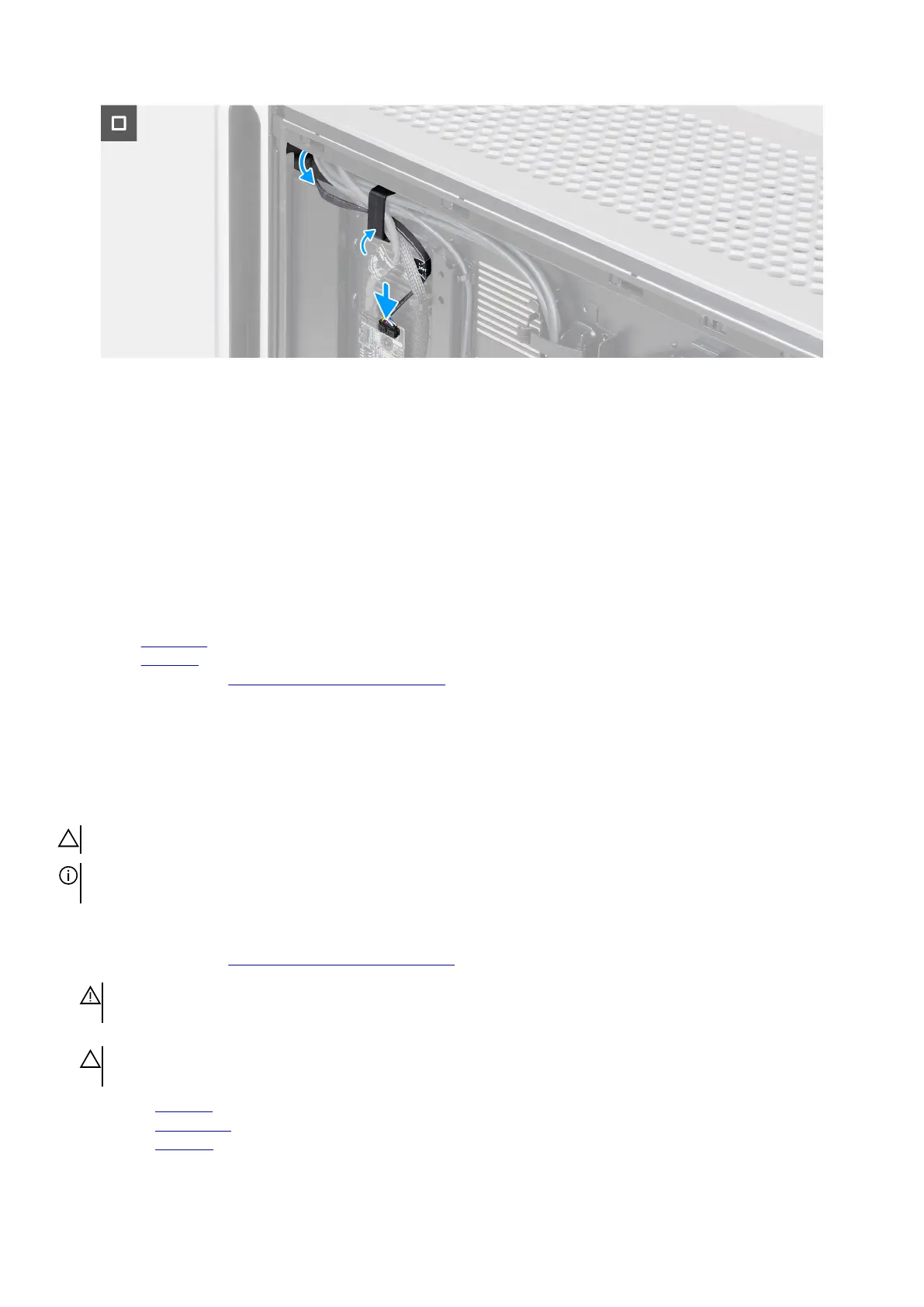
Figure 95. Installing the side light
Steps
1. Align the tabs on the side light with the slots on the chassis and insert the side light into the chassis.
2. Align the screw hole of the side light with the screw hole on the chassis.
3. Replace the two screws (M3x3) that secure the side light to the chassis.
4. Route the side-light cable through the opening on the chassis.
5. Place the computer in the upright position.
6. Insert the side-light cable into the securing clip and lock the securing clip to secure the side-light cable.
7. Connect the side-light cable to the connector (SIDE_LIGHT) on the AlienFX board on the right side of the chassis.
Next steps
1. Install the right cover.
2. Install the left cover.
3. Follow the procedure in After working inside your computer.
Processor liquid-cooling assembly
Removing the processor liquid-cooling assembly
CAUTION: The information in this removal section is intended for authorized service technicians only.
NOTE: Depending on the configuration ordered, your computer is shipped either with a 240 mm or a 360 mm processor
liquid-cooling assembly.
Prerequisites
1. Follow the procedure in Before working inside your computer.
WARNING: Despite having a plastic shield, the processor liquid-cooling assembly may be hot during normal operation.
Ensure that it had sufficient time to cool before you touch it.
CAUTION: For maximum cooling of the processor, do not touch the heat transfer areas on the heat sink. The oils in your
skin can reduce the heat transfer capability of the thermal grease.
2. Remove the left cover.
3. Remove the top fan filter.
4. Remove the top cover.
Removing and installing Field Replaceable Units (FRUs) 109















 To Next Page