Back
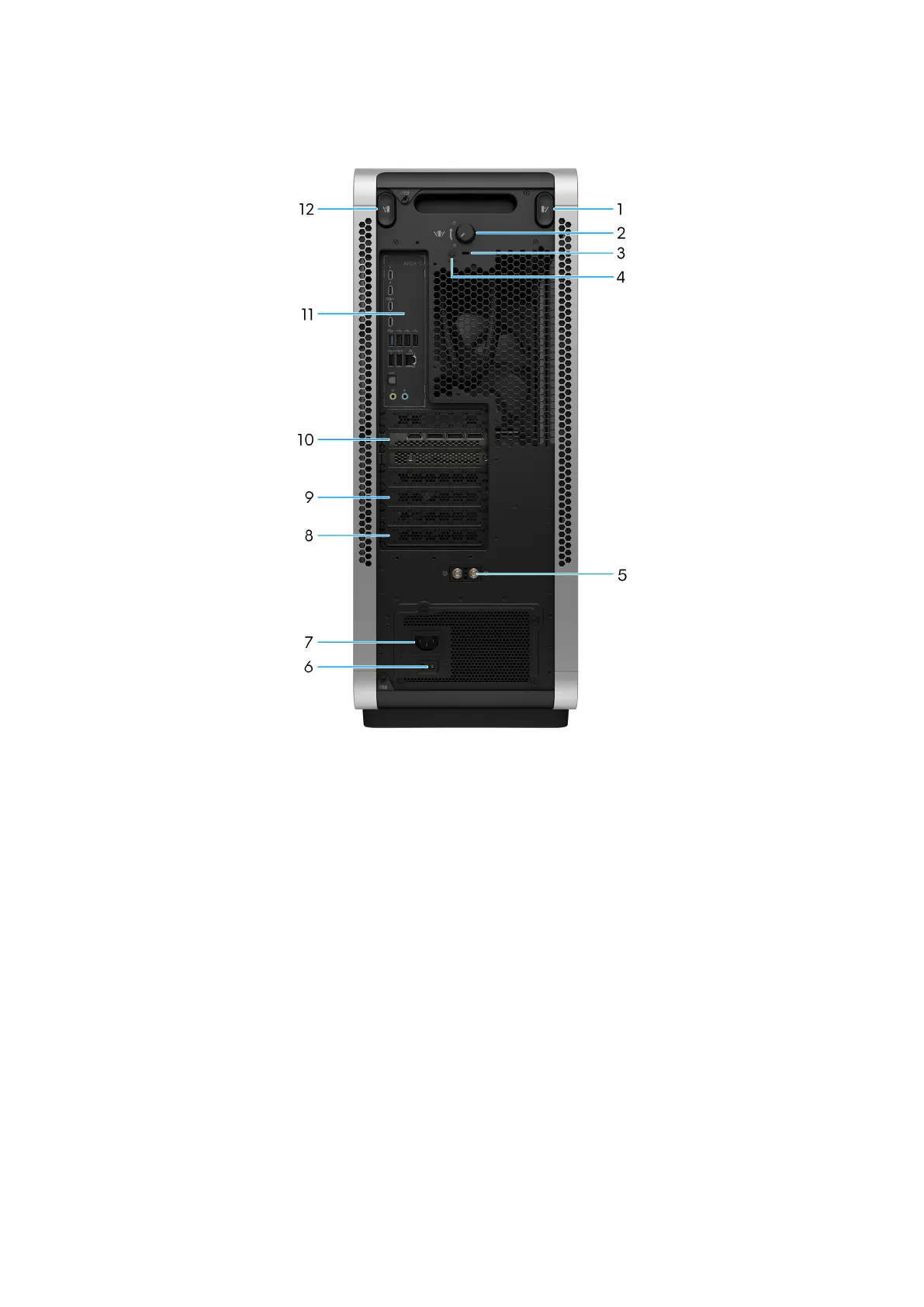
Figure 2. Back view
1. Left cover release button
Press the latch to quickly release the left cover from your computer.
2. Side cover knob
Rotate the side cover knob clockwise to unlock or counter clockwise to lock the knob.
3. Security-cable slot (for Kensington locks)
Connect a security cable to prevent unauthorized movement of your computer.
4. Security screw
The security screw secures the side cover knob to the chassis.
5. External SMA antenna connectors
Connect the external antenna to improve the wireless communication strength and stability of your computer.
6. Power-supply diagnostics light
The power-supply diagnostics light indicates the power-supply state.
7. Power port
Connect a power cable to provide power to your computer.
8. PCI-Express x4 slot
Views of Alienware Area-51 AAT2250 9















 To Next Page