About this task
NOTE: The coin-cell battery cover is designed to prevent children from accessing the coin-cell battery. The coin-cell battery
cover does not affect the computer's functionality.
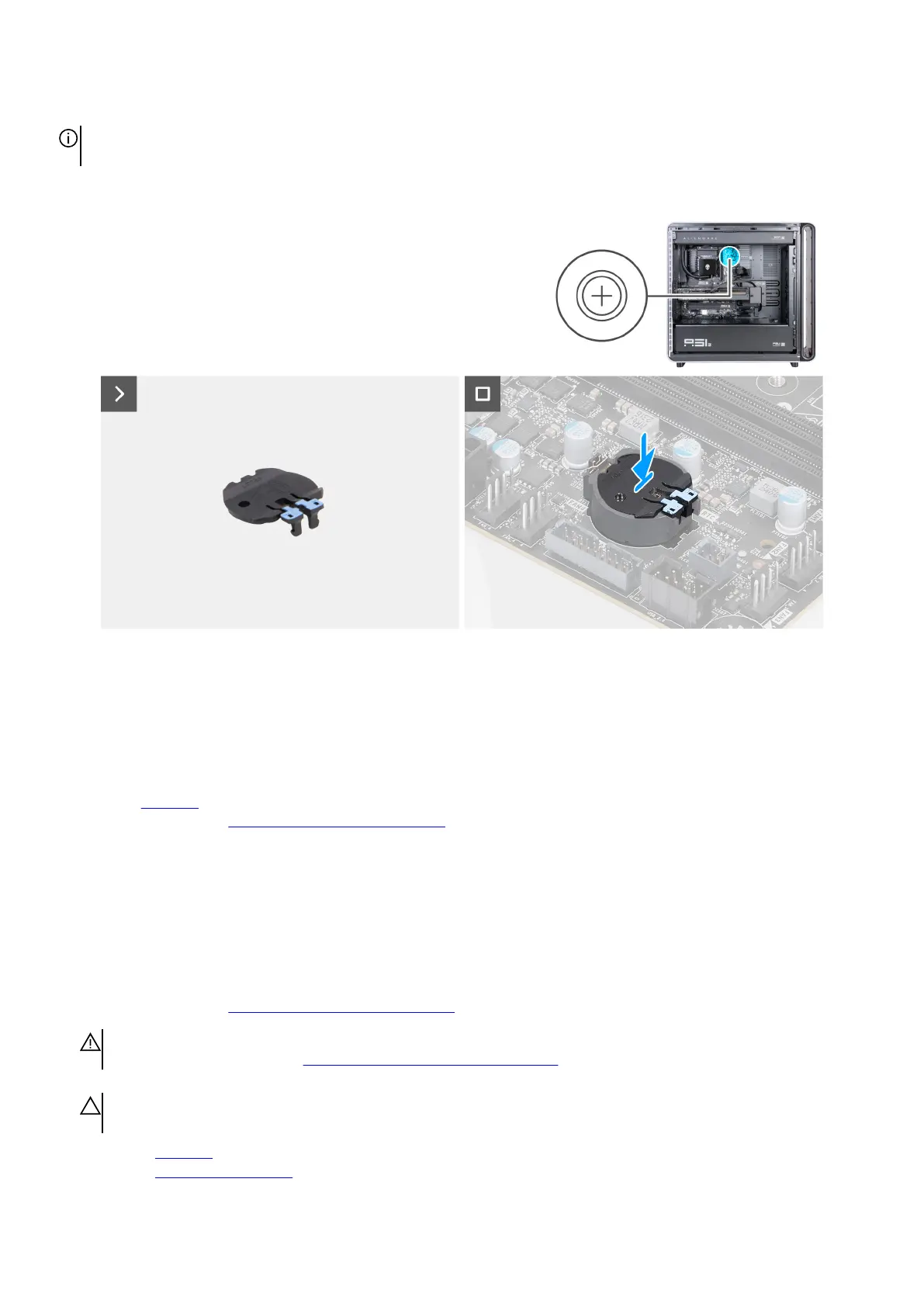
The following images indicate the location of the coin-cell battery cover and provide a visual representation of the installation
procedure.
Figure 64. Installing the coin-cell battery cover
Steps
1. Using your fingertips, press the edges of the coin-cell battery cover on both the sides.
2. Align and place the coin-cell battery cover into the coin-cell battery slot on the system board.
Next steps
1. Install the left cover.
2. Follow the procedure in After working inside your computer.
Coin-cell battery
Removing the coin-cell battery
Prerequisites
1. Follow the procedure in Before working inside your computer.
WARNING: Before working inside your computer, read the safety information that is shipped with your computer. For
more safety best practices, see Dell Regulatory Compliance Home Page.
CAUTION: Removing the coin-cell battery resets the BIOS setup program’s settings to default. It is recommended that
you note the BIOS setup program’s settings before removing the coin-cell battery.
2. Remove the left cover.
3. Remove the coin-cell battery cover.
Removing and installing Customer Replaceable Units (CRUs) 79















 To Next Page