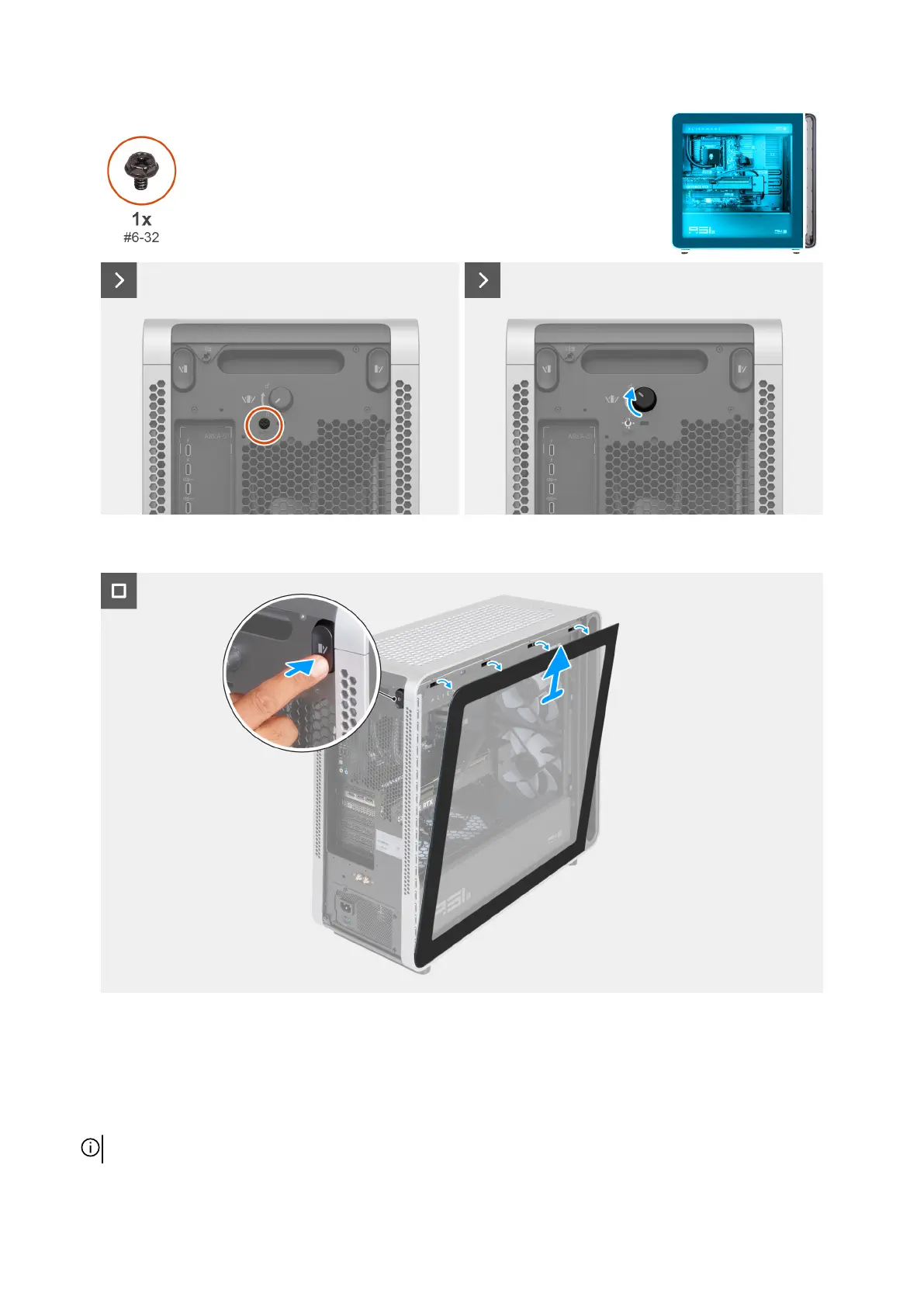
Figure 39. Removing the safety screw and rotating the knob
Figure 40. Removing the left cover
Steps
1. Remove the safety screw (#6-32) that secures the knob to the chassis.
2. Rotate the knob clockwise to unlock the knob.
3. Press the release button on the left side of the chassis and lift the left cover away from the chassis.
NOTE: Place the left cover in a safe place to avoid damage to the glass.
Removing and installing Customer Replaceable Units (CRUs) 57















 To Next Page