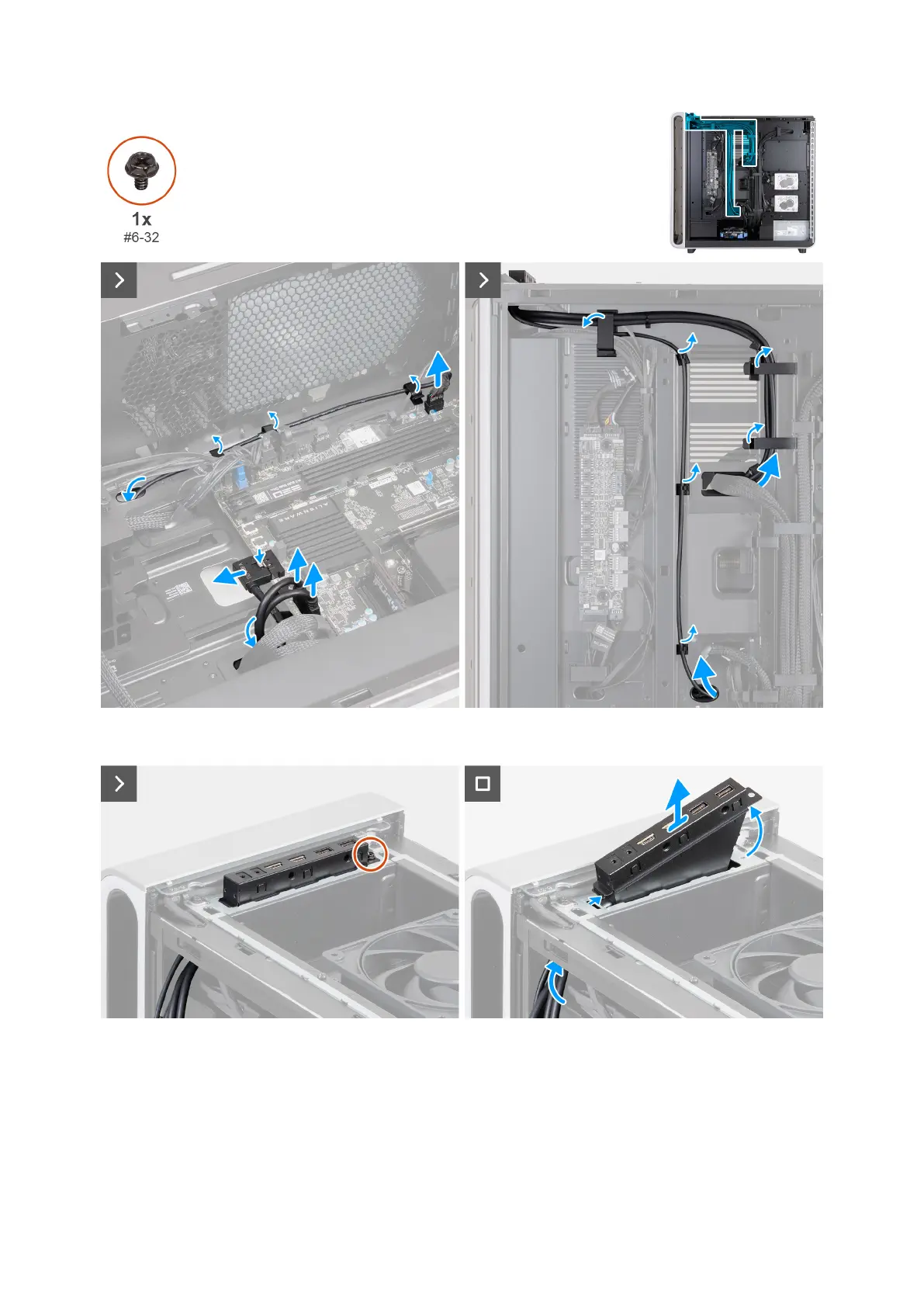
Figure 86. Removing the top I/O-panel
Figure 87. Removing the top I/O-panel
Steps
1. Lay the computer on the right side.
2. Disconnect the USB cables from the USB cable connectors (TIO USB A, TIO USB C2, and TIO USB C2) on the system board.
3. Disconnect the audio cable from the audio cable connector (TIO AUDIO) on the system board.
4. Remove the audio cable from the routing guides on the chassis.
Removing and installing Field Replaceable Units (FRUs) 101















 To Next Page