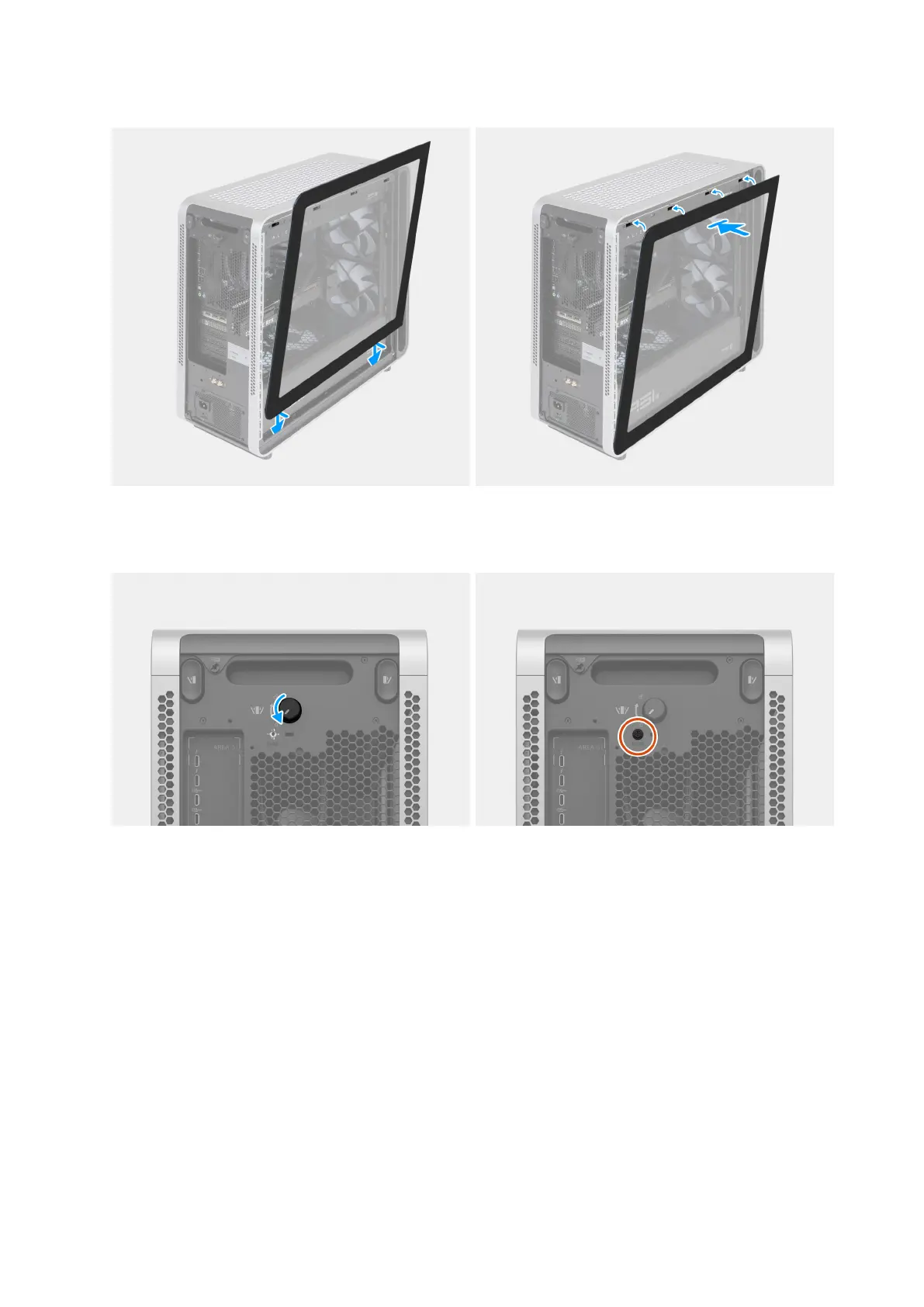
3. Align the tabs on the left cover with the slots on the chassis. Then, tilt the left cover towards the computer until it clicks into place.
Figure 8. Installing the left cover
4. Turn the knob counterclockwise until it locks. Then, secure the knob by replacing the safety screw.
Figure 9. Turning the knob and replacing the safety screw
5. Connect the wired keyboard and mouse to the available ports. To connect a wireless keyboard and mouse, see the instructions on
how to connect in the documentation that ships with the wireless keyboard and mouse.
Set up your Alienware Area-51 AAT2250 15















 To Next Page