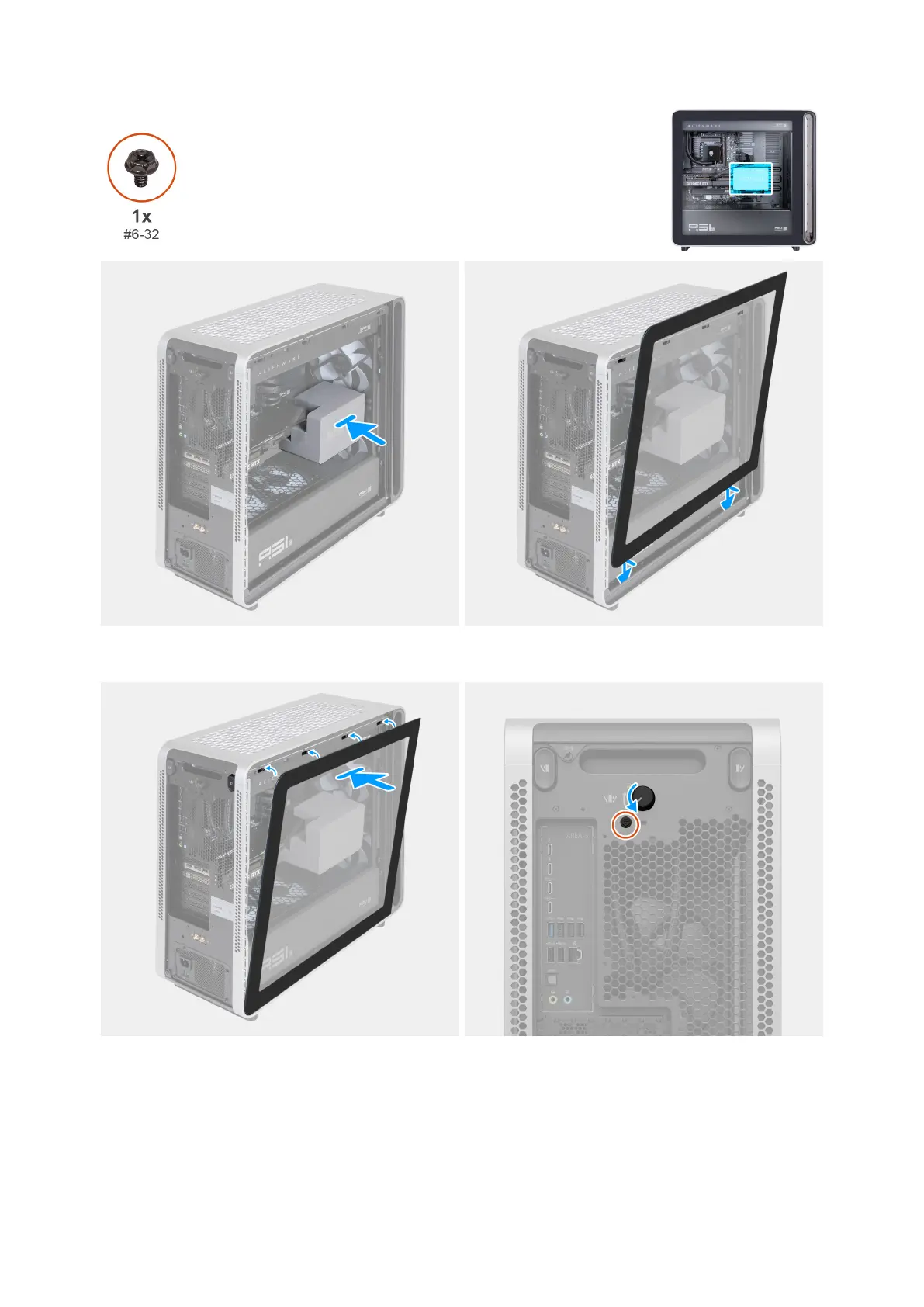
Figure 25. Installing the midholder and aligning the left cover
Figure 26. Installing the left cover and rotating the knob
Steps
1. Install the midholder onto the PCIe fan on the computer to secure the graphics card.
2. Align the tabs at the bottom of the left cover with the slots on the chassis.
3. Tilt the left cover towards the computer until it clicks into place.
46 Removing and installing Customer Replaceable Units (CRUs)















 To Next Page