Step
6:
Start Dryer
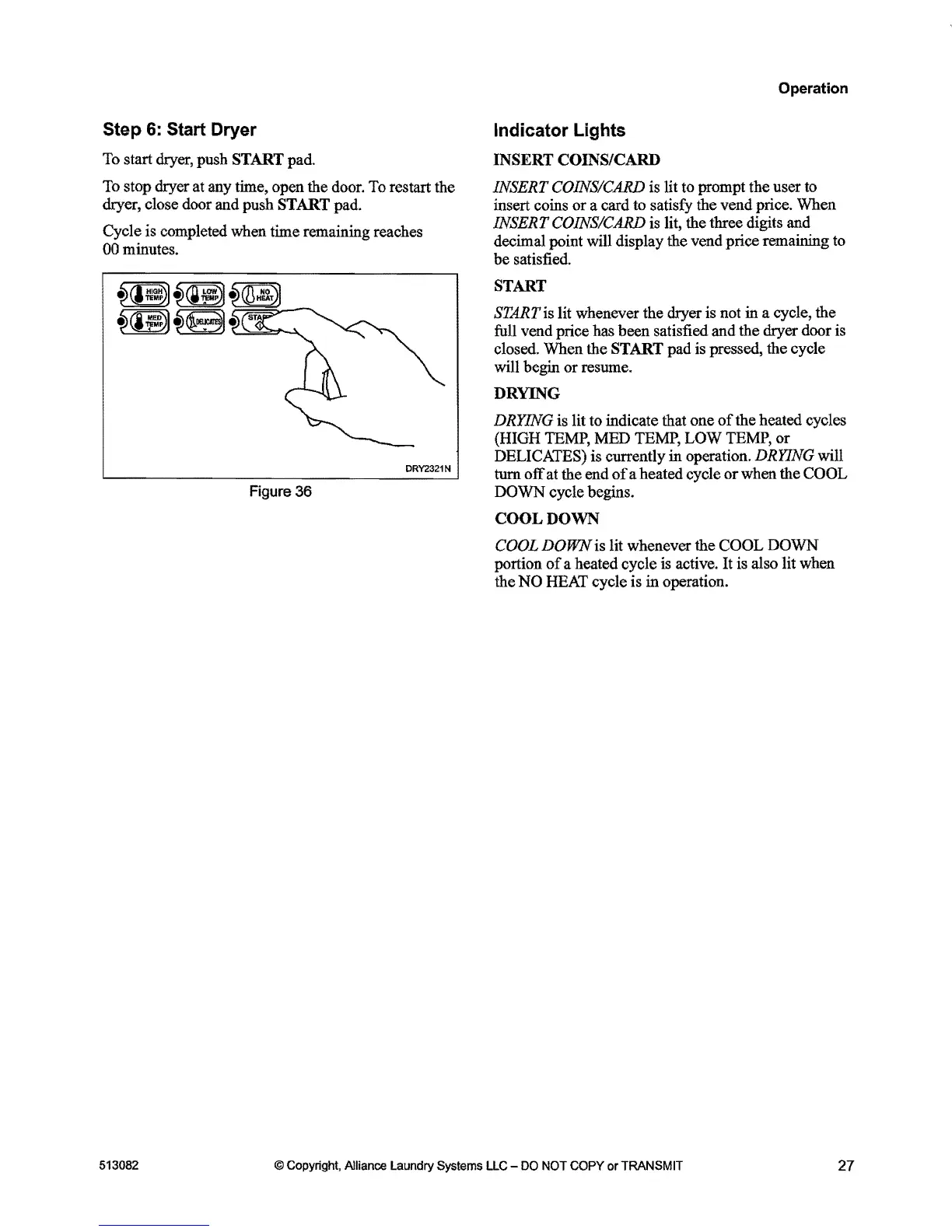
To
start dryer, push START pad.
To
stop dryer
at
any
time, open the door.
To
restart the
dryer, close door and push START pad.
Cycle is completed when time remaining reaches
00
minutes.
~(I~~).
~(i~~.
DRY2321N
Figure
36
Operation
Indicator Lights
INSERT COINS/CARD
INSERT
COINS/CARD
is
lit
to
prompt the user
to
insert coins or a card
to
satisfy the vend price. When
INSERT COINS/CARD
is
lit, the three digits and
decimal point will display the vend price remaining
to
be satisfied.
START
START
is
lit whenever the dryer is not in a cycle, the
full
vend price has been satisfied and the dryer door is
closed. When the START pad
is
pressed, the cycle
will begin or resume.
DRYING
DRYING is lit to indicate that one
of
the heated cycles
(HIGH
TEMP,
MED
TEMP,
LOW
TEMP,
or
DELI
CATES)
is currently in operation. DRYING will
turn off
at
the end
of
a heated cycle or when the COOL
DOWN cycle begins.
COOL
DOWN
COOL
DOWN is lit whenever the COOL DOWN
portion
of
a heated cycle is active.
It
is
also lit when
the
NO
HEAT
cycle is in operation.
513082
@ Copyright, Alliance
laundry
Systems
llC
-
DO
NOT COPY
or
TRANSMIT
27



 To Next Page