Collecting Audit Information
This feature allows the owner to retrieve audit
infonnation stored in the dryer by pressing a sequence
of
pads
on
the control. For
an
explanation
of
the audit
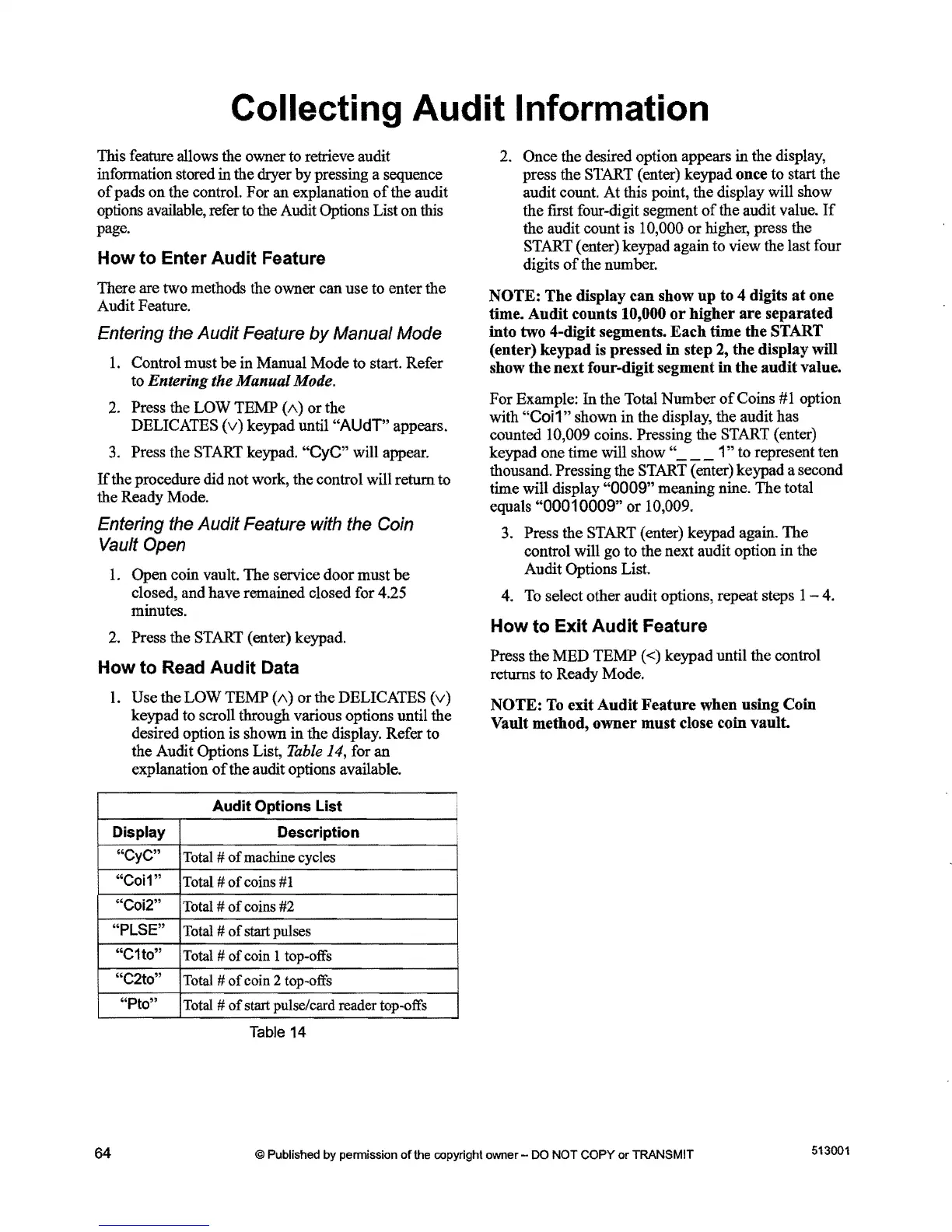
options available, refer to the Audit Options List
on
this
page.
How
to
Enter Audit Feature
There are two methods the owner can use to enter the
Audit Feature.
Entering the Audit Feature
by
Manual Mode
1.
Control must
be
in Manual Mode to start. Refer
to Entering the Manual Mode.
2. Press the
LOW
TEMP
(1\)
or
the
DELICATES
(v)
keypad until "AUdT" appears.
3.
Press the START keypad. "CyC" will appear.
If
the procedure did not work, the control will return to
the Ready Mode.
Entering the
Audit
Feature with the Coin
Vault Open
1.
Open coin vault.
The
service door must
be
closed, and have remained closed for 4.25
minutes.
2. Press the START (enter) keypad.
How
to
Read
Audit Data
1.
Use the
LOW
TEMP
(1\)
or
the DELICATES
(v)
keypad to seroll through various options until the
desired option is shown
in
the display. Refer to
the Audit Options List,
Table
14, for an
explanation
of
the audit options available.
2. Once the desired option appears
in
the display,
press the START (enter) keypad once to start the
audit count. At this point, the display will show
the frrst four-digit segment
of
the audit value.
If
the audit count
is
10,000
or
higher, press the
START ( enter) keypad again to view the last four
digits
of
the number.
NOTE:
The
display
can
show
up
to 4 digits
at
one
time.
Audit
counts 10,000
or
higher
are
separated
into two 4-digit segments.
Each
time
the
START
(enter)
keypad
is pressed
in
step 2,
the
display will
show
the
next
four-digit segment
in
the
audit
value.
For
Example:
In
the Total Number
of
Coins
#1
option
with "Coi
1"
shown
in
the display, the audit has
counted 10,009 coins. Pressing the START (enter)
keypad one time will show "
___
1"
to represent ten
thousand. Pressing the START (enter) keypad a second
time will display
"0009"
meaning nine.
The
total
equals
"00010009"
or
10,009.
3. Press the START (enter) keypad again.
The
control will go to the next audit option
in
the
Audit Options List.
4. To select other audit options, repeat steps 1 - 4.
How
to
Exit
Audit
Feature
Press the
MED
TEMP
«) keypad until the control
returns to Ready Mode.
NOTE:
To exit
Audit
Feature
when using Coin
Vault method,
owner
must
close coin
vault
Audit
Options List
Display
Description
"CyC"
Total
#
of
machine cycles
"Coi1"
Total #
of
coins
#1
"Coi2"
Total
#
of
coins
#2
"PLSE"
Total
#
of
start pulses
"C1to"
Total
# of coin 1 top-offs
"C2to"
Total
#
of
coin 2 top-offs
"Pto"
Total
#
of
start pulse/card reader top-offs
Table
14
513001
64
© Published by pennission
of
the copyright owner - DO NOT
COpy
or
TRANSMIT



 To Next Page