GS980MX Series Installation Guide for Virtual Chassis Stacking
135
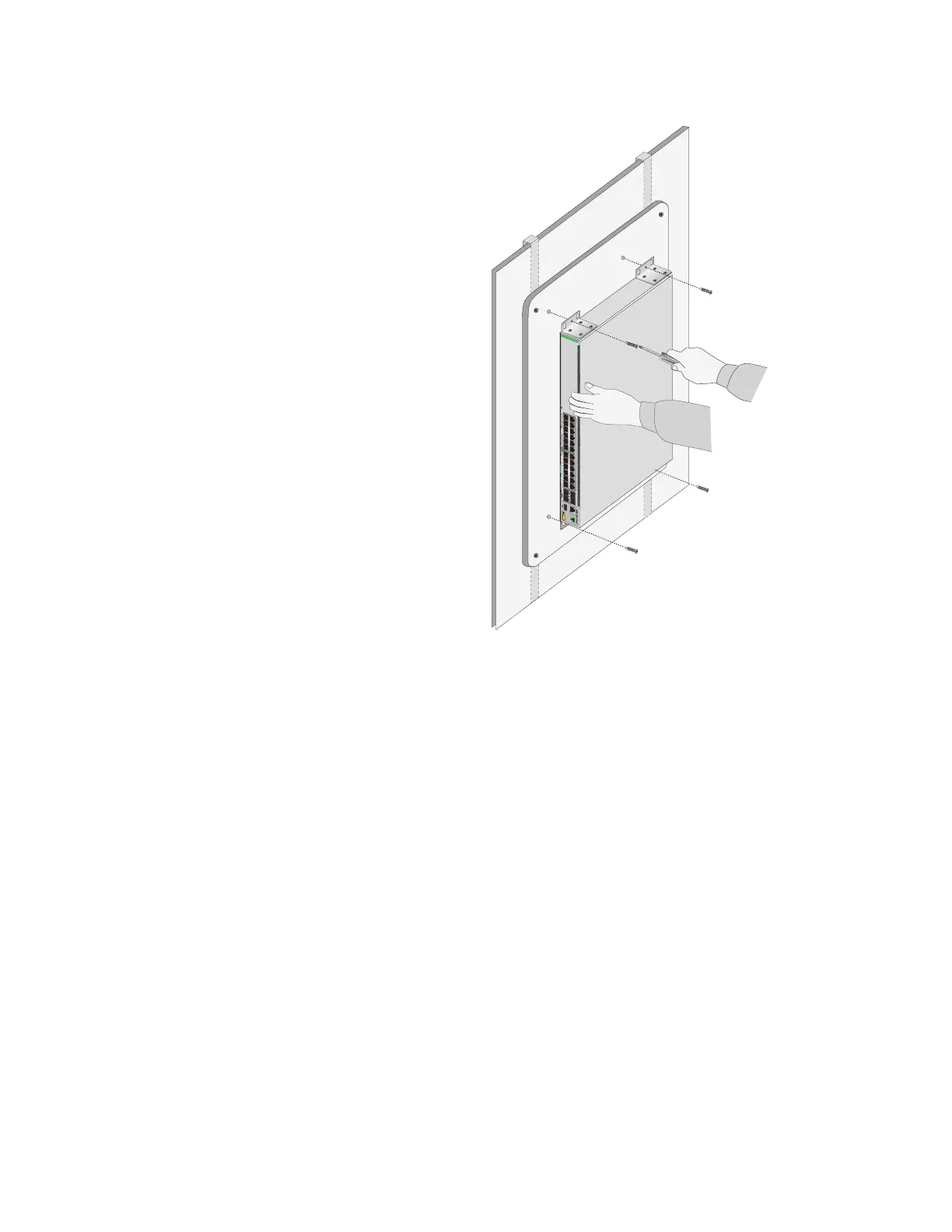
Figure 75. Securing the GS980MX/10HSm, GS980MX/18HSm,
GS980MX/52 or GS980MX/52PSm Switch to the Plywood Base
4. Install the other switches of the stack.
5. After installing the switches of the stack, do one of the following:
To build the stack with the default stacking ports, refer to Chapter
7, “Building the Trunk with the Default 10Gbps Stacking Ports” on
page 141.
To build a stack of GS980MX/10HSm, GS980MX/18HSm,
GS980MX/28PSm, or GS980MX/52PSm using 5Gbps ports for the
trunk, refer to Chapter 8, “Configuring the Master of the Stack
Trunk with 5Gbps Multi-Speed Ports” on page 161 and Chapter 9,
“Configuring the Member(s) of the Stack Trunk with 5Gbps Multi-
Speed Ports” on page 199.
35179111315171921 23 27/S1
28/S2
25 SFP+
26
AT-GS980MX/28
16 18 2014
10G/1G
46810122 22 24
FDX HDX COL
1G LINK ACT 100 LINK ACT 5G/2.5G/1G LINK ACT 100 LINK ACT
PORTS 21-24
PORTS 1-20
5G/2.5G/1G/100
CLASS
1
LASER PRODUCT
CONSOLE
4592



 To Next Page
 Loading...





