GS980MX Series Installation Guide for Virtual Chassis Stacking
41
The states of the GS980MX/52 LEDs are described in Table 12.
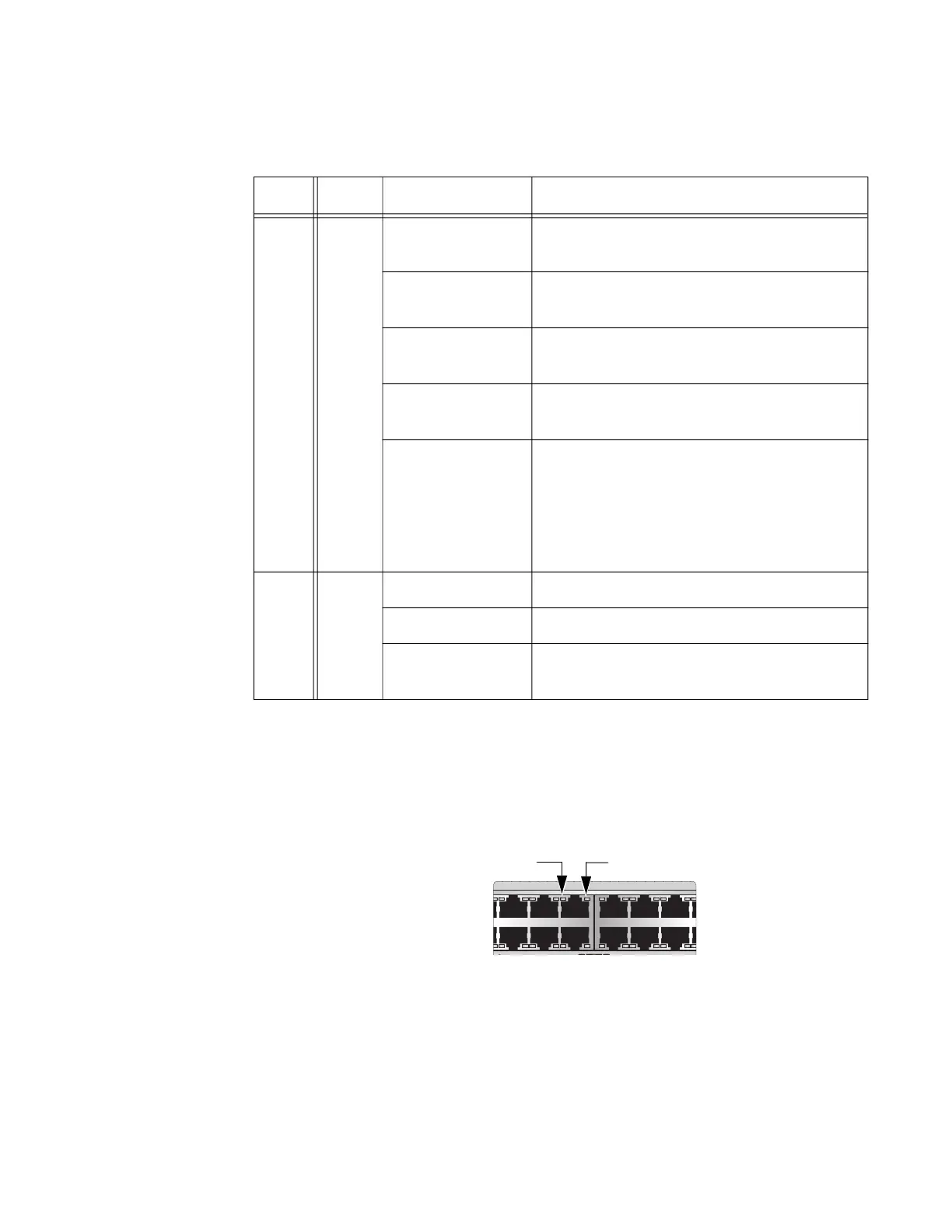
GS980MX/52PSm
The GS980MX/52PSm LEDs indicate Link/Activity (L/A) and PoE
(PD ON/PD ERR/MAX CURRENT) information. These LEDs are shown in
Figure 17.
Figure 17. GS980MX/52PSm Twisted Pair Ports 1-48 LEDs
Table 12. GS980MX/52 Twisted Pair Ports 1-48 LED Functions
LED Ports State Description
L/A 1-48
Solid Green The port has established a 1Gbps link to a
network device.
Flashing Green The port is transmitting or receiving data at
1Gbps.
Solid Amber The port has established a 10Mbps or
100 Mbps link to a network device.
Flashing Amber The port is transmitting or receiving data at
10Mbps or 100Mbps.
Off Possible causes of this state are:
- The port has not established a link with
another network device.
- The LEDs are turned off. To turn on the
LEDs, use the eco-friendly button.
D/C 1-48
Solid Green The port is operating in full-duplex mode.
Solid Amber The port is operating in half-duplex mode.
Flashing Amber The port is operating in half-duplex mode
with collisions.
7 9 11 13 15 17
16 1814
81012
OS
L/A LED PoE LED



 To Next Page
 Loading...





