3-6 VNA Measurements - Distance-To-Fault (DTF)/Fault Location Chapter 3 — Vector Network Analyzer
3-16 MS20xxA VNA Master UG 10580-00166 Rev. C
Frequency selective devices such as TMAs (Tower Mounted Amplifiers), duplexers, filters,
and quarter wave lightning arrestors will change the phase information (distance
information) if they are not swept over the correct frequencies. Care needs to be taken when
setting up the frequency range whenever a TMA is present in the path. For more TMA
details, refer to Appendix D, "Tower Mounted Amplifiers".
Because of the nature of the measurement, maximum distance range and fault resolution are
dependent on the frequency range and number of data points. The VNA Master will take care
of all the math, but knowing whether the cable is longer than DMax is important. The only
way to be able to improve the horizontal range is to reduce the frequency span or to increase
the number of data points. Similarly, the fault resolution is inversely proportional to the
frequency range and the only way to improve the fault resolution is to widen the frequency
span.
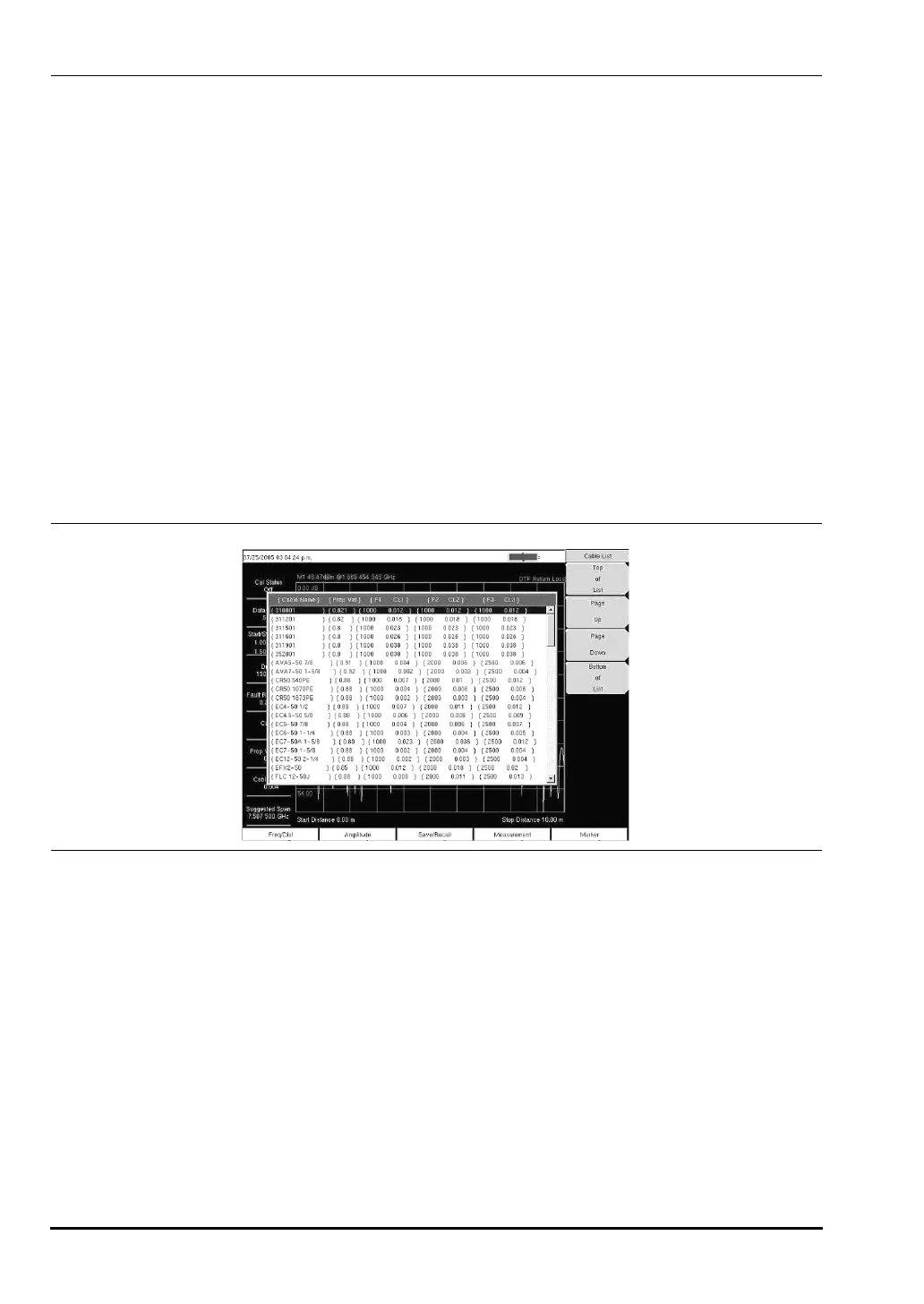
The VNA Master is equipped with a cable list, which includes most of the common cables that
are used today. After the correct cable has been selected, the VNA Master will update the
propagation velocity and the cable attenuation values to correspond with the cable. These
values can also be entered manually and can be uploaded via Master Software Tools.
Incorrect propagation velocity values will affect the distance accuracy, and inaccurate cable
attenuation values will affect the accuracy of the magnitude value.
Example 1
Figure 3-10 shows a DTF measurement of a cable with an open or a short at the end of the
test port extension cable. This measurement is made to determine the length of the cable. The
return loss value marking the end of the cable will be between 0 dB and 5 dB.
Procedure
1. Press the Measurement function hard key and select DTF Return Loss or Log Magnitude Fault
Location
.
2. Press the
Freq/Dist function hard key and set the Start Frequency and Stop Frequency.
3. Press the
Next soft key and use the Units soft key to select meters or feet.
4. Use the
Data Points soft key to select the number of Data Points.
Figure 3-9. Cable List Example
10580-00166C.book Page 16 Thursday, February 21, 2008 12:52 PM













 To Next Page