TD-LTE Signal Analyzer 6-3 TD-LTE RF Measurements
3GPP MG PN: 10580-00234 Rev. T 6-7
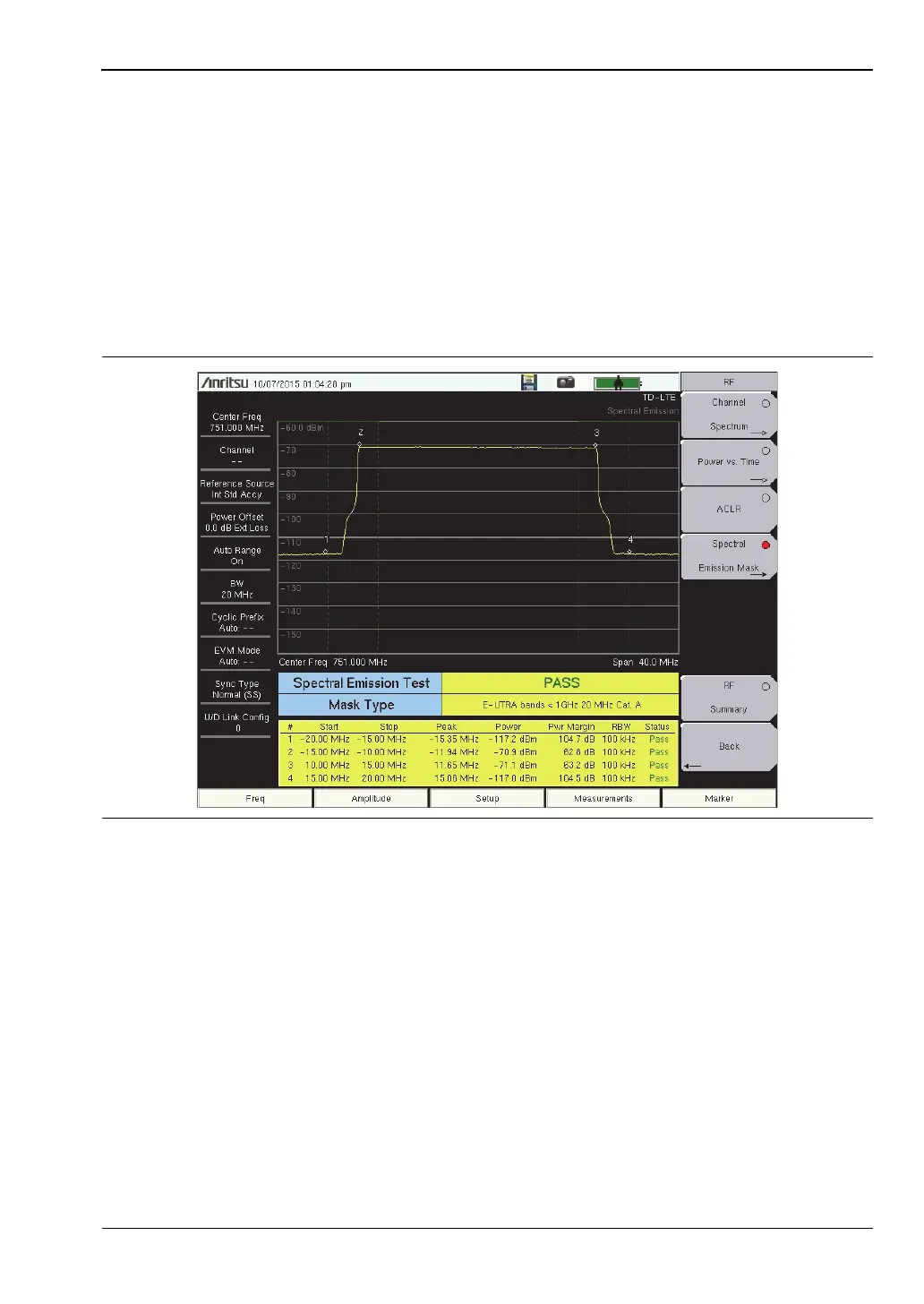
Spectral Emission Mask
1. Press the Measurements main menu key.
2. Press the RF submenu key.
3. Press the Spectral Emission Mask submenu key to activate the Spectral Emission
measurement and display (Figure 6-5).
4. Press the Spectral Emission Mask submenu key again to list the Spectral Emission
menu and set up its parameters.
5. To view the measurement data in a table format, press the Summary Table submenu key
so On is underlined.
6. Press the Back submenu key to return to the RF menu.
Figure 6-5. Spectral Emission Mask














 To Next Page