CPS100 SERIES OPERATION MANUAL
SECTION 6:
Front Panel Operation
Entire Contents Copyright 2018 by Adaptive Power Systems, Inc. (APS) • All Rights Reserved • No reproduction without written authorization from APS.
APS CPS100 Series Power Source Operation Manual Page 110 of 231
6.9.2.3 Harmonic Measurements
The harmonics measurement function
measures total harmonic distortion (THD),
DC voltage and current and fundamental
voltage and current for output settings of
50Hz or 60Hz. Thus, this function is useful
for commercial and industrial development
and test applications.
Note: Avionics applications requiring
higher frequencies are not supported
by the Harmonics Measurement
function due to sampling rate and
bandwidth limitations.
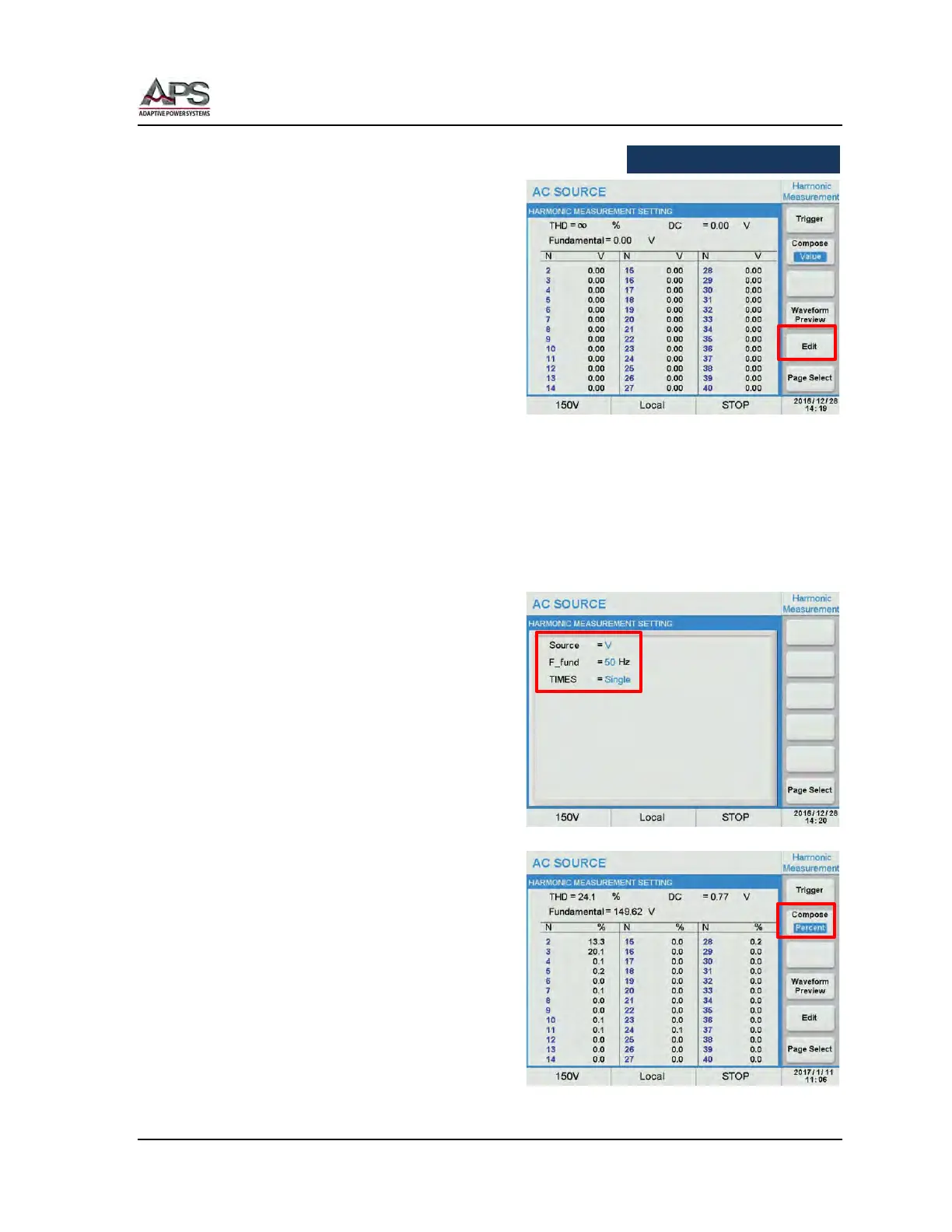
The Harmonic Measurement screen displays the harmonic measurement results and
contains the following soft key selections:
• Trigger
• Compose Value
• Waveform Preview
• Edit
To set up a harmonic measurement, press
the Edit soft key. There are three parameters
that can be set:
• Source Voltage or Current
• F_fund 50Hz or 60Hz
• TIMES Single or Continue
TIMES = Single means one measurement is
taken when the Trigger soft key is pressed.
Continue means the harmonic measurement
runs till the Stop soft key is pressed. Once
pressed, it changes to Stop.
When done, press the [Esc] key to return to
the previous screen. The measurement is
started using the Trigger soft key.
The measurement results can be displayed in
absolute values (Value) or in percent of the
fundamental (Percent) by toggling the
Compose soft key.



 To Next Page