CPS100 SERIES OPERATION MANUAL
SECTION 9:
USB Driver Installation
Entire Contents Copyright 2018 by Adaptive Power Systems, Inc. (APS) • All Rights Reserved • No reproduction without written authorization from APS.
APS CPS100 Series Power Source Operation Manual Page 193 of 231
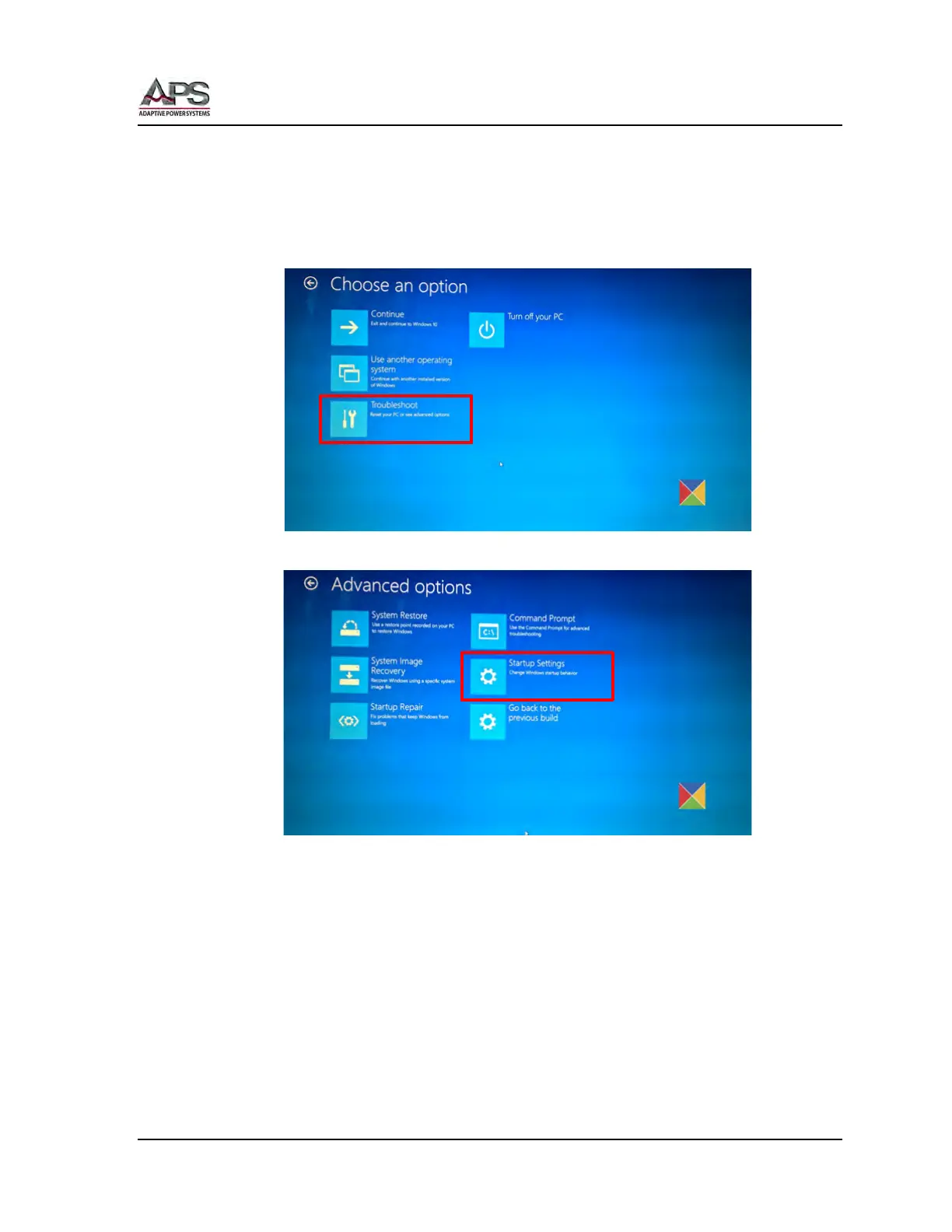
Either method will get you to the screen shown below. Now follow the steps outlined on
next few pages.
1. Hold down the Shift key while choosing the “Restart” option in Windows. Your
computer will restart with Advanced Options. From the list of options displayed, select
the “Troubleshoot” tile.
2. Next, select “Advanced options” and hit the “Startup Settings” tile.



 To Next Page