CPS100 SERIES OPERATION MANUAL
SECTION 9:
USB Driver Installation
Entire Contents Copyright 2018 by Adaptive Power Systems, Inc. (APS) • All Rights Reserved • No reproduction without written authorization from APS.
APS CPS100 Series Power Source Operation Manual Page 195 of 231
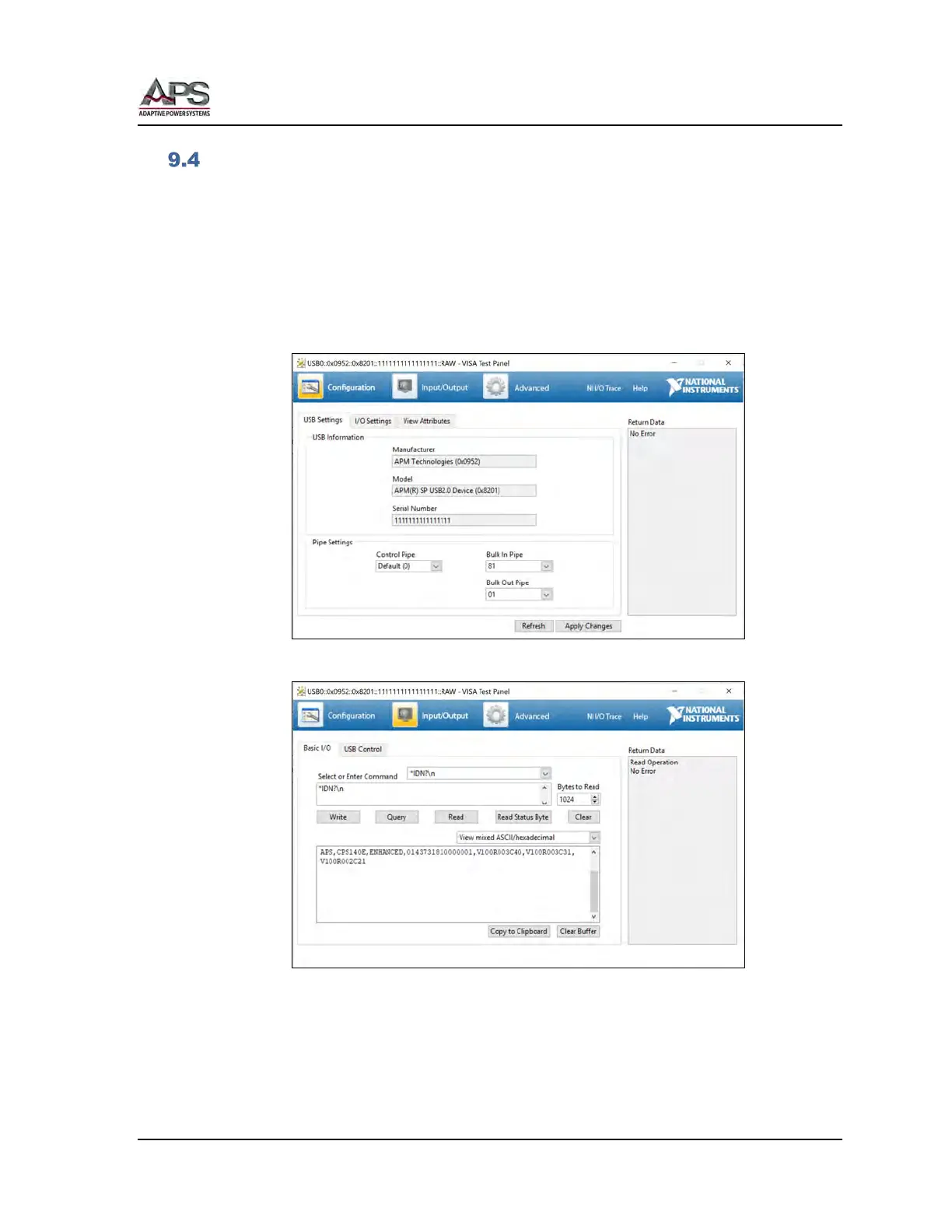
VISA Access using NI Explorer.
Once the USB driver is installed, the power source USB VISA interface should be accessible.
You can check communication using the NI Explorer utility.
Make sure the CPS100 power source is powered on and connected via a USB cable to the
PC. Launch NI MAX Explorer and select the “Devices and Interfaces” in the top left corner.
The USB NI VISA device should be visible.
Locate the power source, right click with your mouse and select the “Open VISA Test Panel”
entry to open the VISA Test Panel.
Use the Input/Output Tab to interact with the power source.



 To Next Page