CPS100 SERIES OPERATION MANUAL
SECTION 10:
LAN Interface Configuration
Entire Contents Copyright 2018 by Adaptive Power Systems, Inc. (APS) • All Rights Reserved • No reproduction without written authorization from APS.
APS CPS100 Series Power Source Operation Manual Page 197 of 231 PN 160953-10
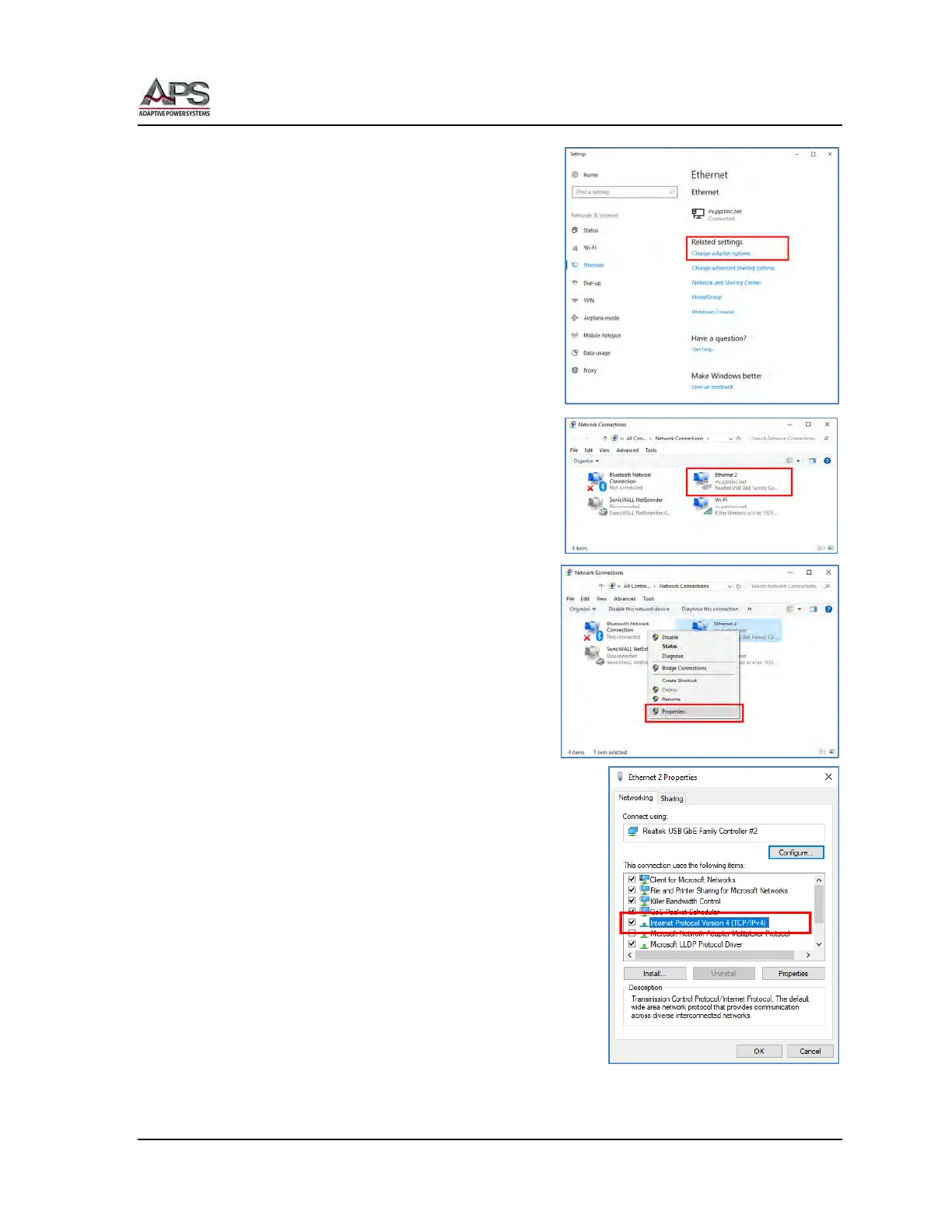
Under Related Settings, select “Change Adaptor”
options. This selection may also appear on the
right hand side of the screen on larger displays.
The Change Adaptor options screen will display all
available network adaptors on you PC. Choose the
regular LAN connector adaptor by right-clicking on
it and selecting the RJ45 LAN port adaptor. In this
example, it is “Ethernet 2”.
Right click on the connection and select
“Properties”.
Select the “Internet Protocol Version 4 (TCP/IP) entry in
the list as shown to the right.



 To Next Page