CPS100 SERIES OPERATION MANUAL
SECTION 10:
LAN Interface Configuration
Entire Contents Copyright 2018 by Adaptive Power Systems, Inc. (APS) • All Rights Reserved • No reproduction without written authorization from APS.
APS CPS100 Series Power Source Operation Manual Page 198 of 231 PN 160953-10
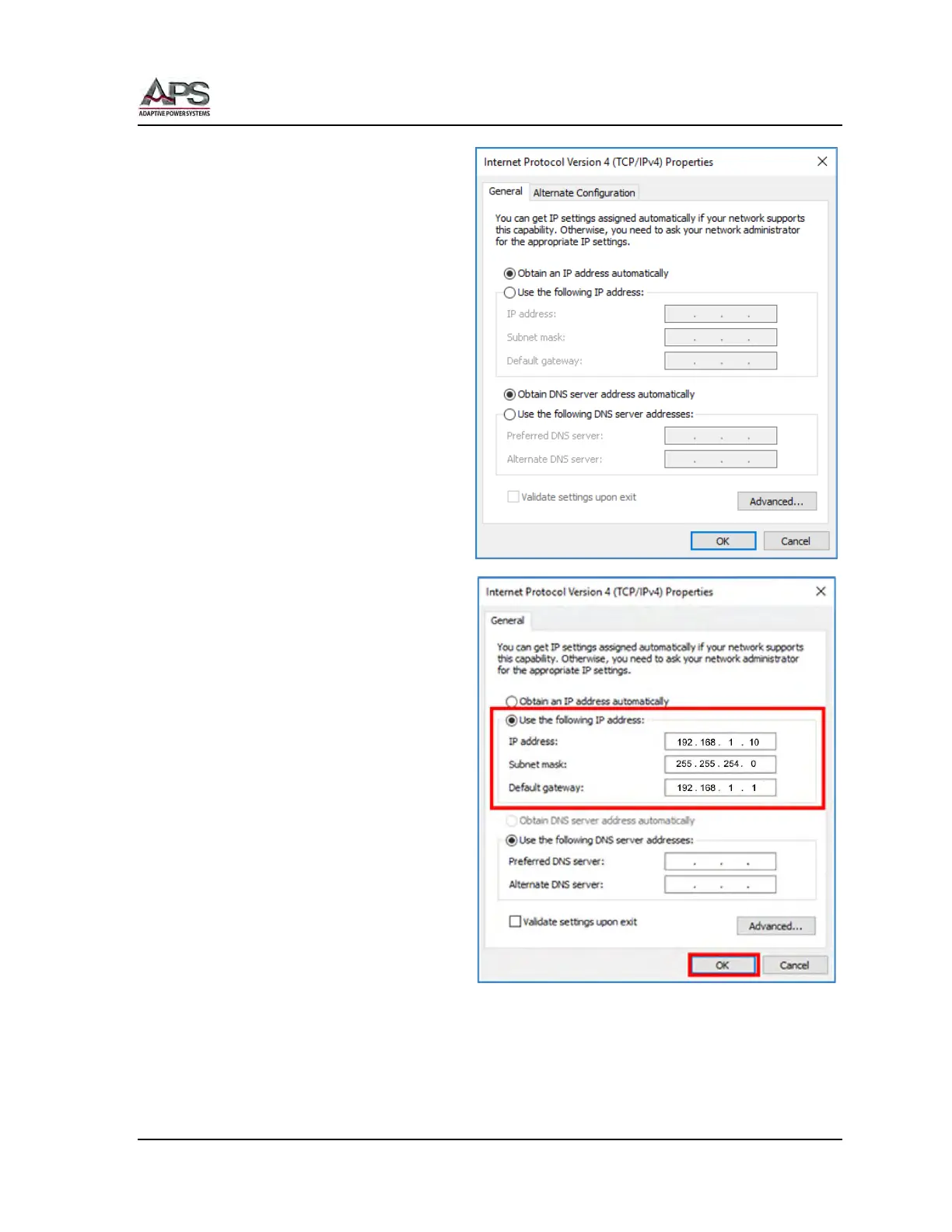
This will bring up the TCP/IP Setting
screen shown here.
Select the “Use the following IP
address:” radio button and enter the
static IP address. Use a subnet mask
as shown below and a default
gateway that matches the IP address
except for the last octet. Then click
the OK button.
IP Address = 192.168.1.10
Net Mark = 255. 255.254.0
Gate Way = 192.168.1.1
Close the Network setting screens as
the PC setup is now done.
Next we need to set the power source
LAN configuration.



 To Next Page