CPS100 SERIES OPERATION MANUAL
SECTION 10:
LAN Interface Configuration
Entire Contents Copyright 2018 by Adaptive Power Systems, Inc. (APS) • All Rights Reserved • No reproduction without written authorization from APS.
APS CPS100 Series Power Source Operation Manual Page 199 of 231 PN 160953-10
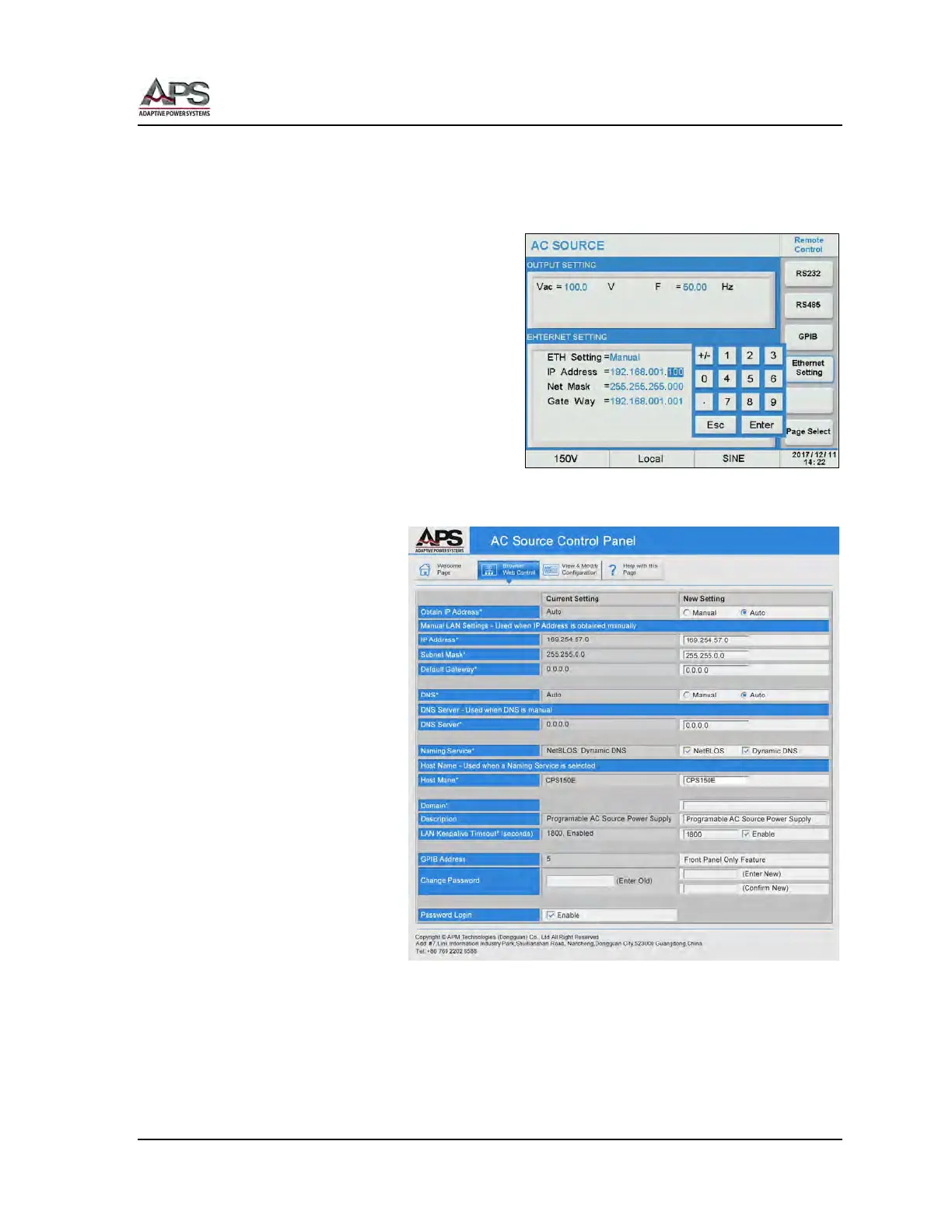
10.2.2 Setting a Manual Power Source IP address
For this purpose, we will use the default Manual Ethernet interface settings of the CPS100
Series.
IP Address = 192.168.001.100
Net Mark = 255. 255. 255.000
Gate Way = 192.168.001.001
10.2.3 Testing the LAN Connection
To test the LAN settings,
proceed as follows:
1. Connect a CAT 5
RJ45 network cable
between the PC or
laptop and the
power source LAN
connector.
2. Open a web
browser on the PC
and type in
192.168.1.100, then
press ENTER.
3. The power source
should display its
built-in web page as
shown below. This
confirms the LAN
connection works.



 To Next Page