CPS100 SERIES OPERATION MANUAL
SECTION 10:
LAN Interface Configuration
Entire Contents Copyright 2018 by Adaptive Power Systems, Inc. (APS) • All Rights Reserved • No reproduction without written authorization from APS.
APS CPS100 Series Power Source Operation Manual Page 203 of 231 PN 160953-10
10.3.2 Recommendations for LAN settings:
• If you are connecting the power source through your company Ethernet, contact
your network administrator or IT support department to assist in setting
appropriate LAN setting for your network.
• In the interest of safety, we recommend using a Static IP address (Select Manual
setting for “Obtain IP Address”). This prevents accidental access to a unit at a
different IP address if the dynamic assigned address lease expires. It also ensures
the power source and always be found the same IP address. Refer also to section
10.2, “Local LAN use” on page 196.
• Using a Manual IP address (Static) a requires setting of the desired IP address,
Gateway and Network mask as seen in Figure 10-2 on page 202.
10.3.3 View & Modify Configuration
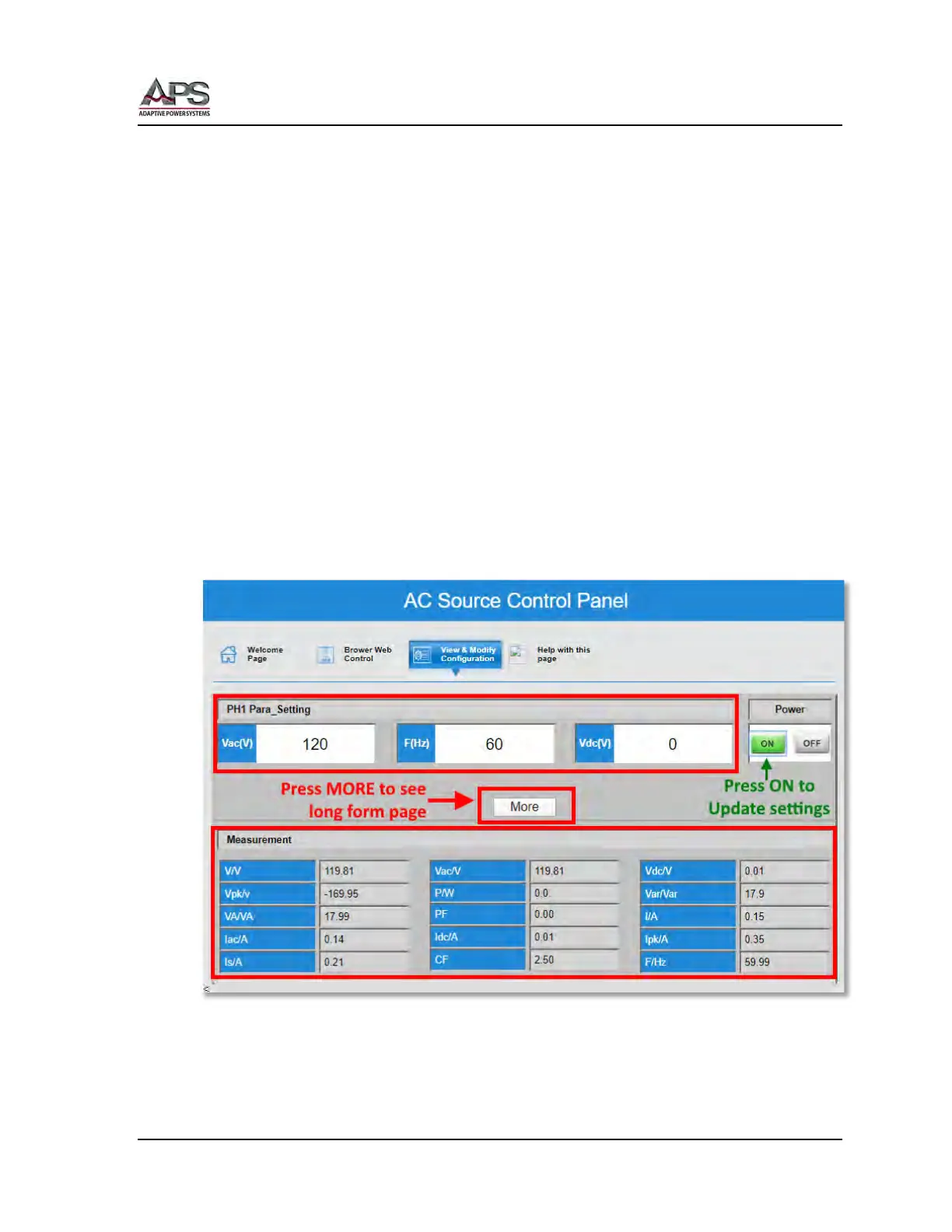
The View and Modify configuration page offers a means to change most settings on the
power source and view the measurement values – if the output is ON. This page has a short
form where only Vac, Frequency and Vdc settings plus all measurements are displayed so no
scrolling in your browser windows is typically needed. The short form version of this page is
shown below.
Figure 10-3: View & Modify Page - Short Form
Note: Any changes to Vac(V), F(Hz) and Vdc(V) you make will not be sent to the power
source till the green ON button is pressed. (see figure above).



 To Next Page