Chapter 4 Source ANALYSIS
4.2.15 Bit Timing Setting
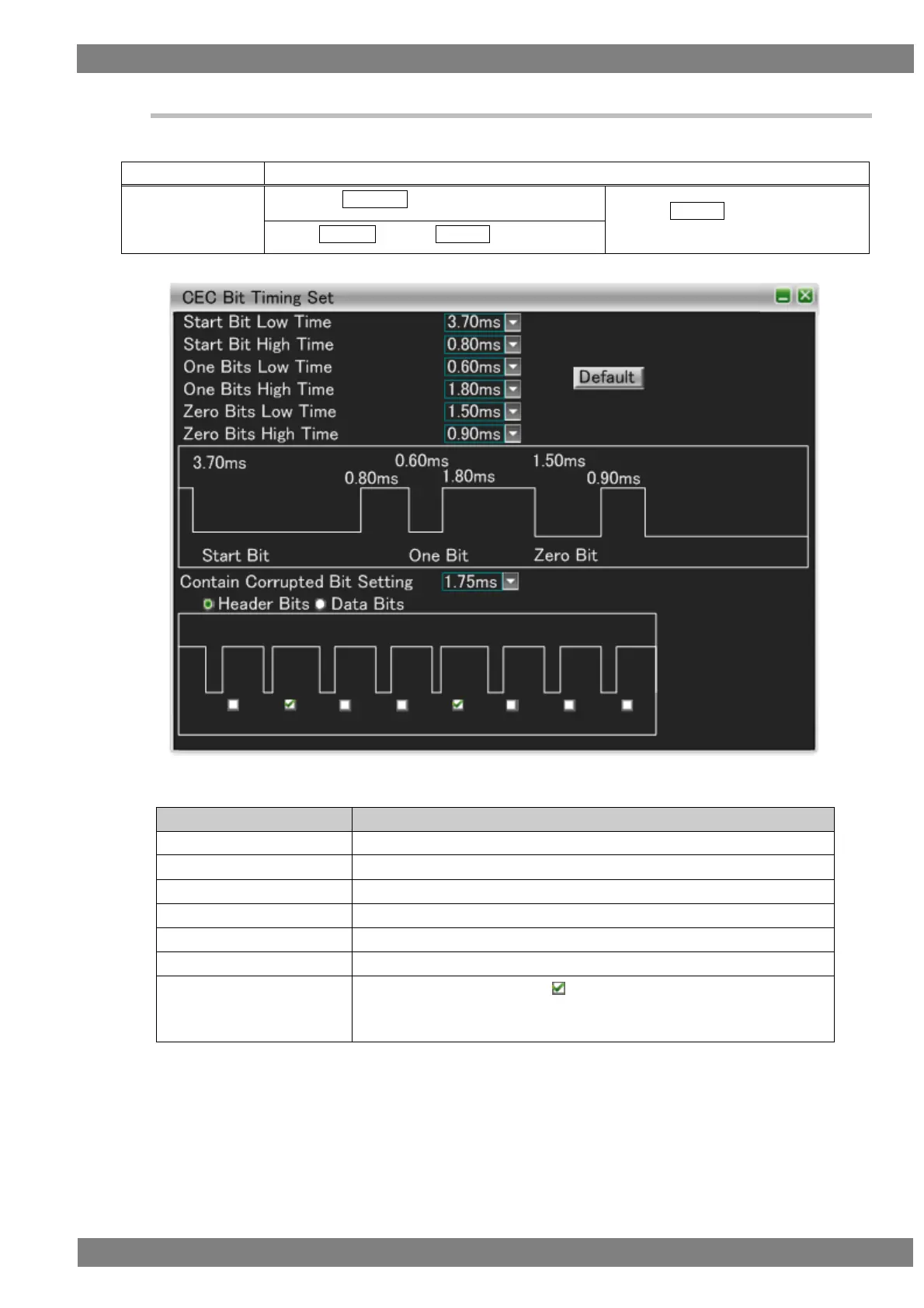
You can set original CEC data bit timing here.
The display method is as follows.
Right-click → left-click ANALYZE → left-click Bit Timing Setting
→ press L CLICK over Bit Timing
Setting
Press R CLICK → press L CLICK over ANALYZE
The items that can be set are as follows.
The low time of the start bit can be set.
The high time of the start bit can be set.
The low time of the one bits can be set.
The high time of the one bits can be set.
The low time of the zero bits can be set.
The high time of the zero bits can be set.
Contain Corrupted Bit
Setting
The bit timing of the parts with checked can be set as a shorter time
than the specified value.
Header Bits or Data Bits can be selected.



 To Next Page