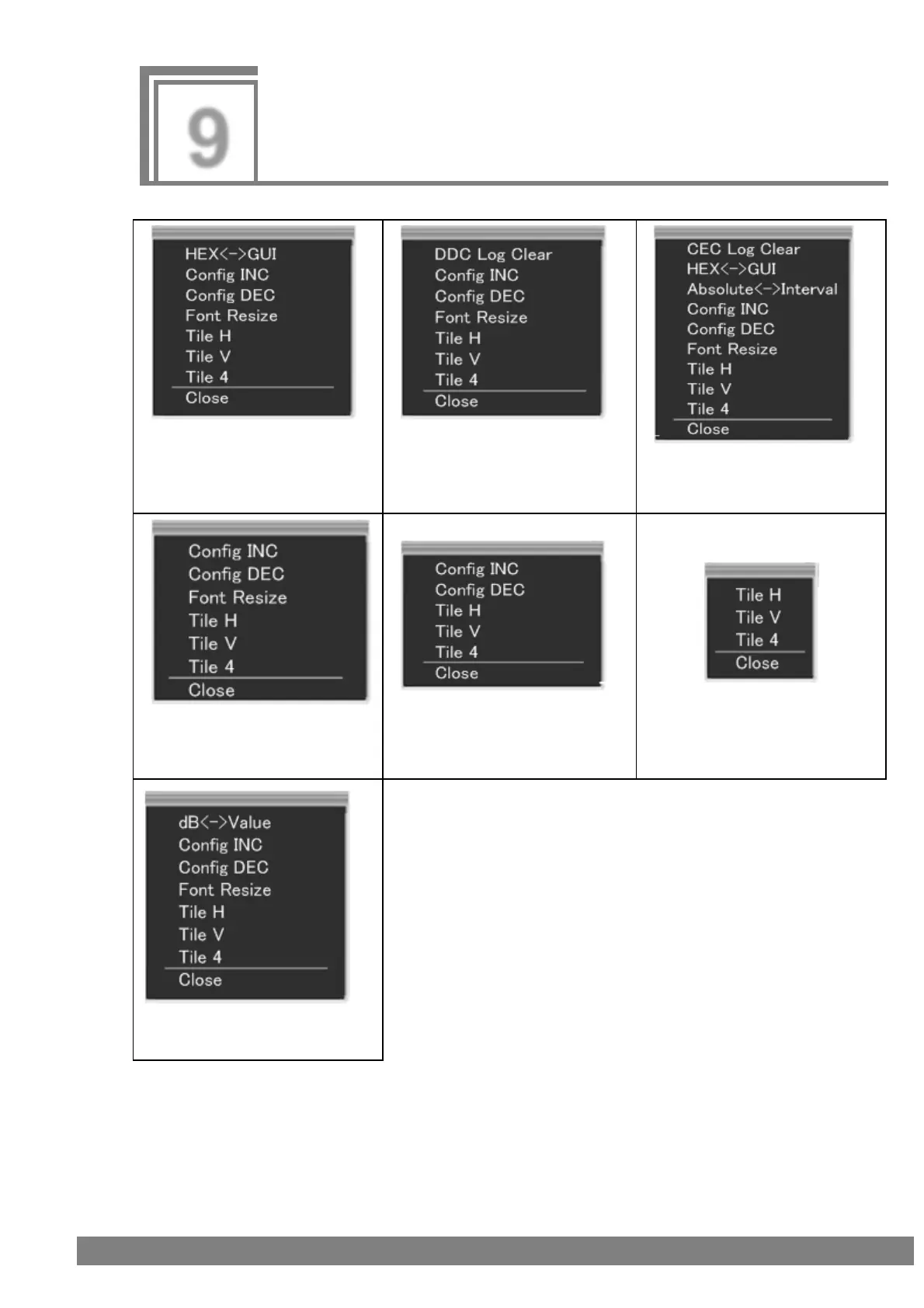
When a window is right-clicked, the corresponding sub window shown in the figure below appears.
(1) Sub window of InfoFrame
items (excluding General
Control Packet) and Channel
Status Bit of Source ANALYSIS
(2) Sub window of DDC Monitor
(3) Sub window of CEC Monitor
(4) Sub window of Video
Timing, General Control Packet,
Audio Timing, and HDCP Status
(5) Sub window of other than (1)
to (4), Audio Timing, and
Compliance
(6) Sub window of Compliance
(7) Sub window of Audio Timing
Monitor



 To Next Page