Chapter 4 Source ANALYSIS
4.2.7 Address Setting
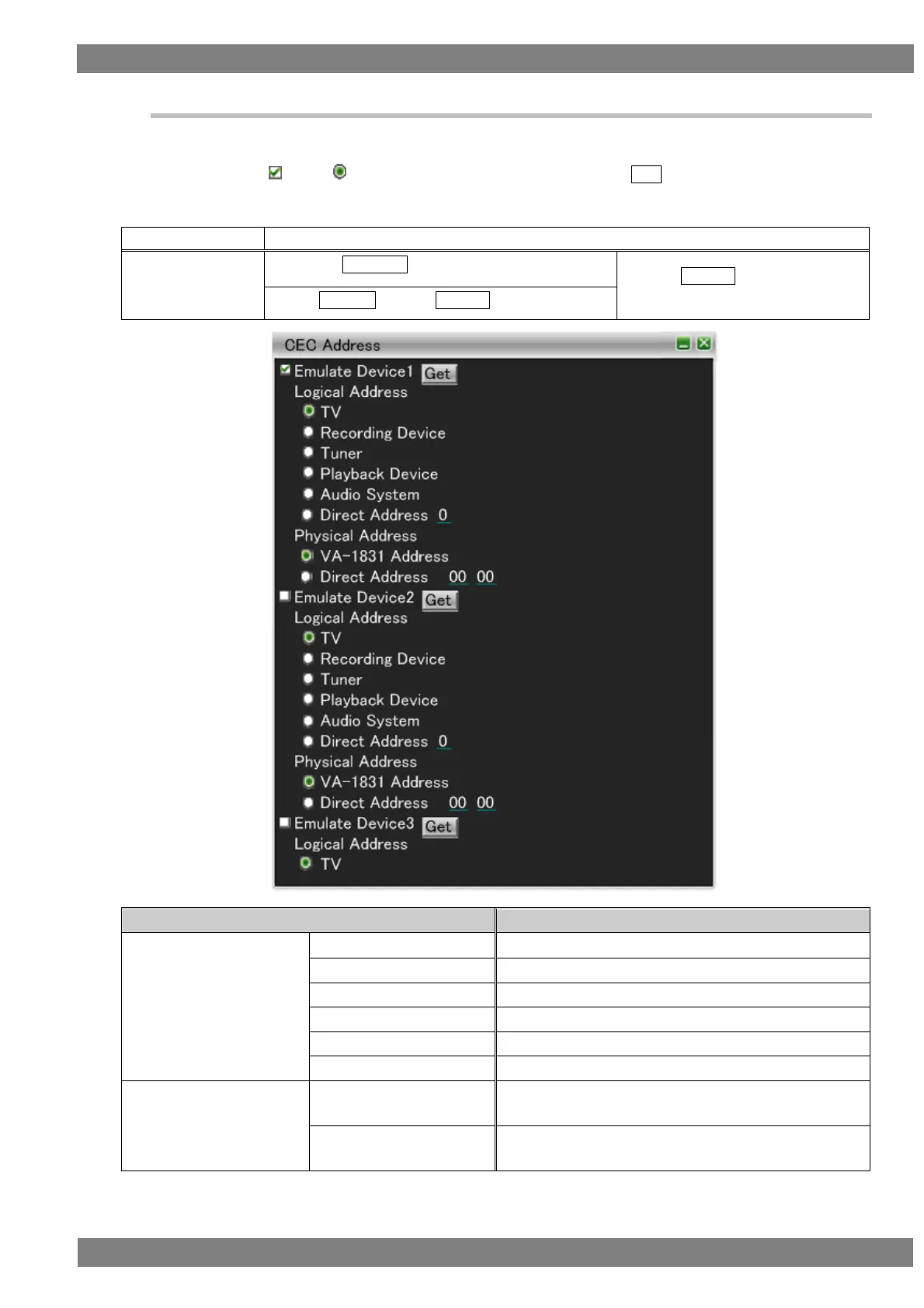
With CEC, a logical address and physical address must be obtained by each device.
The VA-1842 can freely emulate up to four logical addresses and physical addresses.
If you check , select for the addresses you wish to set, and press GET, the logical address and physical
address are set to be simulated.
The display method is as follows.
Right-click → left-click ANALYZE → left-click Address Setting
→ press L CLICK over Address
Setting
Press R CLICK → press L CLICK over ANALYZE
Sets Logical Address to TV.
Sets Logical Address to Recording Device.
Sets Logical Address to Tuner.
Sets Logical Address to Playback Device.
Sets Logical Address to Audio System.
Sets the set value as the value of Logical Address.
Sets the physical address acquired by the VA-1842 to be
simulated.
Sets the set value to be simulated as the physical
address.



 To Next Page