Chapter 4 Source ANALYSIS
4.2.2 DDC Line Capture
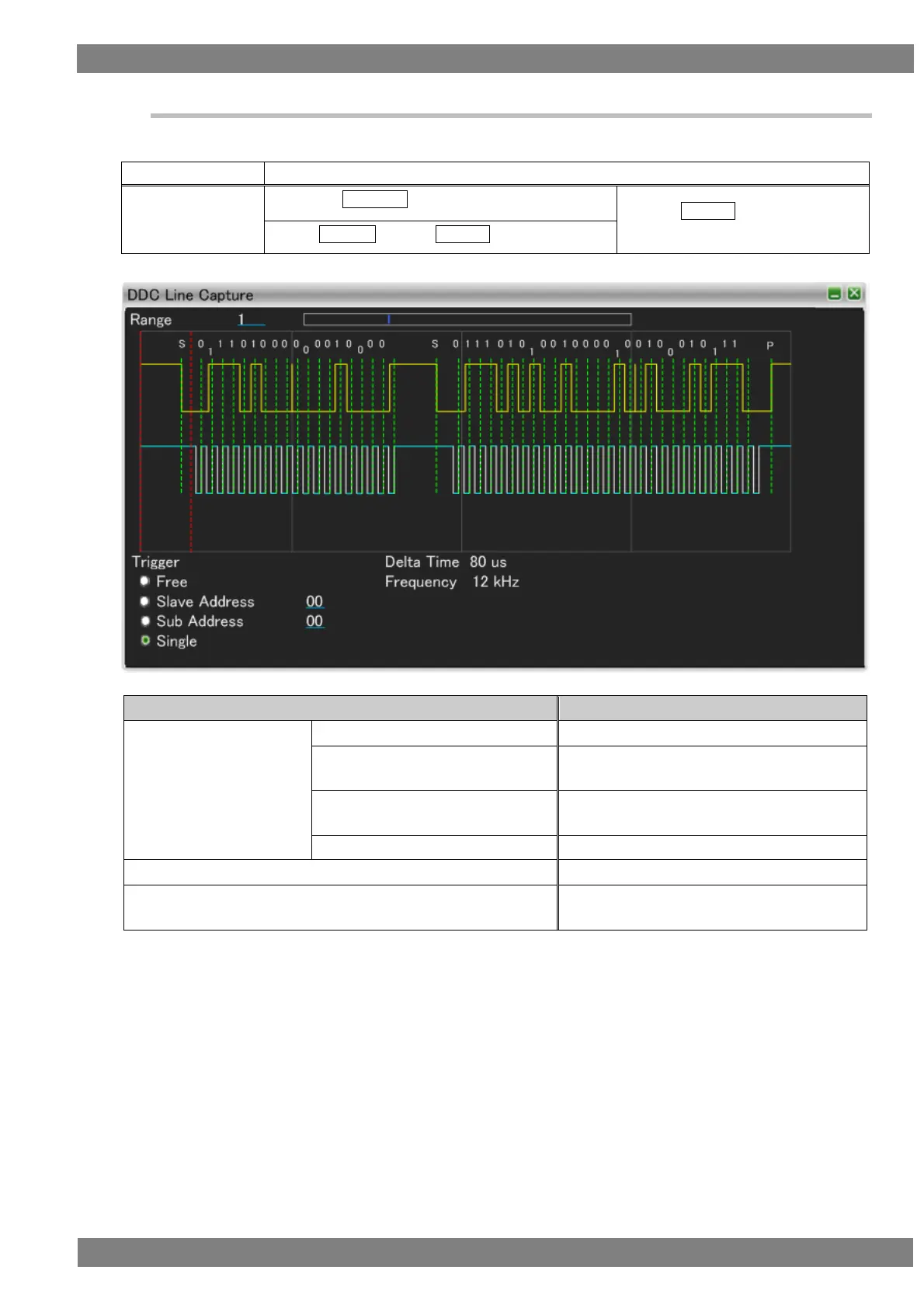
Displays the waveform of the DDC line (upper: serial data line [SDA], lower: serial clock line [SCL])
The display method is as follows.
Right-click → left-click ANALYZE → left-click DDC Line Capture → wheel click over screen
→ press L CLICK over DDC Line
Capture
Press R CLICK → press L CLICK over ANALYZE
Set the slave address for which you wish to
apply the trigger.
Set the slave address and sub address for
which you wish to apply the trigger.
Displays the time between the red dotted lines.
Displays the frequency between the red dotted
lines.



 To Next Page