EasyManua.ls Logo

ASTRO VA-1842 - Audio Settings

ASTRO VA-1842
399 pages
Print Icon
To Next Page IconTo Next Page
To Previous Page IconTo Previous Page
Loading...
Chapter 5 Signal Generate
131
5.2.12 Audio
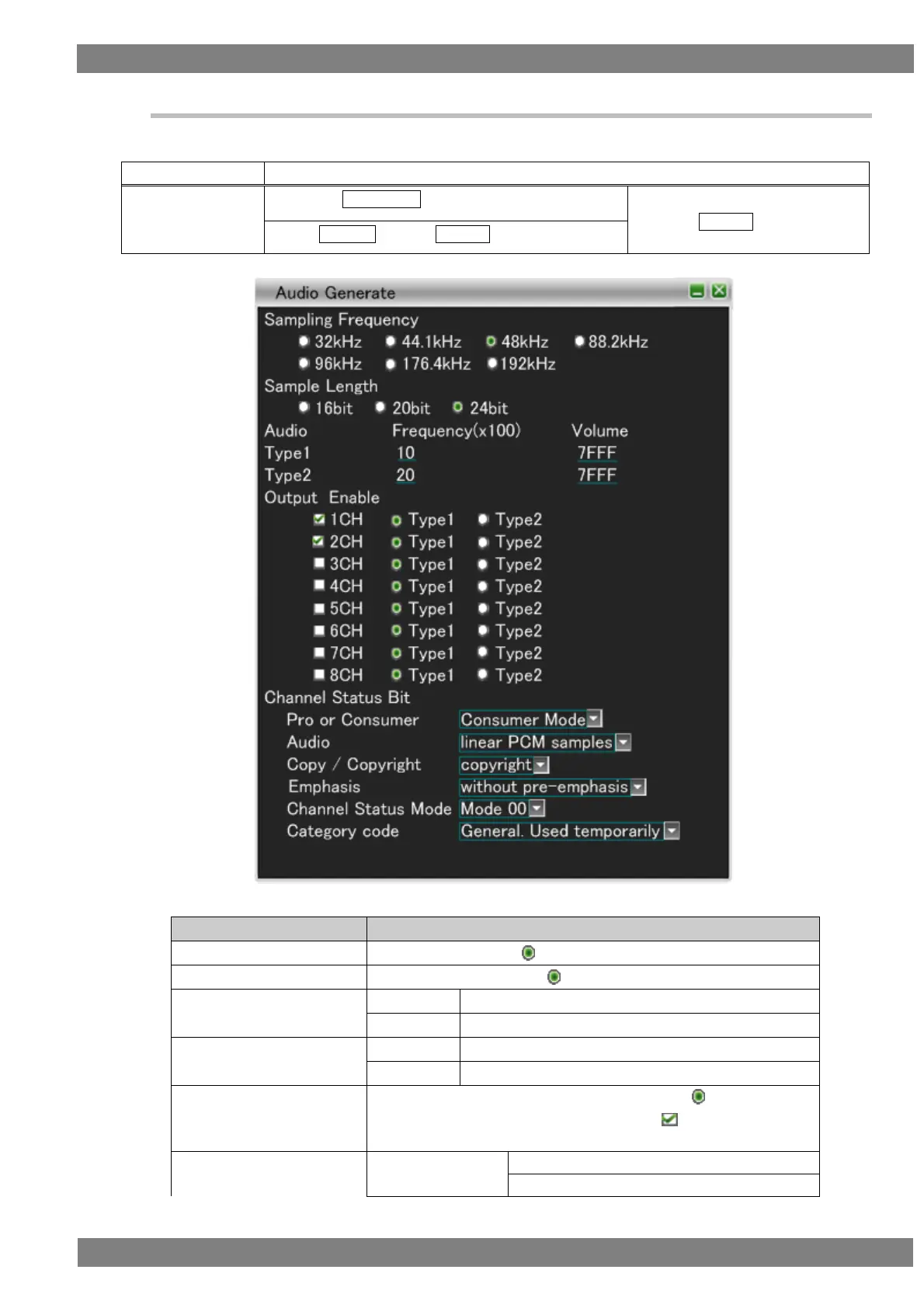
Sets the audio settings.
The display method is as follows.
Mouse operation
Right-click → left-click GENERATE → left-click Audio
Unit operation
Press the GENERATE key.
→ press L CLICK over Audio
Press R CLICK → press L CLICK over GENERATE
Items
Description
Sampling Frequency
The frequency with the selected among 32 kHz to 192 kHz is sent.
Sample Length
The sample length with the selected among 16 bit to 24 bit is sent.
Audio Frequency
Type1
XX (x100)
Type2
XX (x100)
Audio Volume
Type1
XXXX H
Type2
XXXX H
Output Enable
The audio frequencies and audio volumes with the selected for
either Type 1 or Type 2 among those with the checked for 1CH to
8CH are sent.
Channel Status Bit
Pro or Consumer
Consumer Mode
Professional Mode

Table of Contents