Chapter 6 Compliance Test
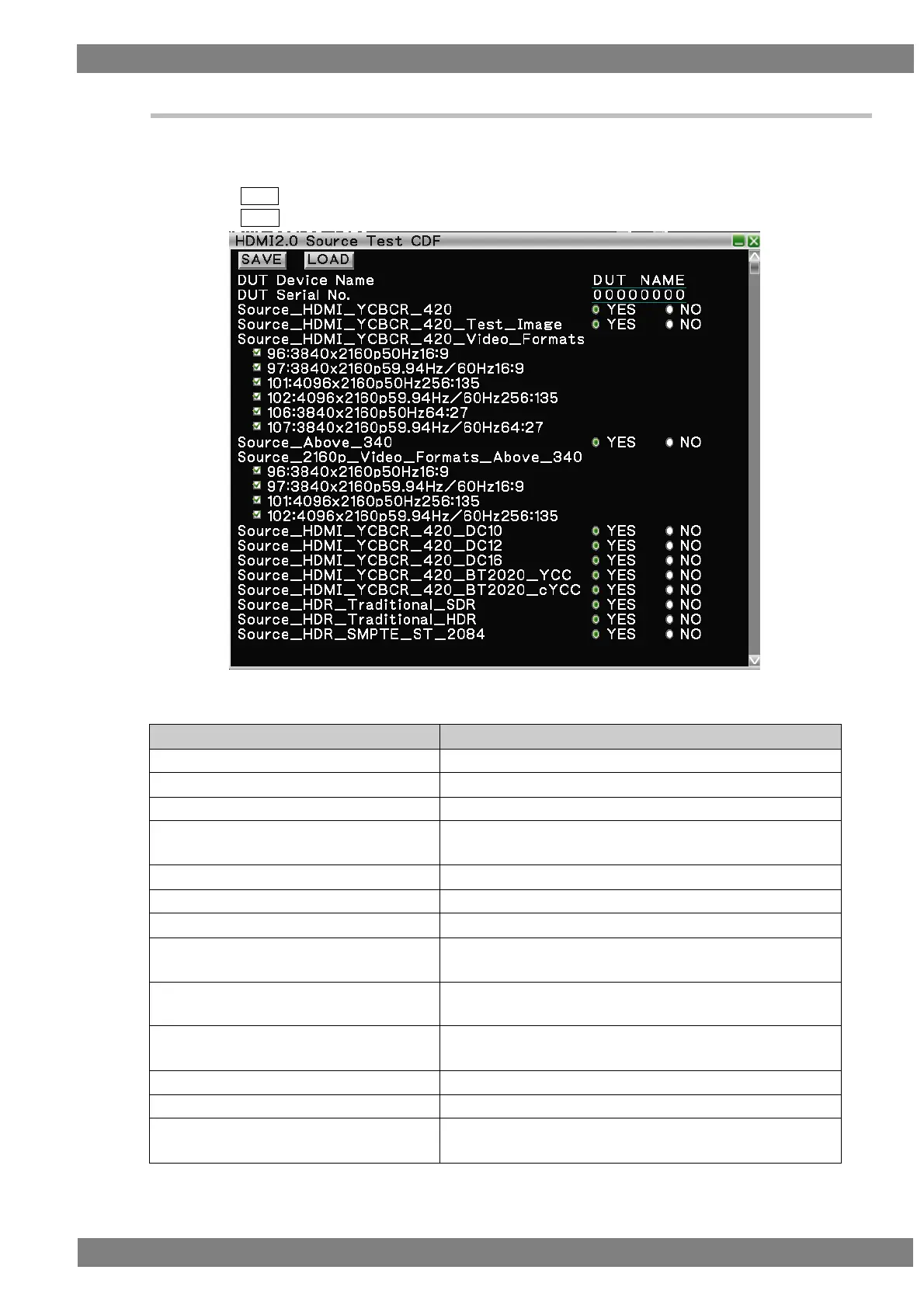
6.2.2 HDMI Source Test CDF
The items to be tested can be selected if you set the specifications of the device under test (DUT) in the CDF
(Capabilities Declaration Form) for executing HDMI 2.0 CTS.
Clicking SAVE saves the set CDF data.
Clicking LOAD loads saved CDF data.
List of HDMI source CDF items
Sets the device name of the DUT shown in the test result.
Sets the serial number of the DUT shown in the test result.
Sets whether or not the DUT supports YCbCr4:2:0 output.
Source_HDMI_YCBCR_420_Image
Sets whether or not the DUT supports YCbCr4:2:0 test image
output.
Source_ HDMI_YCBCR_420_Video_Format
Sets the YCbCr4:2:0 video formats supported by the DUT.
Sets whether or not the DUT supports 340 MHz or higher.
Source_2160p_Video Formats_Above_340
Sets the video formats supported by the DUT.
Source_HDMI_YCBCR_420_D10
Sets whether or not the DUT supports YCbCr4:2:0 10-bit
output.
Source_HDMI_YCBCR_420_D12
Sets whether or not the DUT supports YCbCr4:2:0 12-bit
output.
Source_HDMI_YCBCR_420_D16
Sets whether or not the DUT supports YCbCr4:2:0 16-bit
output.
Source_HDMI_YCBCR_420_BT2020_YCC
Sets whether or not the DUT supports BT.2020_YCC output.
Source_HDMI_YCBCR_420_BT2020_cYCC
Sets whether or not the DUT supports BT.2020_cYCC output.
Source_HDR_Traditional_SDR
Sets whether or not the DUT supports Traditional_SDR
output.



 To Next Page