Chapter 4 Source ANALYSIS
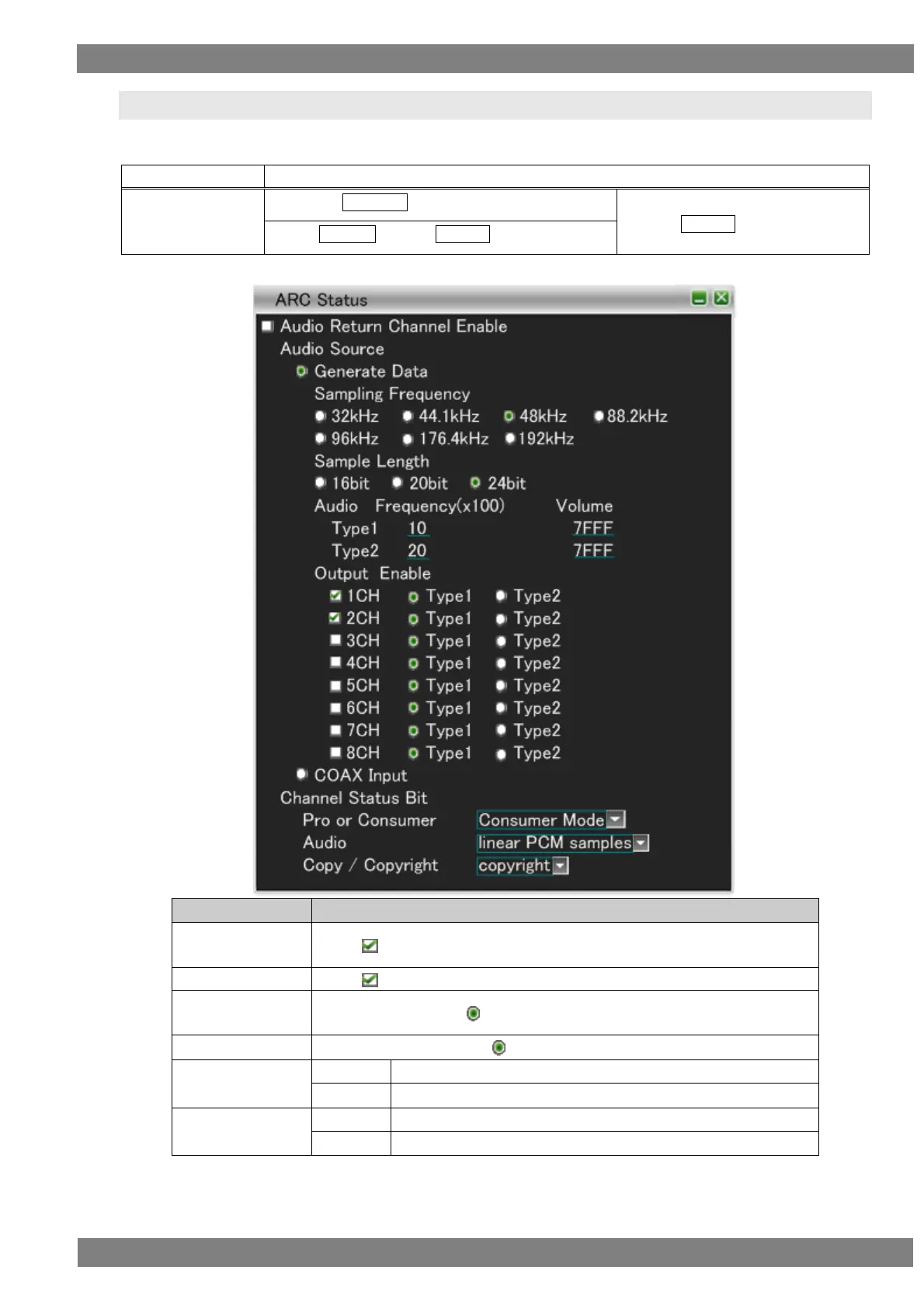
4.3 ARC Status
Changes the status of Audio Return Channel.
The display method is as follows.
Right-click → left-click ANALYZE → left-click ARC Status
→ press L CLICK over ARC Status
Press R CLICK → press L CLICK over ANALYZE
Audio Return
Channel Enable
When is checked, Audio Return Channel can be used.
When is checked, the setting data is sent.
The frequency with the selected among 32 kHz to 192 kHz is sent.
The sample length with the selected among 16 bit to 24 bit is sent.



 To Next Page