Chapter 2 Connecting with Peripheral Devices and Usage Examples
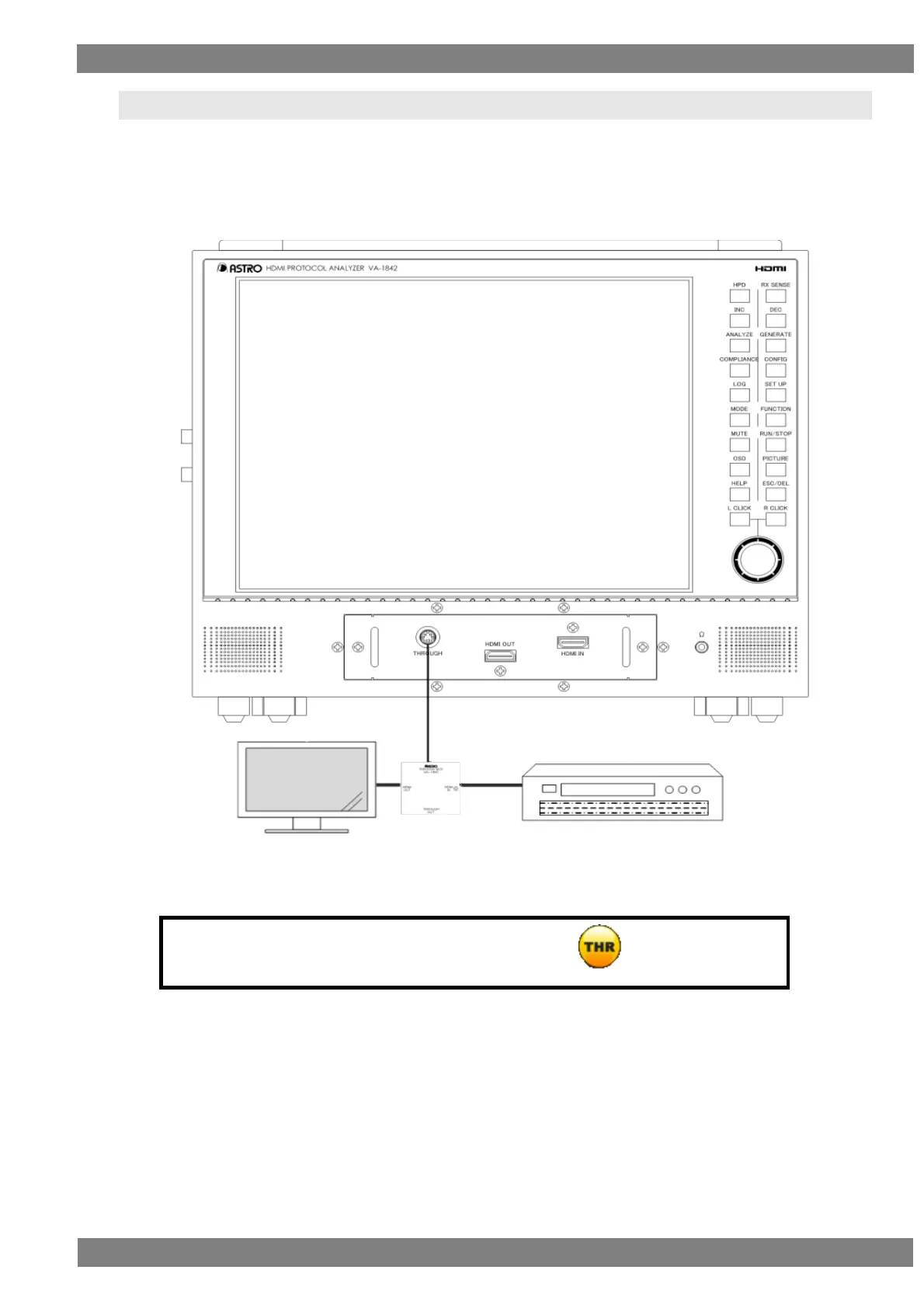
2.3 Connection Example in Through Mode
Set the VA-1842 to through mode to perform DDC and CEC line analysis of an HDMI input/output device.
By connecting a through box to the HDMI THROUGH connector of the VA-1842, you can check that an HDMI
input/output device is operating normally.
Also, the DDC and CEC lines can be monitored to check the direct exchange of input devices and output devices.
When you will use the VA-1842 in through mode, select the icon before use.
Device with HDMI input terminal
LCD TV, etc.
Device with HDMI output terminal
DVD player, etc.



 To Next Page