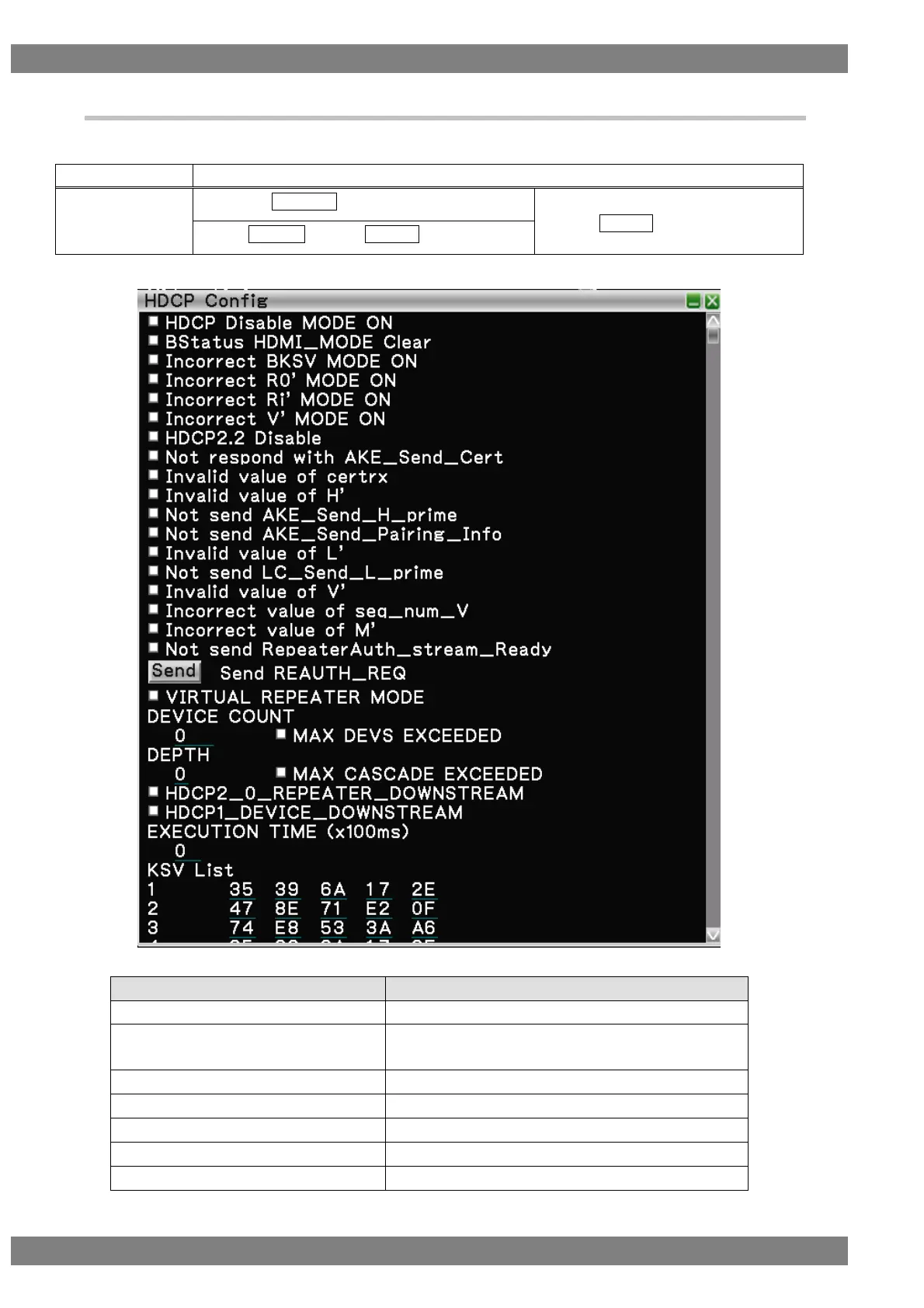
4.1.16 HDCP Config
Set the settings related to HDCP.
The display method is as follows.
Right-click → left-click ANALYZE → left-click HDCP Config
→ press L CLICK over HDCP Config
Press R CLICK → press L CLICK over ANALYZE
The HDCP Config setting items are as follows.
Sets the sink device of HDCP Disable.
Sets HDMI_MODE of Bstatus to 0 and continues
operation.
Sets an incorrect BKSV to be returned.
Sets an incorrect R0' to be returned.
Sets an incorrect Ri' to be returned.
Sets an incorrect V' to be returned.
Sets bit 2 of HDCP2Version to 0.



 To Next Page