Chapter 6 Compliance Test
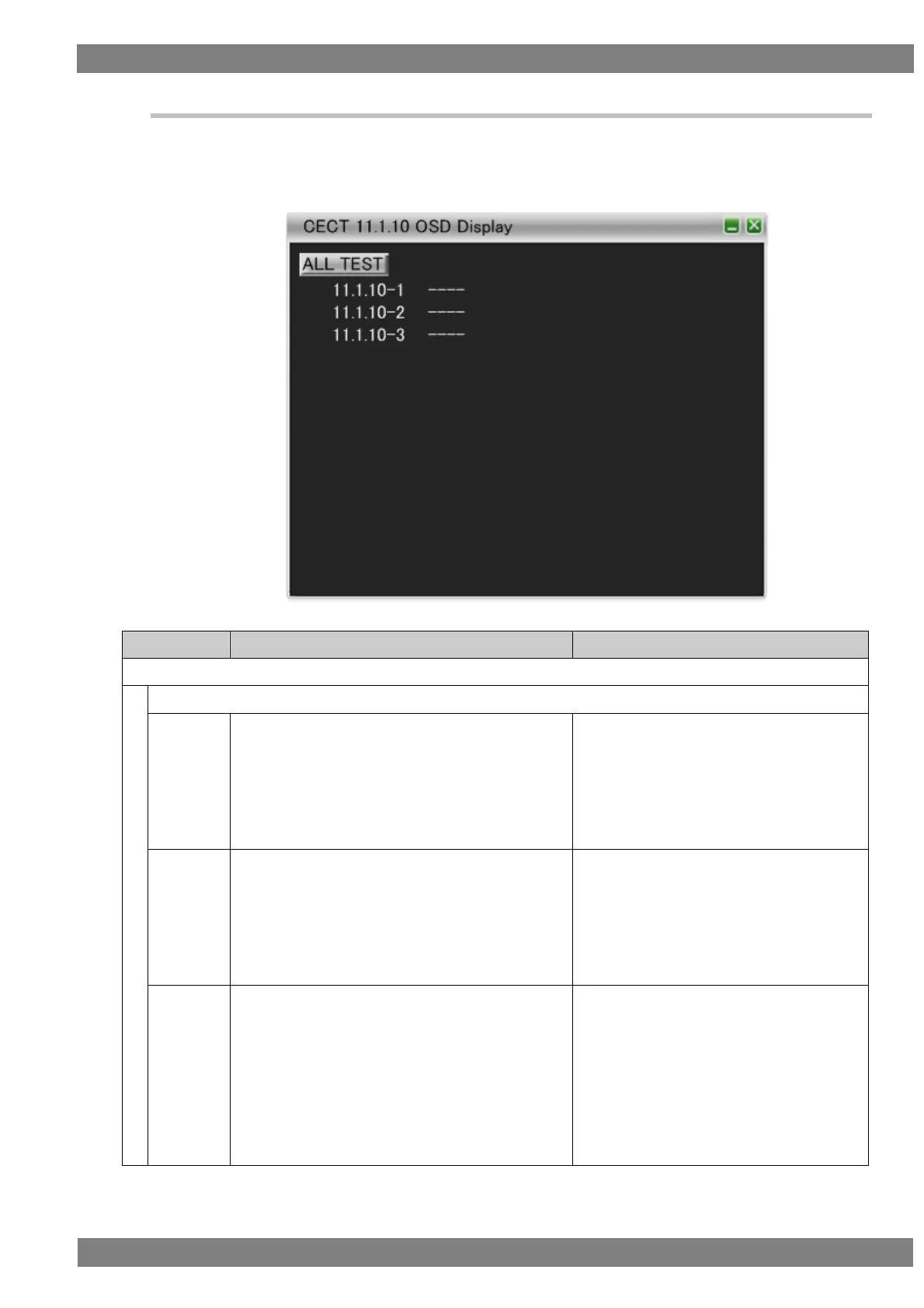
6.3.15 CECT 11.1.10 OSD Display
When “ALL TEST” is selected, the tests for the test IDs are started. When a test ID number is clicked with the
mouse, only the selected test is started. The procedures for the tests performed with the VA-1842 are shown
below.
Connect the HDMI input of the DUT (TV) to the HDMI output of the VA-1842.
Check that the DUT is in the state in which
displaying OSD strings is allowed.
Send <Set OSD String> ["Display For Default Time "]
['Test String'] to the DUT.
(Repeat this procedure with the logical address
changed to each of 1, 3, 4, 5, 13, and 14.)
DUT displays the test string for the default
time period and then clears it (standard value
is 5 seconds).
Check that the DUT is in the state in which
displaying OSD strings is allowed.
Send <Set OSD String> ["Display Until Cleared"]
['Test String'] to the DUT.
Send <Set OSD String> ["Clear Previous Message"]
after approximately 20 seconds.
DUT displays Test String on receipt of the
first message.
DUT clears Test String on receipt of the
second message.
Check that the DUT is in the state in which
displaying OSD strings is allowed.
Set the logical address to 1.
Send <Set OSD String> ["Display Until Cleared"]
['Test String'] to the DUT.
Set the logical address to 2.
Send <Set OSD String> ["Display For Default Time"]
['Second String'].
DUT displays Test String on receipt of the
first message.
The DUT clears the previous Test String
and displays Second String on receipt of
the second message.


 To Next Page