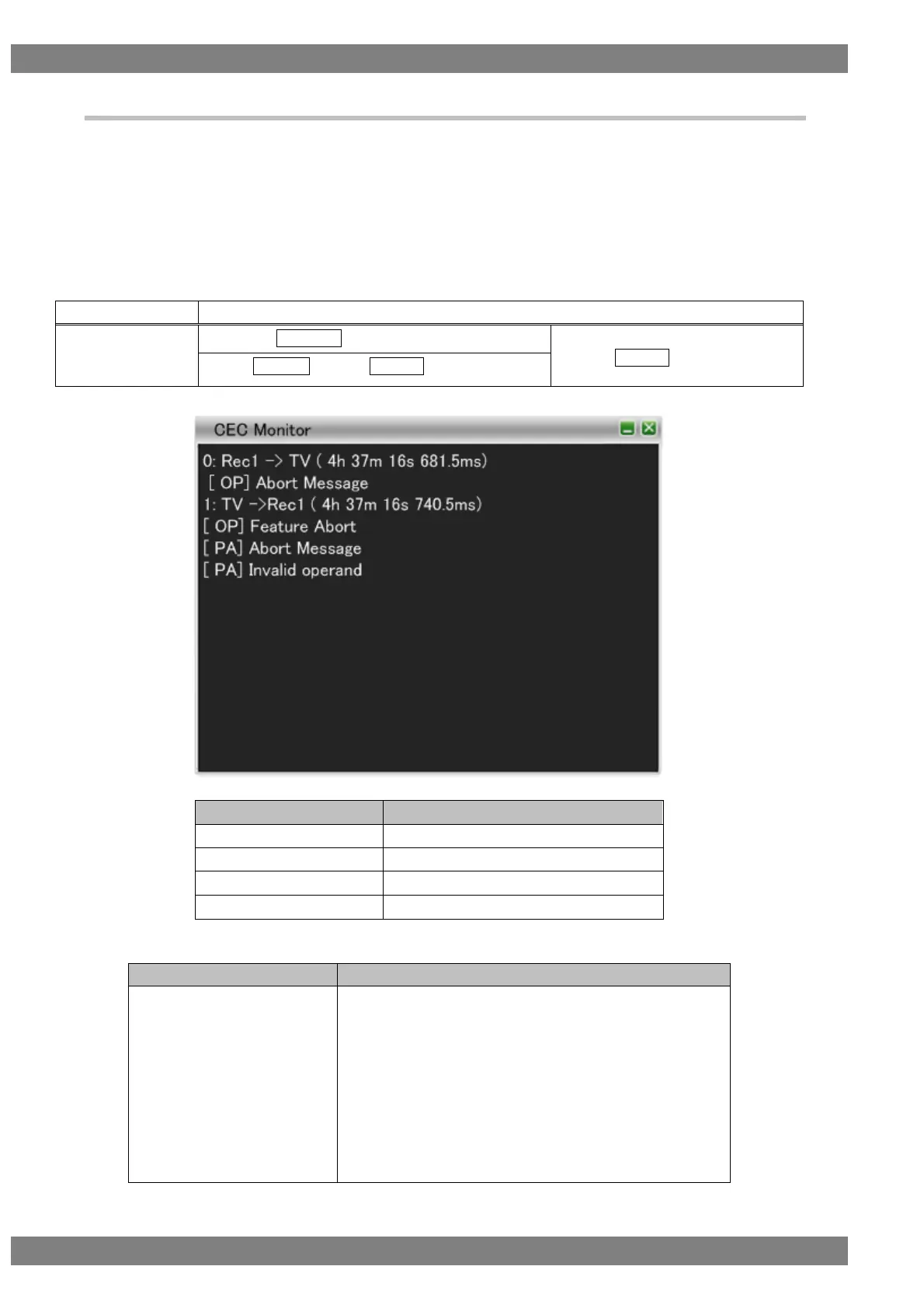
4.2.3 CEC Monitor
CEC stands for Consumer Electronics Control, and is a function to allow devices connected by HDMI to control
each other.
For example, it enables playback with a DVD player from a TV and turning on or off the power of a TV or DVD
player from an AV amplifier (AV center). CEC is implemented by exchanging messages between the devices
through the CEC line of HDMI.
The CEC line is monitored with CEC Monitor.
The display method is as follows.
Right-click → left-click ANALYZE → left-click CEC Monitor
→ press L CLICK over CEC Monitor
Press R CLICK → press L CLICK over ANALYZE
The CEC Monitor display items are as follows.
The errors output by CEC Monitor are as follows.
The Follower, which has detected an error where the bit
period is less than the standard value, sends a low-level
signal with approximately 1.5 times the length of the bit
period to the bus in order to notify the Initiator that an error
has occurred in the CEC bus. (Error handling) This
message is displayed when the VA-1842 detected this
action.
(If the low-level period is longer than 3.30-3.35 ms, this is
treated as "Error Handling.")



 To Next Page