1.3 Names and Functions of Parts
1.3.1 VA-1842 Front Panel
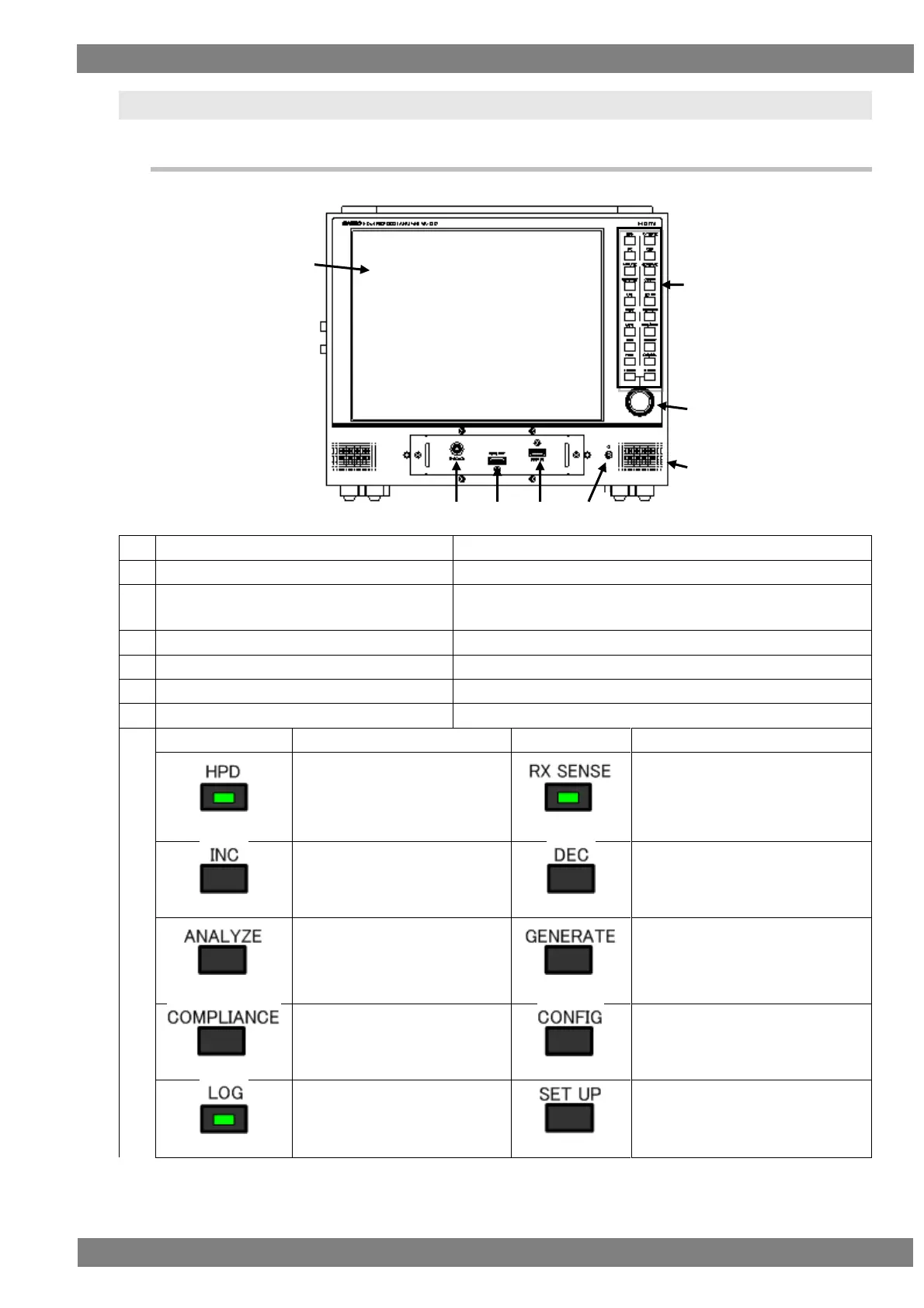
Displays the HDMI input video and analysis results.
Inputs the HDMI output of a DVD player or other device.
Outputs the HDMI signals for the input of an HDMI TV, monitor,
or other device.
Connect a through box for when in THROUGH MODE.
Outputs the audio from headphones.
Operates the cursor in eight directions.
When the LED lights, the hot
plug state becomes high.
When the LED goes out, the hot
plug state becomes low.
When the LED lights, RX SENSE
turns on.
When the LED goes out, RX
SENSE turns off.
Used when, for example,
selecting setting items and
parameters.
Used when, for example, selecting
setting items and parameters.
Displays the Compliance menu.
When the LED lights, acquires
the log.



 To Next Page