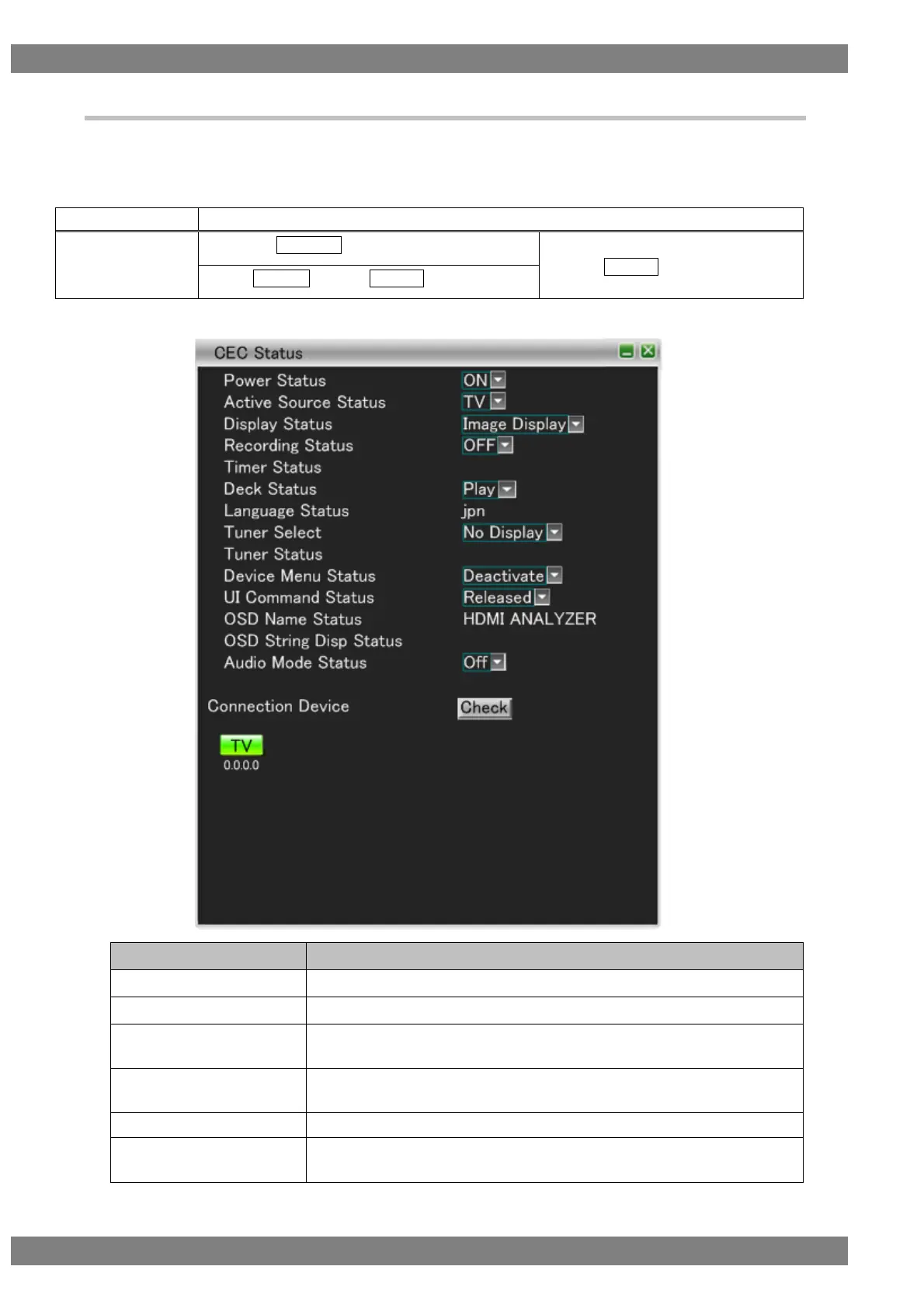
4.2.5 CEC Status
Display the current VA-1842 status.
For the status of the VA-1842, there is the case where it is changed by a CEC command from an external source
and the case where it is changed from the VA-1842 unit.
The display method is as follows.
Right-click → left-click ANALYZE → left-click CEC Status
→ press L CLICK over CEC Status
Press R CLICK → press L CLICK over ANALYZE
Displays the currently emulated power status.
Displays the currently active source device.
Displays the currently emulated display status.
* This is enabled only when the VA-1842 is emulating a TV.
Displays the currently emulated recording status.
* This is enabled only when the VA-1842 is emulating a recording device.
Displays the currently emulated timer status.
Displays the currently emulated deck status.
* This is enabled only when the VA-1842 is emulating a deck device.



 To Next Page