8. Configurator, Projector adjustment settings
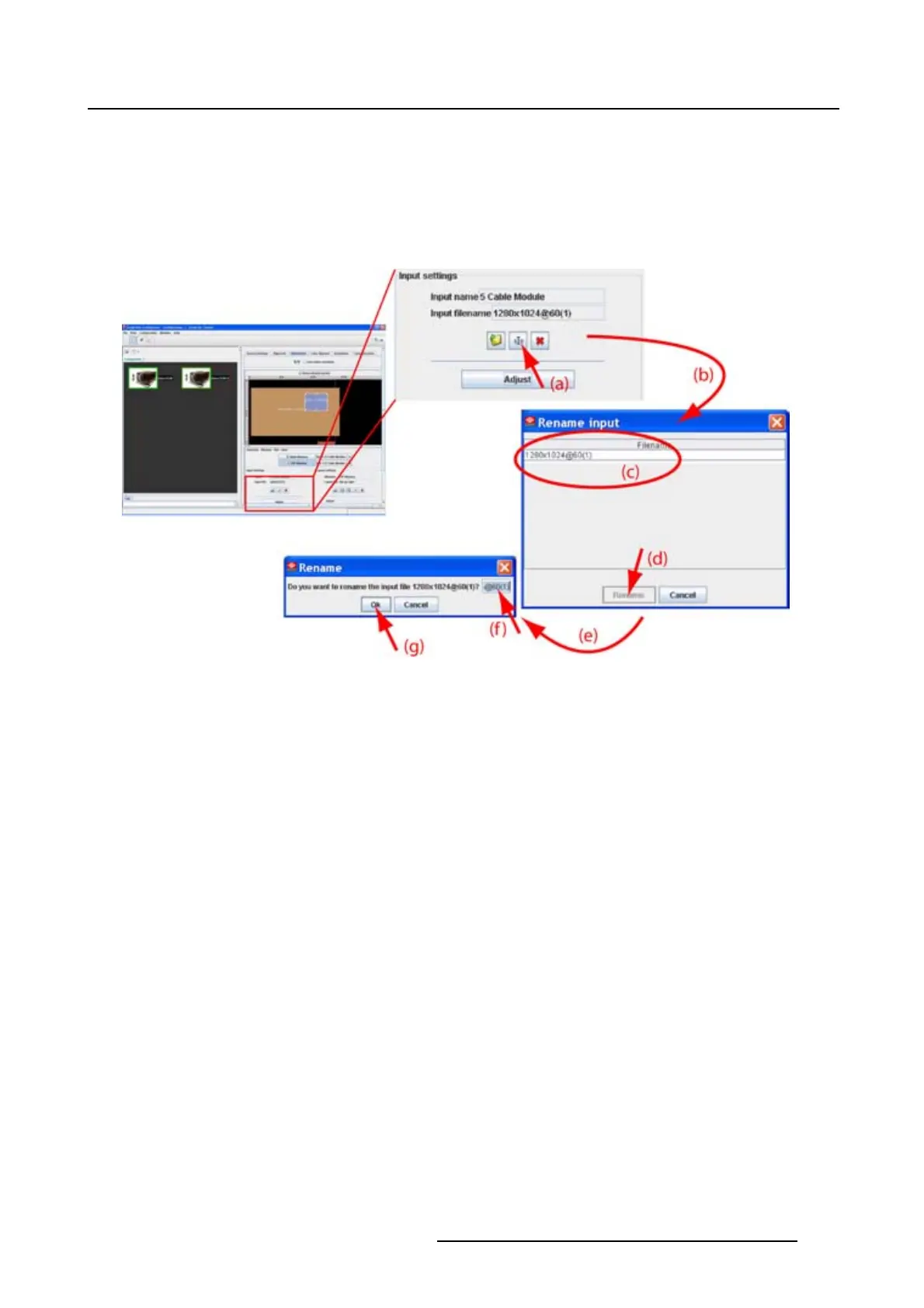
An Input dialog box opens (e). The current name is filled out.
3. Select the current name (f) and enter a new name.
Note: Only the characters a to z, A to Z, 1 to 9 and (, ), _, -, @ or allowed in a name.
4. Click OK (g).
The name is changed into the new name.
Image 8-15
Rename source file via icon
How to rename, way 2
1. Click on Adjust (a). (image 8-16)
The Input dialog box opens (b).
2. Click on File and select Rename (c).
The Rename input dialog box opens (d).
3. Select the file to rename from the list (e) and click Rename (f).
An Input dialog box opens. The current name is filled out (g).
4. Select the current name (h) and enter a new name.
Note: Only the characters a to z, A to Z, 1 to 9 and (, ), _, -, @ or allowed in a name.
5. Click OK (i).
The name is changed into the new name.
R5976924 PROJECTOR TOOLSET 16/04/2009
123



 To Next Page