13. Configurator, Warp User Interface
16
Save current warping setting to a file.
17
Close the warping user interface.
13.3 Increasing - decreasing the number of nodes
What can be done?
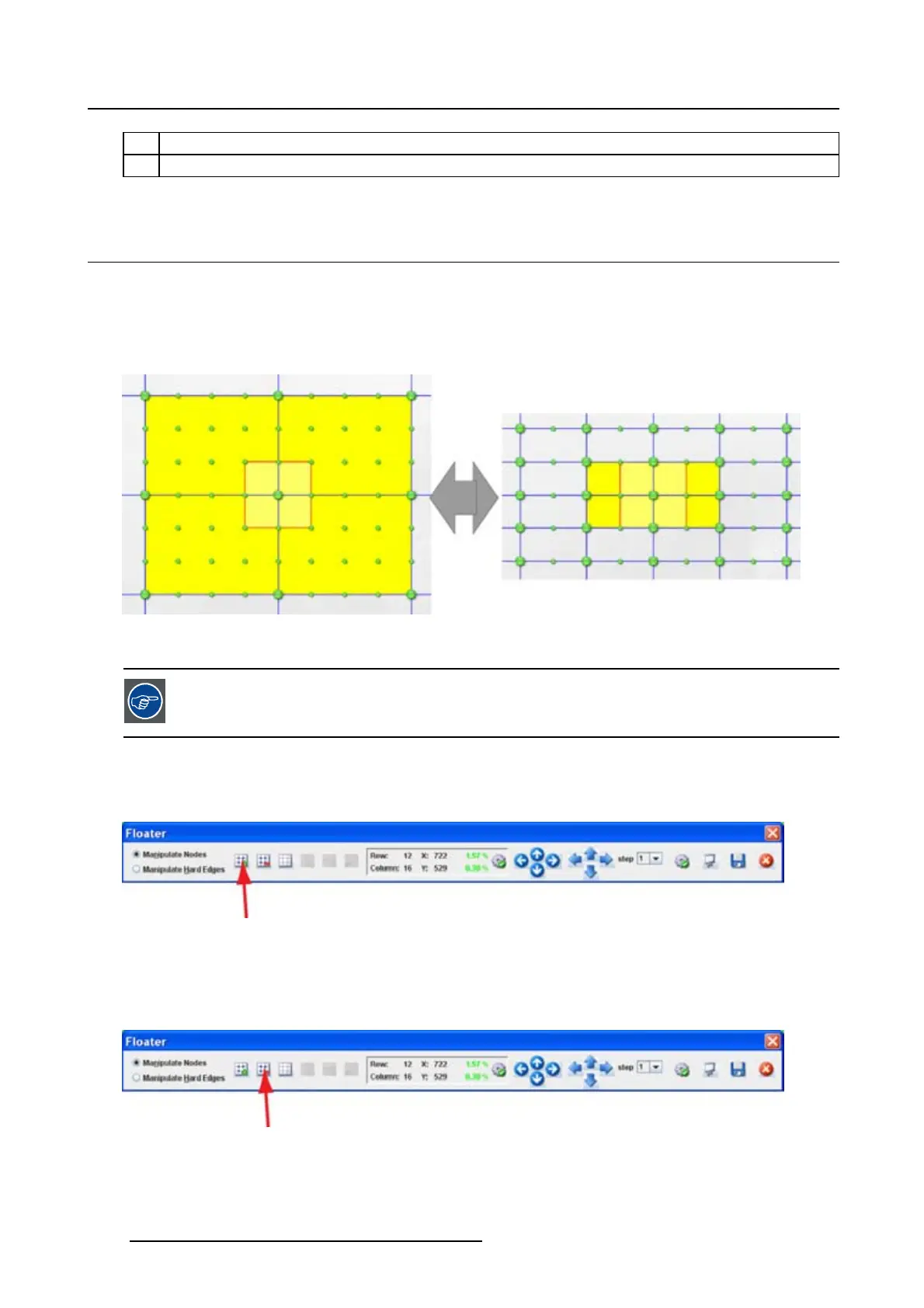
The number of active nodes can be increased to obtain a more accurate adjustment. As the number of
nodes increase, the active area decreases. The adjustment of the active node influences a smaller area
so that a finer adjustment is possible. More nodes can be adjusted in the same original area.
Image 13-3
Increase active nodes
When node adjustment are made, before increasing or decreasing the active nodes, de-
select the active area. Otherwise a recalculation will take place.
How to increase
1. Click on the increase node icon to increase the number of active nodes. (image 13-4)
Image 13-4
Increase active nodes
How to decrease
1. Click on the decreasing node icon to decrease the number of active nodes. (image 13-5)
Image 13-5
Decrease active nodes
190 R5976924 PROJECTOR TOOLSET 16/04/2009



 To Next Page