13. Configurator, Warp User Interface
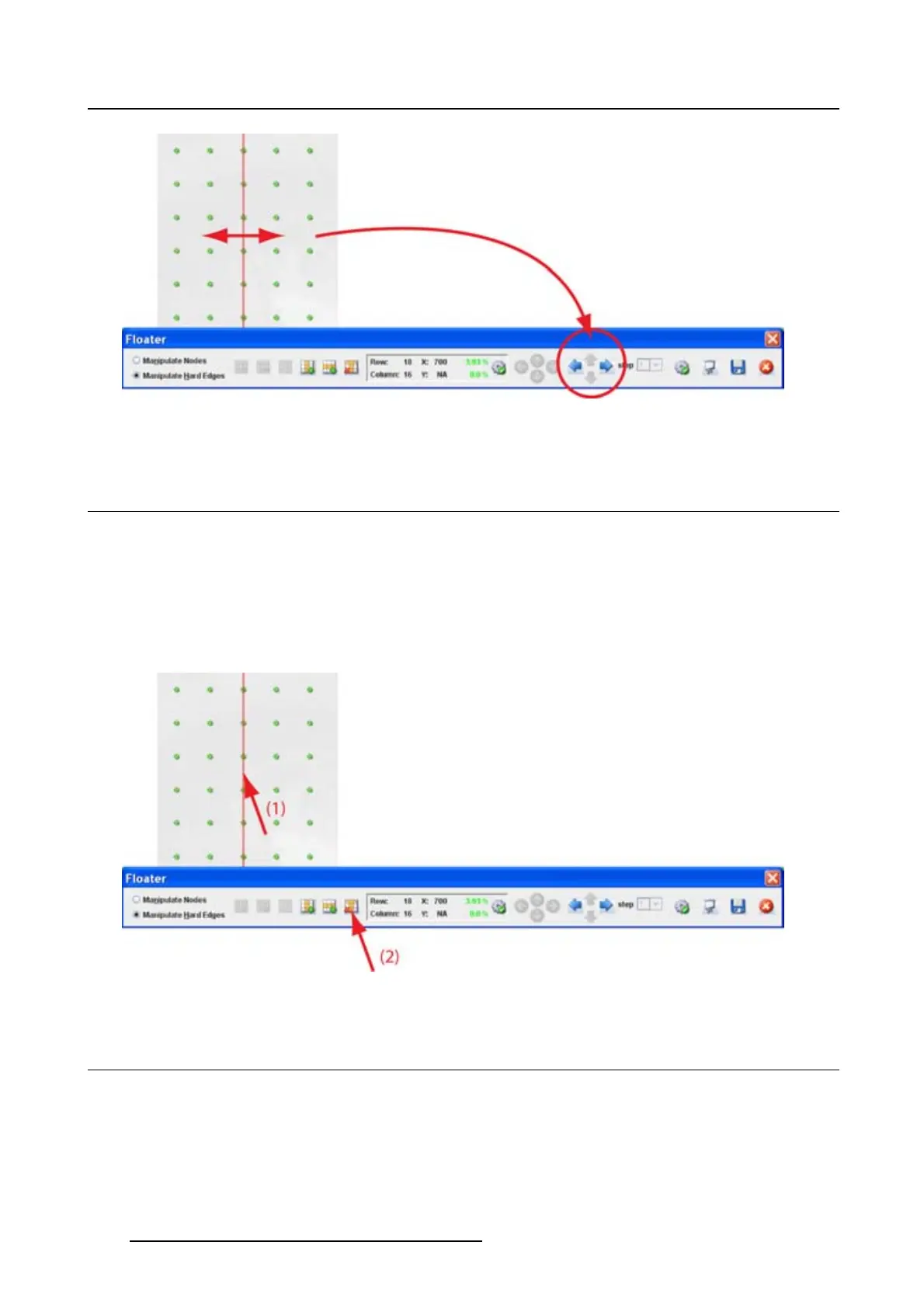
Image 13-16
Move hard edge
13.10 Remove a hard edge
How to remove
1. Select the hard edge to remove by clicking on it. (image 13-17)
The line becomes red.
2. Click on the delete icon in the Floating menu.
The hard edge is remove.
Image 13-17
13.11 Show hard edge in active node mode
What can be done ?
Within the Manipulate nodes mode, hard edges can be made visible as info or can be hidden. When
visible, the hard edges are displayed as a green line.
198
R5976924 PROJECTOR TOOLSET 16/04/2009



 To Next Page