6. Configurator, General projector settings
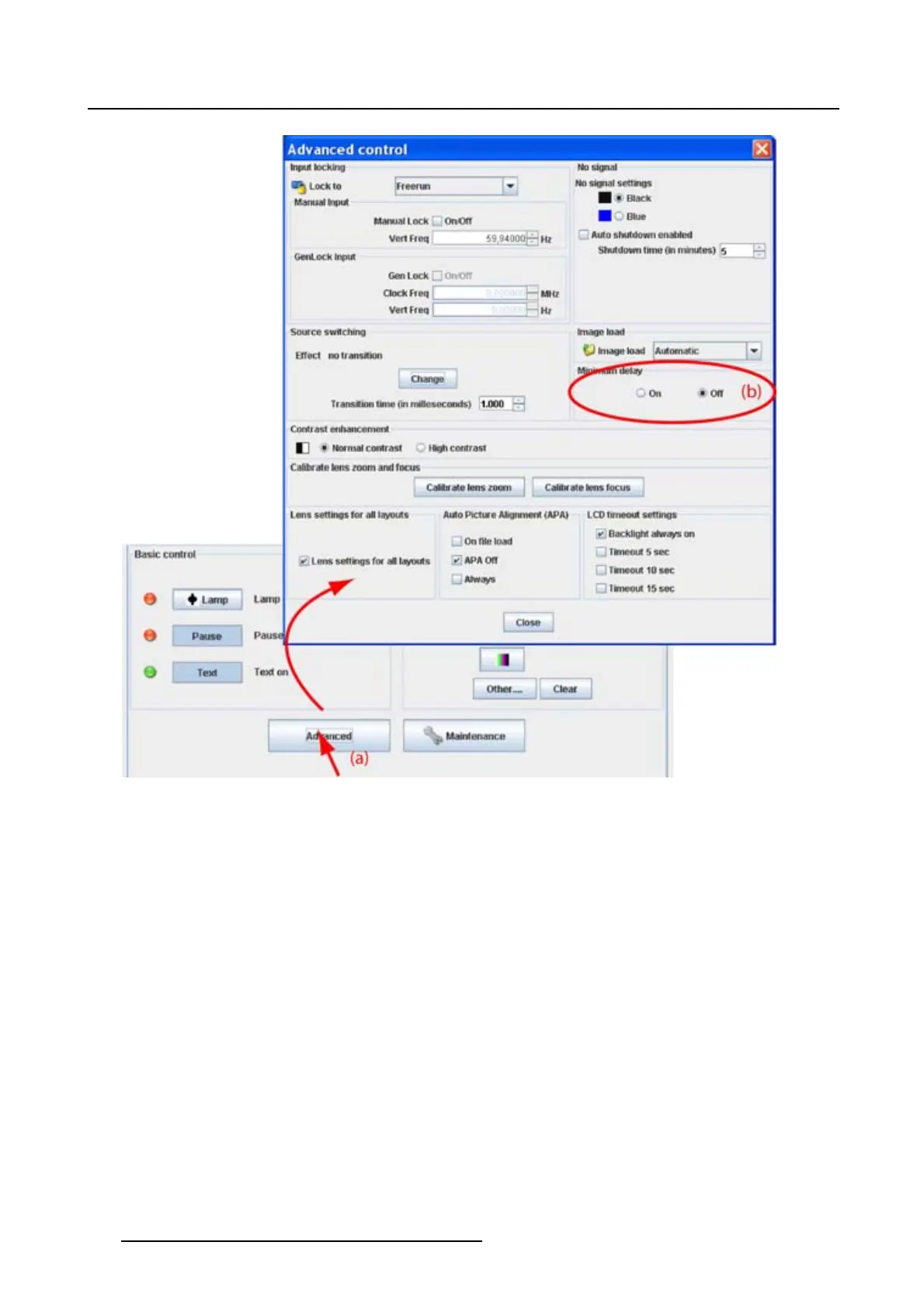
Image 6-17
Minimum frame delay set up
6.8.6 Contrast enhancement
Purpose
To increase the contrast of all video and data sources.
How to change the contrast setting
1. Click on Advanced (a). (image 6-18)
The Advanced control dialog box opens.
2. To set the contrast enhancement setting, check the radio button of your choice (b).
The following settings are possible:
- Normal contrast
- High contrast
84
R5976924 PROJECTOR TOOLSET 16/04/2009



 To Next Page