5. Configurator
Or,
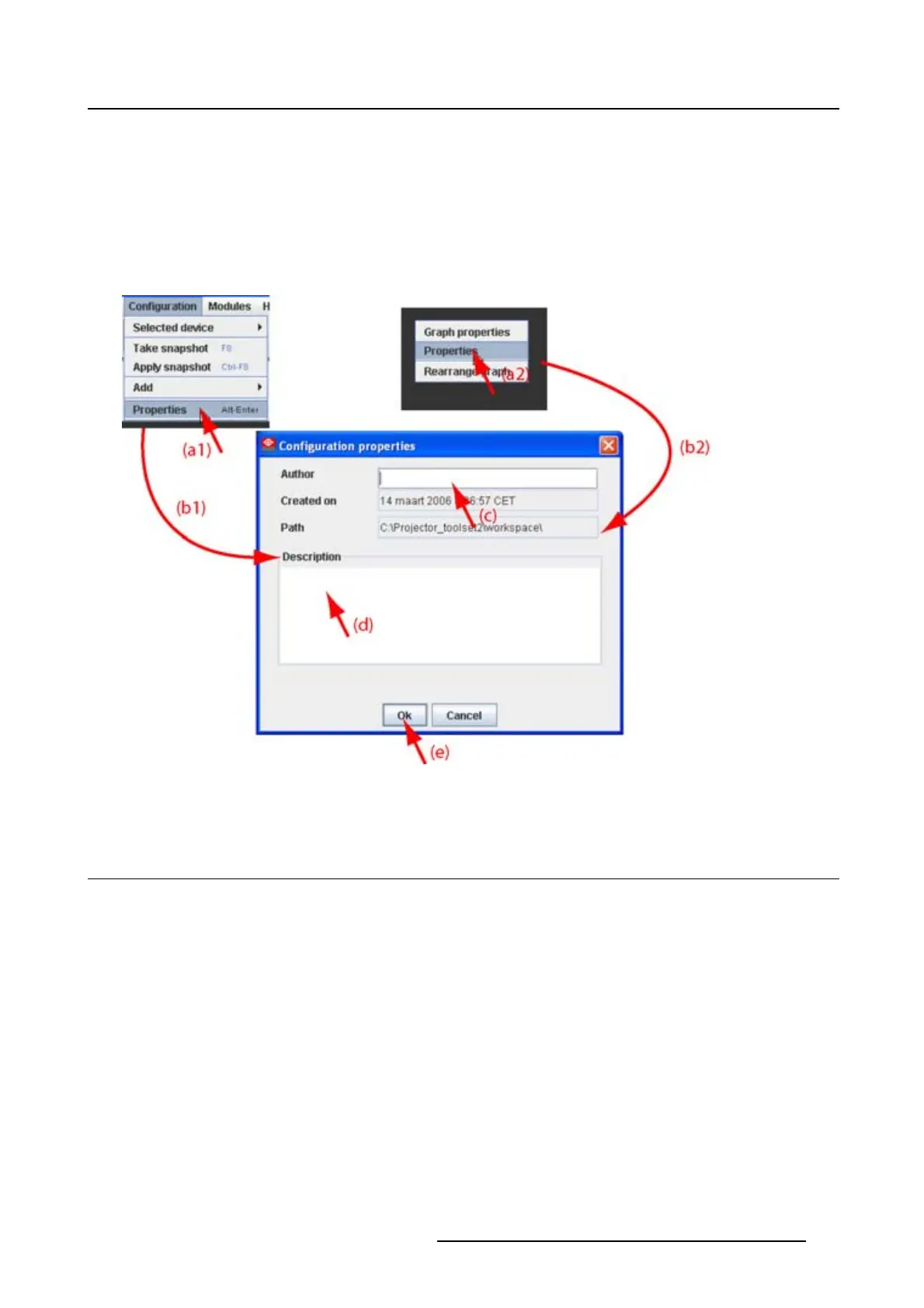
right click in the preview pane of the configuration preview, but not on a pictograph (a2). (image 5-20)
The Configuration properties dialog box opens (b1, b2).
2. To enter an author, click in the input field next to Author and enter the name (c).
3. To add a description, click in the Description field and enter a description for the configuration (d).
4. Click OK to save and close the Configuration properties dialog box (e).
Image 5-20
Configuration properties
5.10 Preview layout properties
Overview
• Background color
• Background image
• Rearrange pictographs in preview pane
5.10.1 Background color
How to set background color
1. Right click in the preview pane but not on a pictograph (a). (image 5-21)
A context menu opens.
2. Select Graph properties.
The Graph properties dialog box opens (b).
3. Check the check box next to Use background color (c).
R5976924 PROJECTOR TOOLSET 16/04/2009
63



 To Next Page