6. Configurator, General projector settings
6.2 Control interface
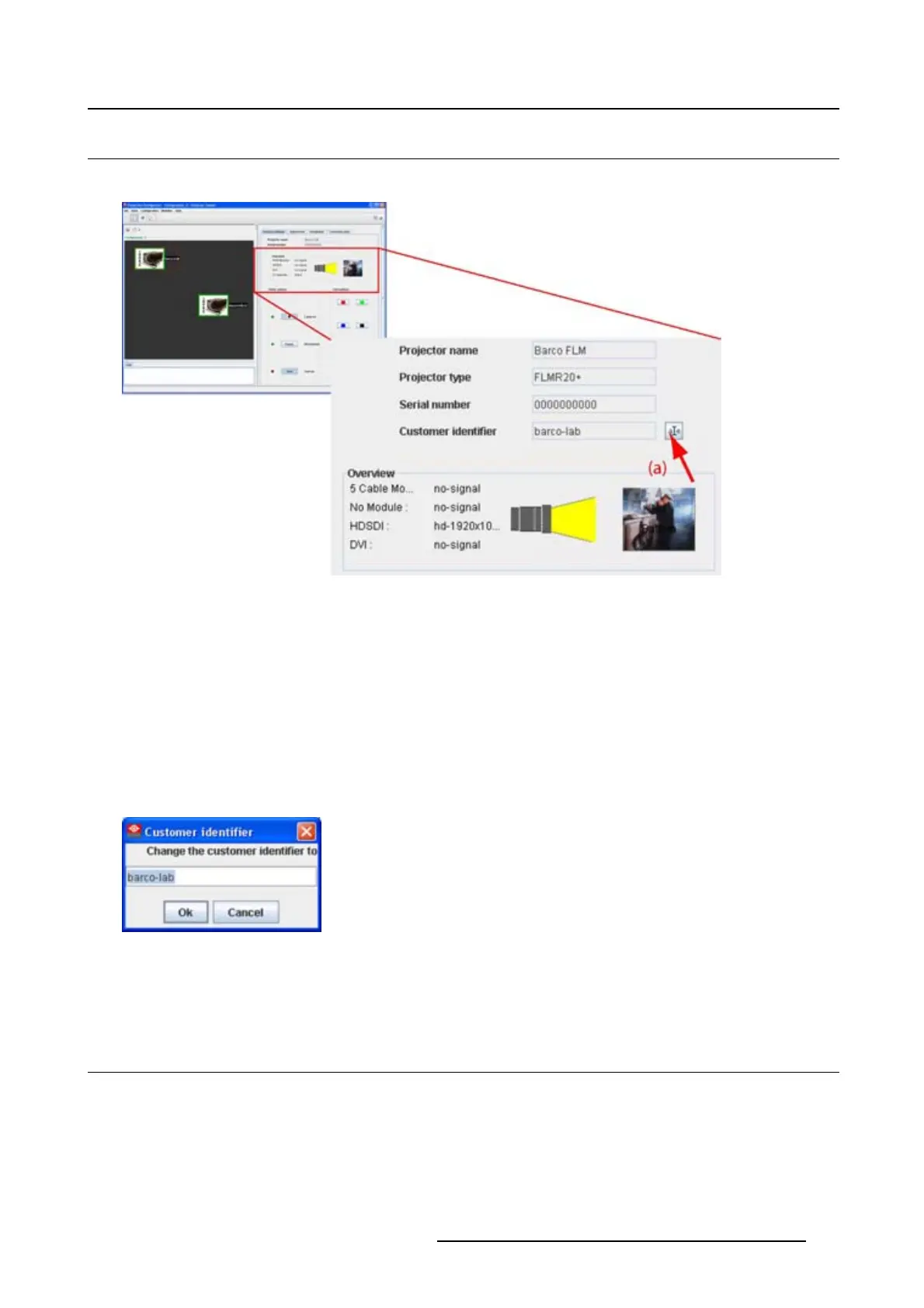
Overview
Image 6-2
Control interface
The following items can be consulted and are read only values:
• Projector name: name given to the projector during the creation.
• Serial number: serial number of the connected projector.
• Projector overview
- Input files per input module
- Lamp on or off: indicated by a light beam (yellow). Black means that the lamp is off.
- Name of selected test pattern (with a preview if available) if one is selected.
The Customer identifier can be changed. Therefore, click on the edit icon (a) next to actual identifier.
Image 6-3
Customer identifier window
The current name is selected. Enter a new name and click OK.TheCustomer identifier is changed.
6.3 Basic controls, Lamp ON/OFF
What can be done?
TheprojectorlampcanbeswitchedONorOFFusingthetogglebuttoninthebasiccontrols.
The lamp status is indicated by the led color in front of the lamp toggle button and by the text indication
right next to the button.
R5976924 PROJECTOR TOOLSET 16/04/2009
73



 To Next Page