4. Preferences
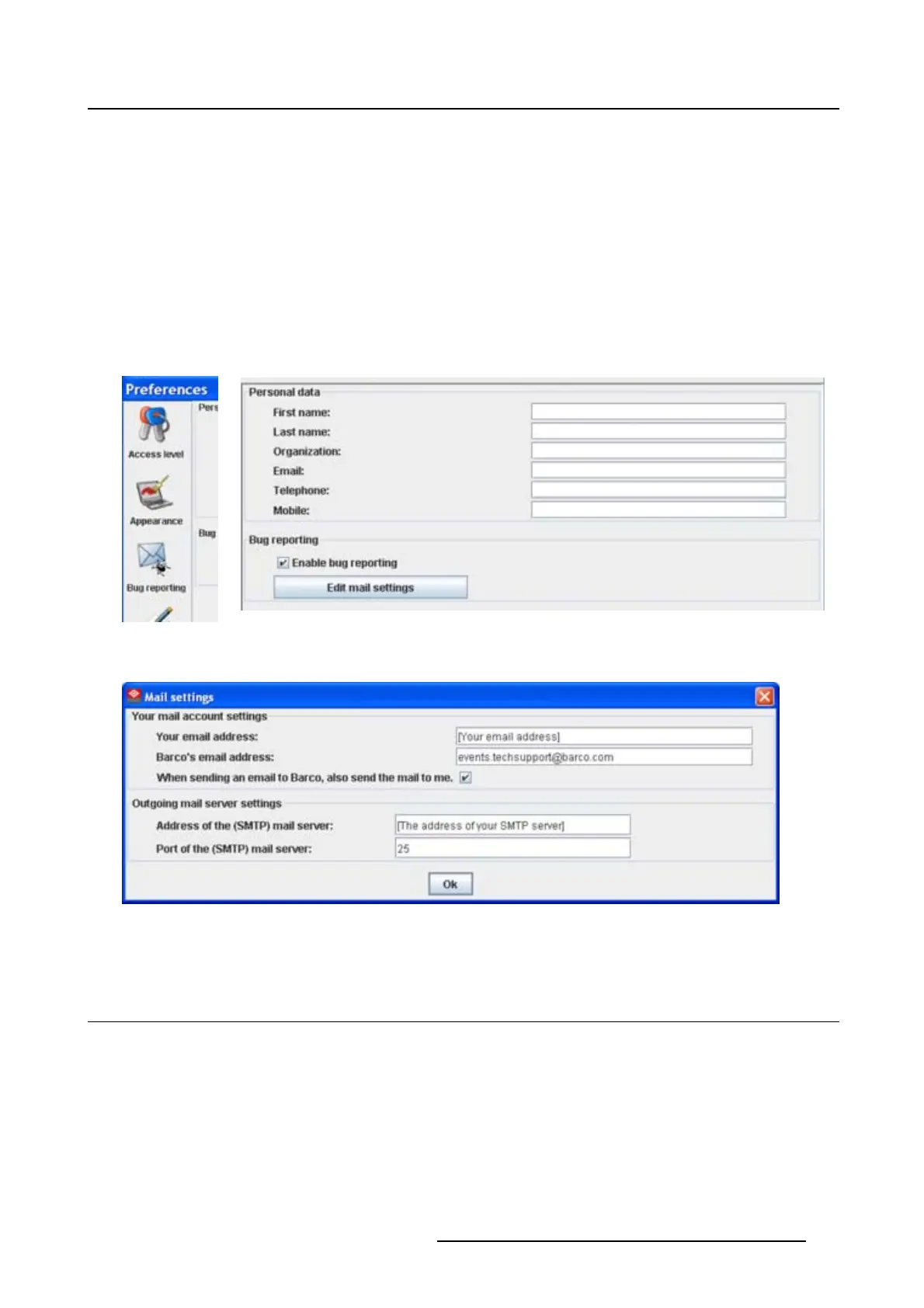
The following settings should be entered :
- Your E-mail address
- Organization
- Barco’s E-mail address, automatically filled out when installing the software.
5. If you want to receive a copy of the bug report E-mail to Barco, check this check box.
6. Fill out the address of the SMTP mail server.
Tip: Contact your system administrator in your organization to obtain the correct address.
7. Fill out the port of the mail server. Your system administrator can help you. The port is default set on
25.
8. Click OK.
Image 4-7
Bug report selection
Image 4-8
Bug report setup window
Image 4-9
Mail setup window
4.6 Logging
Start up
1. Click on Logging.
The logging preferences window opens. (image 4-10)
R5976924 PROJECTOR TOOLSET 16/04/2009
41



 To Next Page