6. Configurator, General projector settings
Image 6-21
6.8.10 LCD timeout settings
What can be done ?
The backlight time of the LCD panel on the projector when a command is given can be set between 0
(backlight always on) and 15 sec
onds.
How to set up
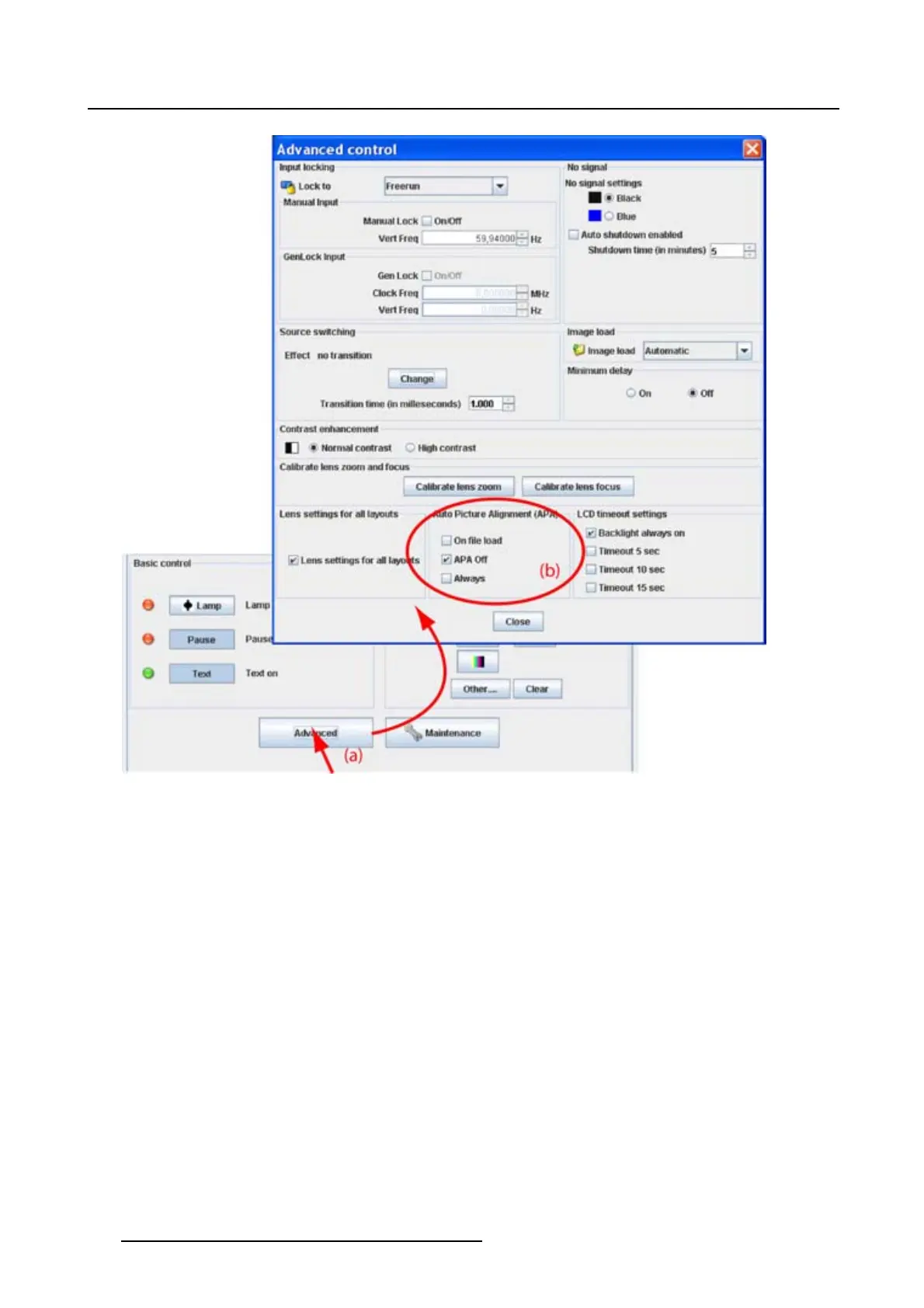
1. Click on Advanced (a). (image 6-22)
The Advanced control dialog box opens.
2. Check the check box in front of the desired timeout.
The following options are possible:
- Backlight always on
- Timeout of 5 sec
- Timeout of 10 sec
- Timeout of 15 sec
88
R5976924 PROJECTOR TOOLSET 16/04/2009



 To Next Page