8. Configurator, Projector adjustment settings
When changes are made in the Input dialog box and when closing this box without first saving, the software
asks to save the settings anyway.
The save is executed on the projector.
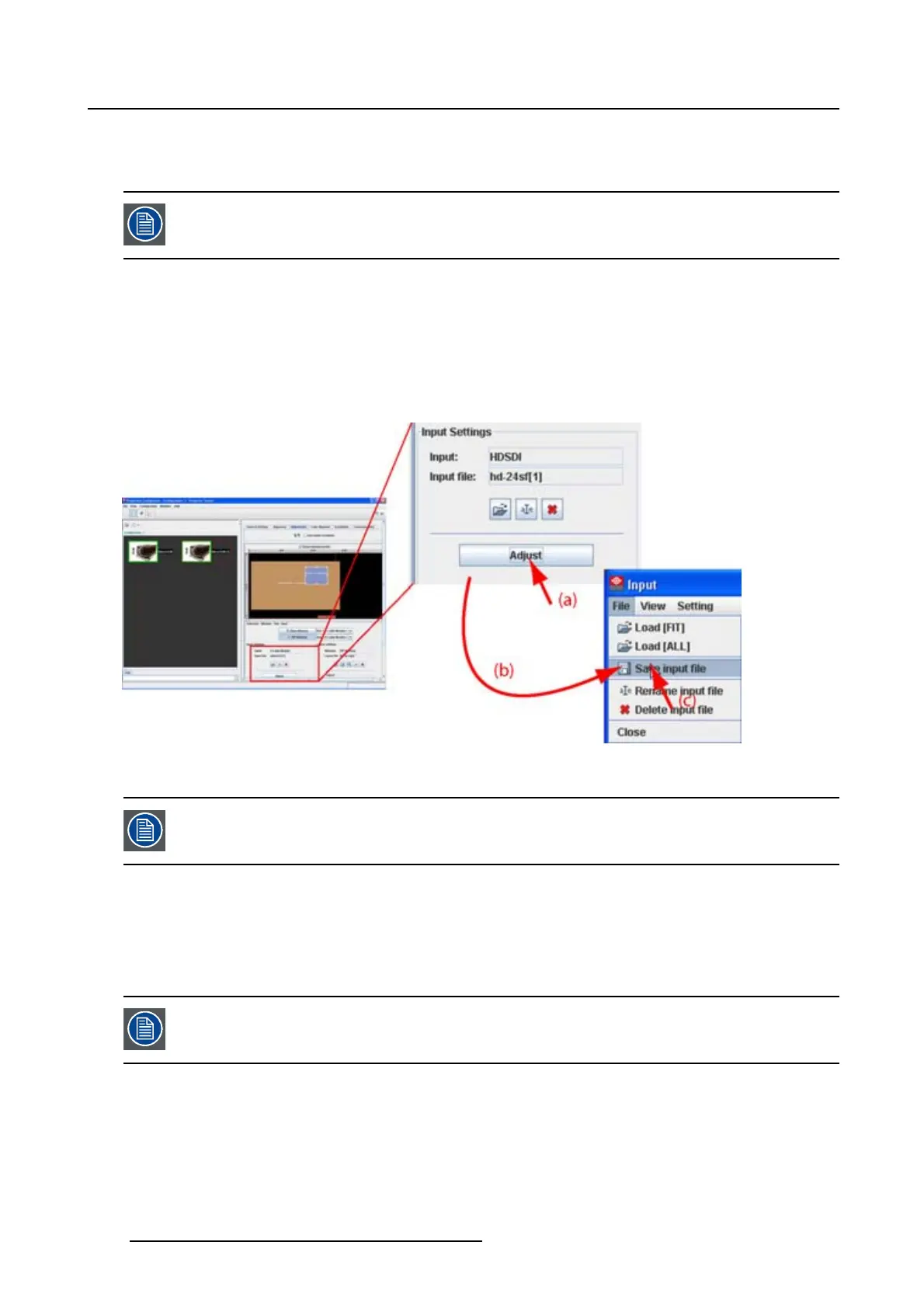
For direct save
1. Click Adjust. (image 8-14)
The Input dialog box is displayed.
2. Click on File and select Save.
The settings are saved in the same file on the projector.
Image 8-14
Save custom source file
When closing the Input dialog box, Projector Toolset asks to save the changes.
8.5.6 Rename the current input file
What can be done?
The current input filecanberename.
Not possible to rename the active file (current loaded file).
How to rename, way 1
1. Click on the rename icon on the Input settings pane (a). (image 8-15)
The Rename input dialog box opens (b).
2. Select the file to rename from the list (c) and click Rename (d).
122
R5976924 PROJECTOR TOOLSET 16/04/2009



 To Next Page