5. Configurator
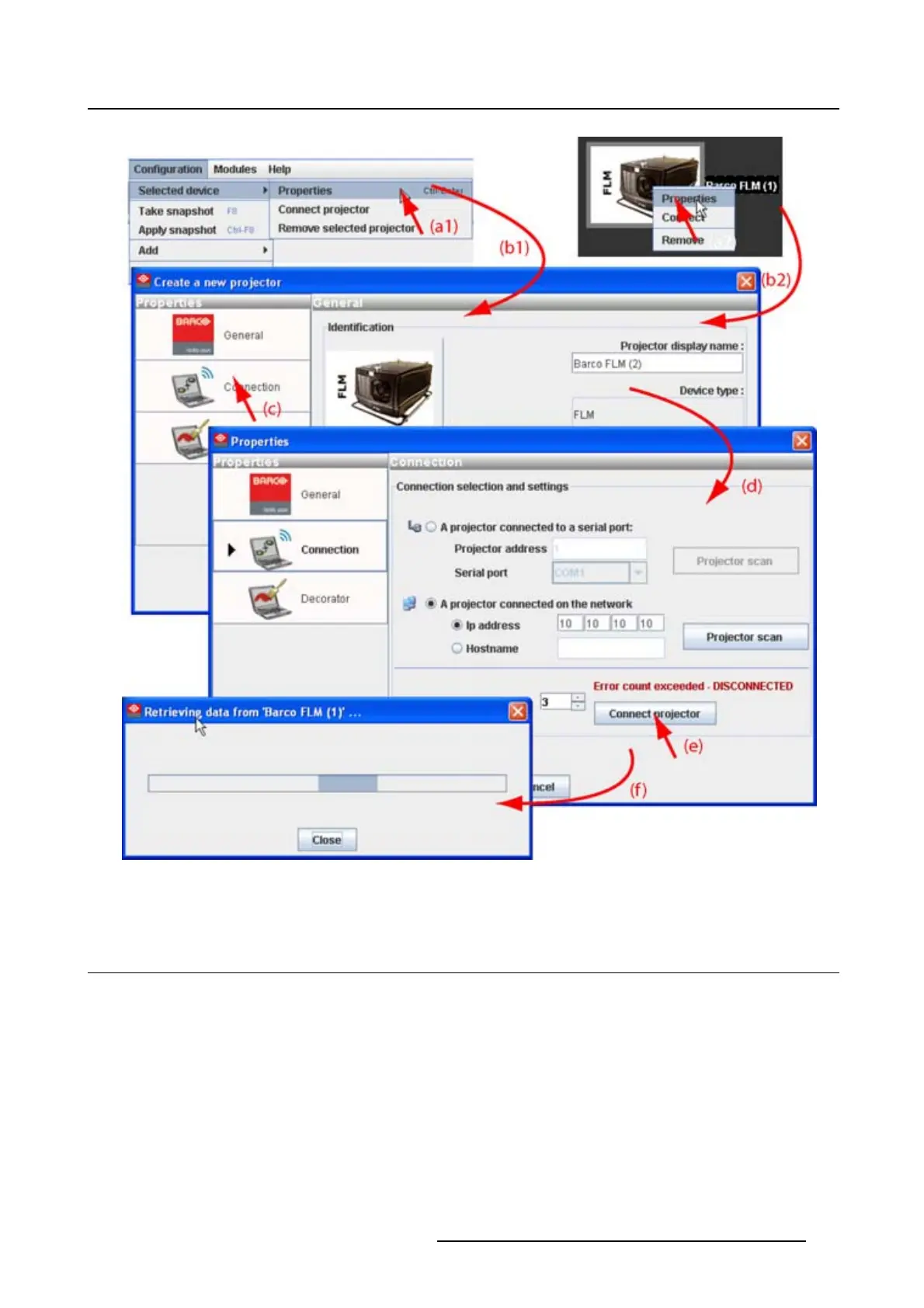
Image 5-15
Reconnect via the properties dialog box
5.6 Move projector to a group
What can be done ?
Projectors can be grouped in new groups are in existing groups. All projectors in one group can be se-
lected then and controlled as one projector.
How to move to a new group
1. Right click on the projector icon (a). (image 5-16)
A pop up menu opens.
2. Select Move to anddragyourmousetotherightandselectNew group (b).
The create new group window opens (c).
R5976924 PROJECTOR TOOLSET 16/04/2009
59



 To Next Page