3. Menus
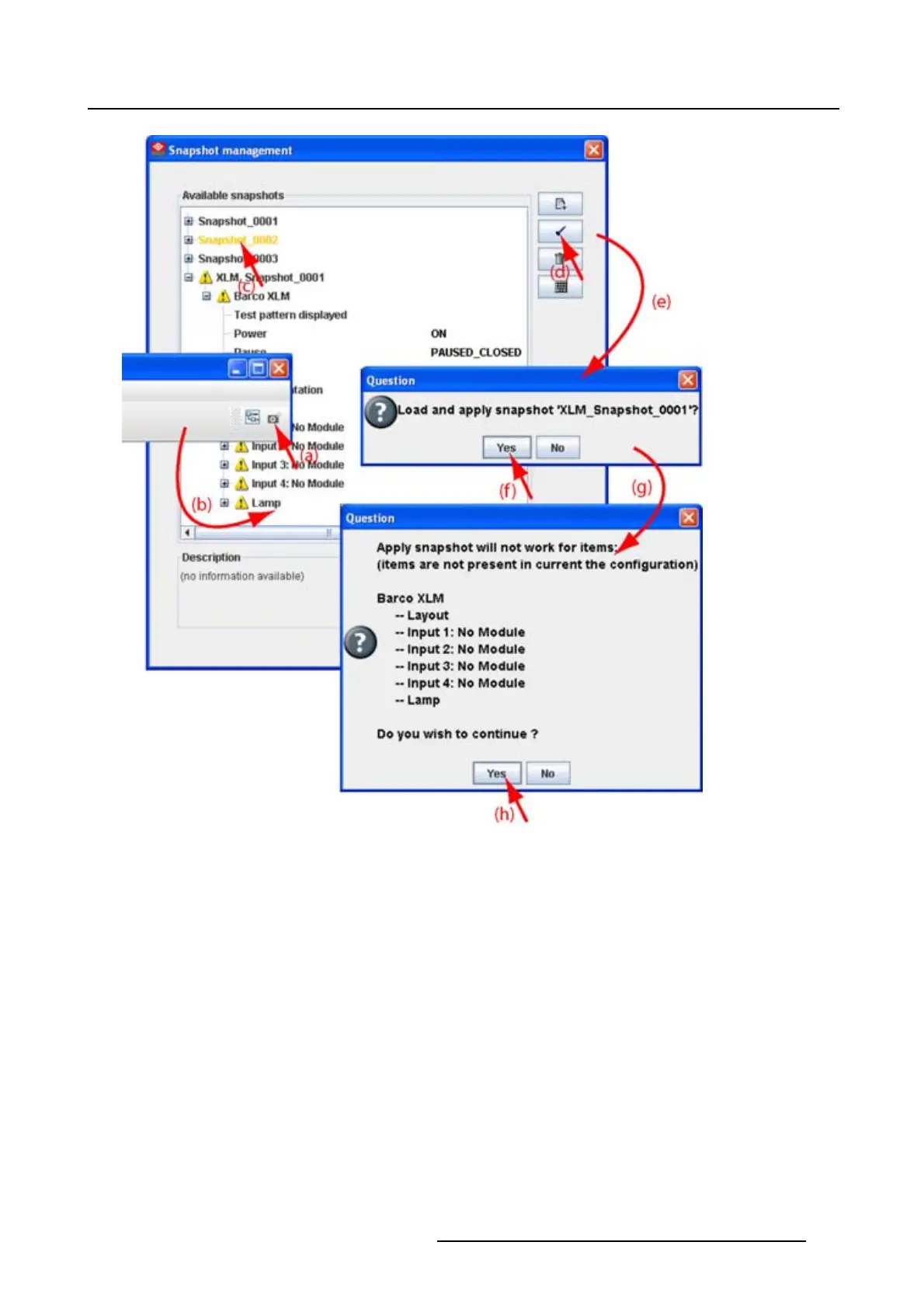
Image 3-12
Apply snapshot
3.8.5 Delete a snapshot
How to delete
1. Click on the snapshot icon on the manage button bar (a). (image 3-13)
The Snapshot management dialog box opens with all available snapshots (b).
2. Click on the snapshot to delete (c).
The name becomes yellow.
3. Click on the delete icon (d).
Aconfirmation dialog box is displayed (e).
4. Click Yes to delete (f).
R5976924 PROJECTOR TOOLSET 16/04/2009
31



 To Next Page