13. Configurator, Warp User Interface
Image 13-21
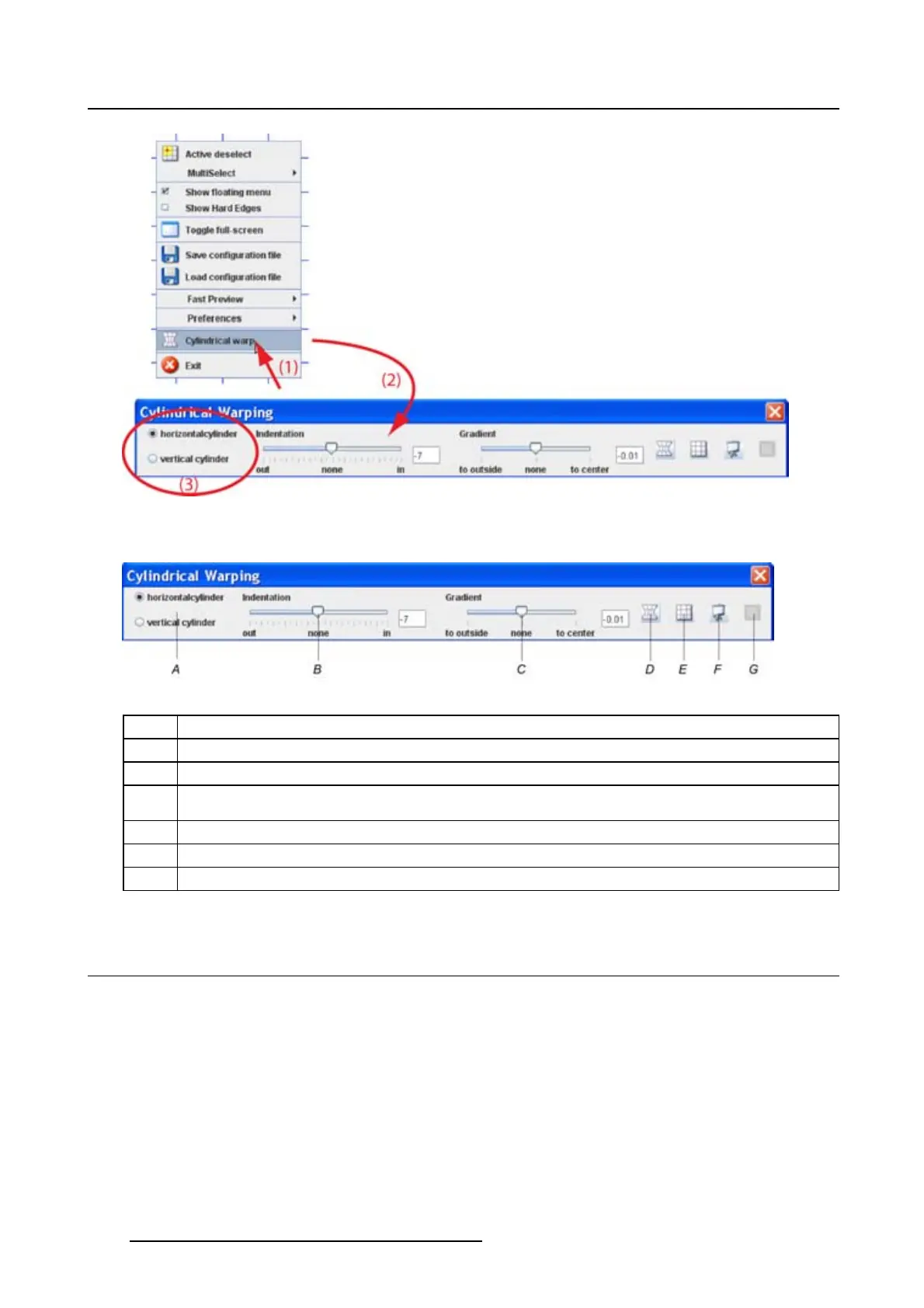
Cylindrical warping menu
Image 13-22
Cylindrical warping menu
A Type of cylinder
B Indentation. Internal or external projection.
C Gradient. Relative deviation on the cylinder.
D Calculate warp button. Only used for special cases. Recalculation is normally done
automatically.
E Reset grid.
F
Fast preview. Current settings are sent to the device.
G
Resize and center
13.15 Indentation
About indentation
The indentation indicates the way the surface is oriented to the projector.
Projecting on the outside of the cylinder : indentation value is negative.
Projecting on the inside of the cylinder : indentation value is positive.
The indentation value can vary between –300 and +300.
202
R5976924 PROJECTOR TOOLSET 16/04/2009



 To Next Page