8. Configurator, Projector adjustment settings
8.3 Configuring an input slot
What should be done?
Some input modules can accept different sources. The projector must know which type of source is con-
nected to the input.
How to configure
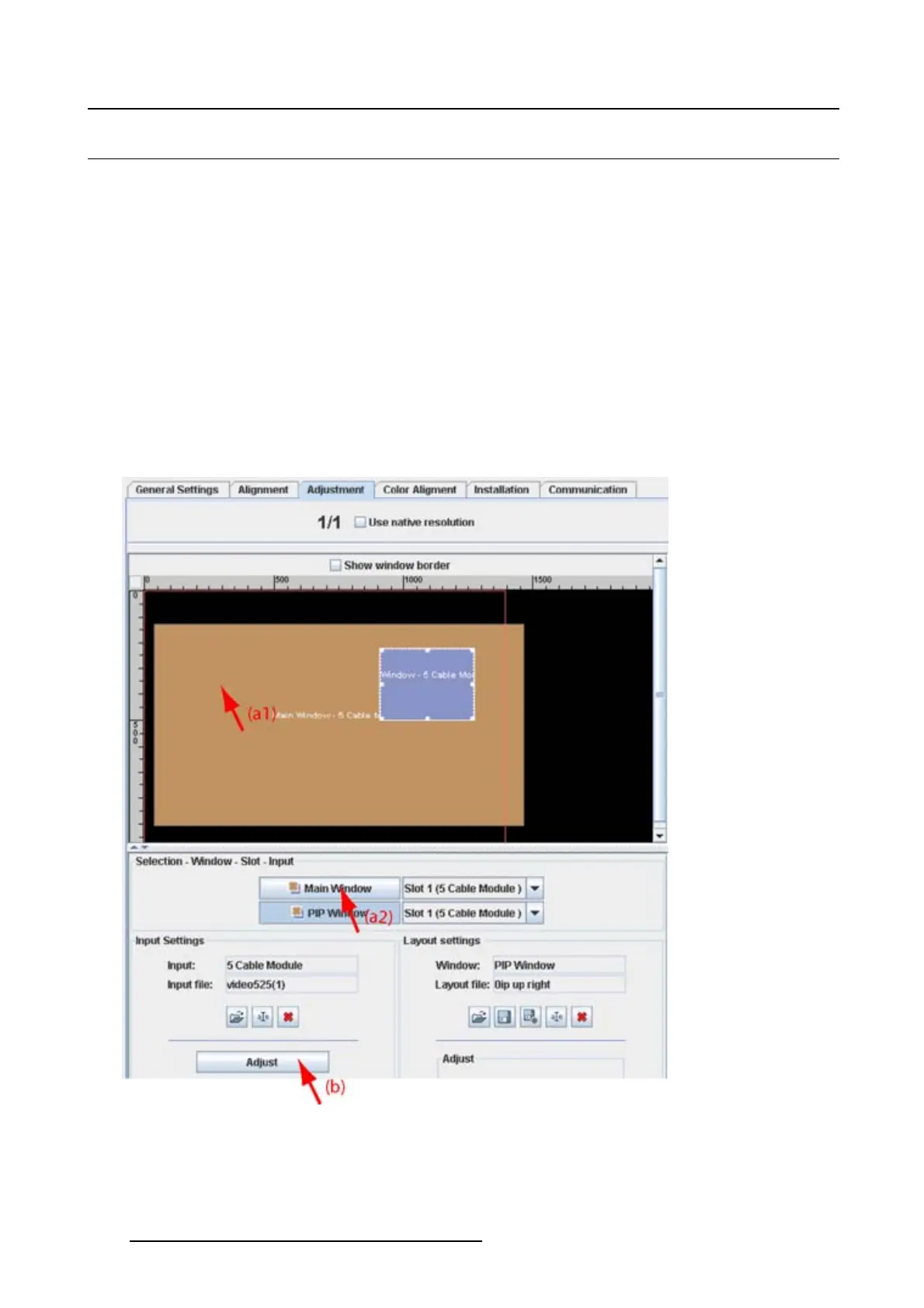
1. Select the window for which the input must be configured (a1, a2). (image 8-5)
2. Click on Adjust (b).
The Input dialog box opens.
3. Click on Settings and select Input mode.(image8-6)
The Input mode dialog box opens with the current active setting filled out.
4. Click on the combo box next to Input mode and select the correct setting.
5. Click Close to return.
Image 8-5
Open the adjustment mode
114 R5976924 PROJECTOR TOOLSET 16/04/2009



 To Next Page