8. Configurator, Projector adjustment settings
Or,
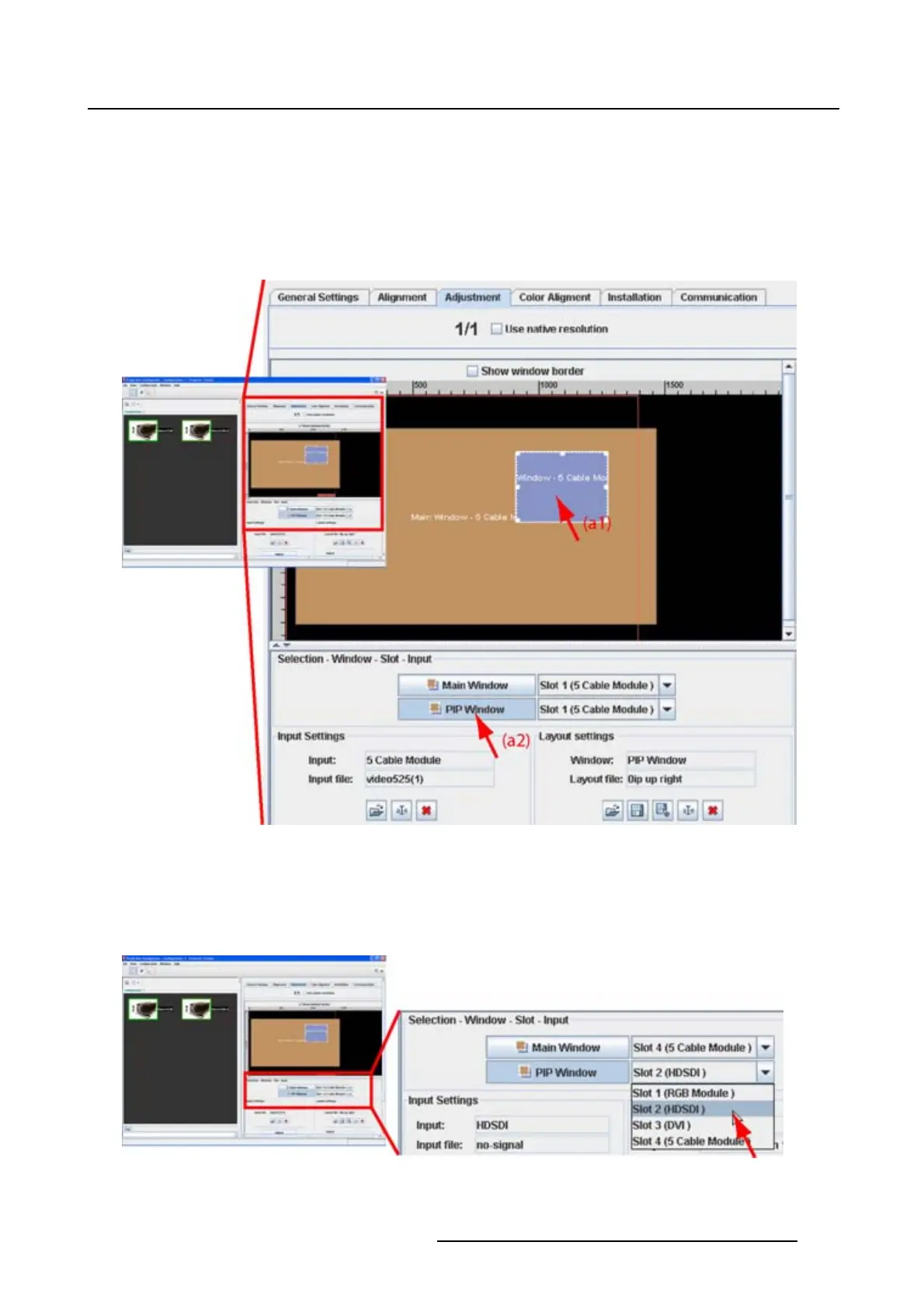
click on the desired window name in the Selection - Window - Slot - Input pane (a2). (image 8-3)
In the layout preview pane, the white square with 6 selection points is placed around the selected win-
dow.
In the Selection - Window - Slot - Input pane, the background of the selected window button becomes
light blue.
Image 8-3
Window selection
Slot - input selection
1. In the Selection - Window - Slot - Input pane, click on the combo next to the desired window and select
the desired input slot. (image 8-4)
Image 8-4
Slot selection
R5976924 PROJECTOR TOOLSET 16/04/2009 113



 To Next Page